
In This Article
Coding robot vs robotics kit for 7 year olds boils down to one question: do you want a robot that arrives ready to program, or a box of parts your child assembles first? A coding robot teaches sequencing and logic on day one. A robotics kit adds engineering, but it asks for more patience, more fine-motor skill, and usually a grown-up nearby.

Here’s what the toy aisle won’t tell you: both roads work, and the wrong turn is rarely the product itself. It’s the mismatch. A seven-year-old handed a 190-piece engineering puzzle gets frustrated. A seven-year-old handed a robot that only obeys a single button gets bored by week three. The research is encouraging, though. In a six-to-eight-week primary-school comparison, students learning with robotics gained roughly four points on a STEM competency scale, while the traditional-program group barely moved (a statistically insignificant 0.6). That’s a small study of 52 kids, so treat it as a nudge, not a verdict. Still, the direction is hard to ignore: hands-on beats worksheets.
So this guide does the sorting for you. Below are seven real products, from a mouse-shaped starter to a tween-ready AI rover. You’ll also get honest analysis of build-it-yourself vs pre-built robots, screen-free coding for beginners, electronic circuit kits for 12 year olds (handy if an older sibling is lurking), and the great subscription debate. Prices are ranges noted in October 2026, so check current price before buying. Everything here is analysis built on real specs and aggregated reviews, not hands-on testing, and I’ll flag it when the evidence runs thin.
Quick Comparison: 7 Coding Robots and Robotics Kits at a Glance
| Product | Type | Typical Age Range | Price Range | Best For |
|---|---|---|---|---|
| Botley 2.0 | Pre-built, screen-free | 5+ | $60-$90 | First-time coders who like physical cards |
| Code & Go Robot Mouse | Pre-built, screen-free | 4+ | $35-$50 | Budget starter or younger siblings |
| Wonder Workshop Dash | Pre-built, app-based | 6+ | $150-$200 | Kids ready for block coding on a tablet |
| Makeblock mBot | Build-it-yourself kit | 8+ (7 with help) | $70-$110 | A long growth path from blocks to text code |
| Sillbird 12-in-1 Solar Robot | Build-only kit, no coding | 8-13 | $15-$25 | Cheap, screen-free tinkering |
| Snap Circuits Classic SC-300 | Snap-together circuits | 8+ | $50-$80 | First circuits, from curious kids to early teens |
| CircuitMess Wheelson 2.0 | Build-and-code robot | 9-11+ (varies by source) | $150-$190 | Tweens ready for AI-flavored robotics |
Read the table left to right and a pattern jumps out: price climbs with the age range, not with the fun factor. The Code & Go Robot Mouse and Botley 2.0 are the real seven-year-old sweet spot, while Wheelson 2.0 and Snap Circuits Classic SC-300 speak more to the 12-year-old in your house. If you’re buying one thing for a first or second grader today, treat the bottom half of this table as a future purchase.
💬 Just one click — help others make better buying decisions too!😊
Top 7 Coding Robots and Robotics Kits: Expert Analysis
Ordered roughly from easiest start to biggest learning ceiling.
1. Botley 2.0 the Coding Robot — screen-free logic with zero setup friction
The headline feature is what Botley 2.0 leaves out: no tablet, no account, no Wi-Fi password. A handheld remote programmer and a deck of coding cards are the whole interface.
Per the maker’s listing, it stores up to 80 steps, handles loops, detects objects, and follows black lines, with the 2.0 version adding light-and-sound coding. In practice, a seven-year-old can start with “forward, forward, turn” and be building if/then obstacle routines by the weekend. Loops and conditionals are the same ideas that appear later in Scratch, so nothing here is a dead end.
Based on the spec comparison, this is the safest first pick for a kid with no coding exposure and a parent who’d rather keep the tablet in the drawer. The catch is that it’s fully pre-built: your child programs the robot but never learns why the motor spins. Retail reviewers keep landing on one theme, kids learning to break a task into steps quickly. I couldn’t verify review counts across retailers, so I won’t quote star ratings. Budget for batteries, since the remote runs on AAA cells.
Pros:
- ✅ Truly screen-free, ready out of the box
- ✅ Loops, object detection and line-following add depth
- ✅ Card-based coding is easy for non-readers
Cons:
- ❌ No building or electronics learning
- ❌ Ongoing battery costs
Expect the $60-$90 range depending on the bundle, which is strong value for a first coding robot.
2. Code & Go Robot Mouse — the cheapest on-ramp to coding
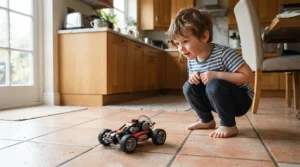
The Code & Go Robot Mouse wins on simplicity: push-button directions on its back, plus light and sound feedback, and you’re coding.
It’s pitched at ages 4 and up and includes 30 double-sided coding cards for planning routes, two speed settings, and an activity guide. Kids plan a path on the cards, program it, watch it run, then fix the mistakes. That plan-test-debug loop is the real curriculum, and it’s the loop that matters most in all programming.
For a seven-year-old, here’s my honest read: this is a gentle starter, and it’s more likely to be outgrown quickly than Botley 2.0, which adds sensing and looping that a simple step-by-step programmer lacks. That makes the mouse ideal for a younger sibling, a classroom-style group, or a family that wants to test the waters for the price of a pizza night. A teacher roundup at WeAreTeachers lists it among the coding toys for ages 5-7, and one reviewer in a classroom setting says students loved it, though I can’t verify broader review volume.
Pros:
- ✅ Low entry cost for first-time coders
- ✅ 30 cards make route-planning tangible
- ✅ Works on tabletops or household obstacle courses
Cons:
- ❌ Limited ceiling for a confident seven-year-old
- ❌ No sensors or advanced logic
Plan on the $35-$50 range; it’s excellent value as a starter, modest as a long-term play.
3. Wonder Workshop Dash — pre-built personality with real block coding
Dash is the pre-built robot that behaves like a character, with voice activation, sounds, and a friendly look that keeps kids chatting to it while they code.
It’s rated for ages 6 and up, and listings mention multiple companion apps (around five) with block-based, drag-and-drop programming in the Scratch/Blockly tradition. Block coding is a real programming skill: the visual puzzle pieces teach sequencing, events, and loops without typing a single semicolon. Reviewers consistently describe it as a classroom-grade tool at home, and several buyer’s guides rank it first for block-based learning in the 8-12 range.
Here’s what to weigh: Dash is a smart purchase for a seven-year-old who already finished a screen-free robot and wants more. It’s overkill as a first step for a true beginner, and it assumes you own a compatible tablet or phone, so confirm device support before buying. If your household is trying to cut screens, this is the opposite of screen-free coding for beginners.
Pros:
- ✅ Block coding grows with your child
- ✅ Engaging personality sparks storytelling
- ✅ Strong app ecosystem of challenges
Cons:
- ❌ Requires a tablet or phone
- ❌ Highest price in the pre-built group
Expect the $150-$200 range. It’s a fair value if your child will use it for years; otherwise it’s expensive.
4. Makeblock mBot — build-it-yourself with a real growth path
The standout here is runway: mBot starts with Scratch-style block coding and later opens the door to Arduino-style text programming.
It’s a build-it-yourself robot car with obstacle-avoidance and line-following abilities, rated ages 8 and up. Buyer’s guides describe assembly as comfortable for 8-12 but “at the edge” for six- and seven-year-olds. Translation: with a parent next to them, a seven-year-old can finish the build and feel enormous pride, but alone, they’ll likely stall on small screws and wiring.
My analytical take is that mBot is the best long-term value in this lineup if your child is mechanically curious. Building a robot first teaches cause and effect that a pre-built robot can’t: why the wheels turn, what a sensor actually does. Reviewers across several roundups repeatedly call it the best overall beginner robot, though most of those lists are listicles, so I’d weight them lightly. Programming also requires a compatible device, which adds screen time.
Pros:
- ✅ Blocks-to-text-code progression
- ✅ Sensors enable genuine robot behavior
- ✅ Teaches how the hardware works
Cons:
- ❌ Assembly may need a parent at age 7
- ❌ Programming needs a device
The typical range is $70-$110, which is good value if your child stays interested for more than a year.
5. Sillbird 12-in-1 Solar Robot — cheap, screen-free tinkering
The Sillbird 12-in-1 Solar Robot turns 190 pieces into 12 different models, powered by the sun, which makes it a clever, no-batteries introduction to renewable energy.
Guides list it for ages 8-13 and describe a build time as short as 15 minutes for simpler models. It involves zero coding, so it’s a pure building and engineering experience. That’s both its strength and its limit: it proves to a child that they can assemble something that moves, which is a confidence builder, but it won’t teach programming.
Here’s where it earns a spot in the coding robot vs robotics kit for 7 year olds debate: it’s the cheapest way to test whether your child enjoys building at all. If they zip through it and want more, mBot is the logical next step. If they lose interest by model three, you’ve learned something for the price of a movie ticket. One caveat: solar power needs real sunlight, so winter evenings on the couch may disappoint.
Pros:
- ✅ Very low cost
- ✅ 12 models from 190 parts
- ✅ No batteries or screens
Cons:
- ❌ No coding component
- ❌ Small parts can frustrate younger builders
Expect the $15-$25 range, a high-value experiment kit.

6. Snap Circuits Classic SC-300 — no-solder circuits, zero fear
Snap Circuits Classic SC-300 is the kit that made “building a circuit” feel like building with snap-together bricks.
Colored modules snap onto a base grid, so there’s no soldering and no loose wires. The SC-300 line is built around 300+ projects, with manuals that explain how each circuit works rather than just showing diagrams. Reviewers are split in an interesting way. One teen-focused 2026 guide calls it the best starting kit for a 12 or 13-year-old who has never built a circuit, while the same guide warns a comfortable 15-year-old will find early projects toy-like. Another guide notes the parts are proprietary, so the skills don’t transfer perfectly to real component-level work.
My read: this is the perfect answer for the keyword “electronic circuit kits for 12 year olds” if the 12-year-old is a true beginner. For a seven-year-old, it works with a parent beside them, but the circuit concepts will outpace their reading.
Pros:
- ✅ No soldering required
- ✅ Explains why each circuit works
- ✅ Expandable with other kits in the line
Cons:
- ❌ Proprietary parts limit real-world transfer
- ❌ Experienced older kids may outgrow it
Plan on the $50-$80 range; it’s good value for true circuit beginners.
7. CircuitMess Wheelson 2.0 — build a robot, then teach it to drive itself
Wheelson 2.0 is the premium pick: a robot you assemble from real electronic components, then program to navigate on its own.
According to the maker’s materials, kids build it without soldering and then program behaviors like obstacle detection, line following, and self-driving. It’s AI-flavored robotics in a kit. Age labeling is inconsistent across sources (some say 9+, others 11+), so I’d treat it as a tween project. A seven-year-old will need serious parent involvement.
One honesty note: most of the detailed descriptions I found come from the maker’s own blog, so treat enthusiastic claims as claims. On paper, though, it bridges the gap between circuit kits and real robotics better than most, which makes it a natural graduation for a child who finishes Snap Circuits and wants something that actually drives. For a seven-year-old, it’s a “put it on the wish list for age 10” purchase.
Pros:
- ✅ Real electronics assembly, no soldering
- ✅ Programmable autonomous behavior
- ✅ Combines building, circuits and coding
Cons:
- ❌ Too advanced for most seven-year-olds
- ❌ Highest price in the lineup
Expect the $150-$190 range; it’s good value for a motivated tween, poor value for a beginner.
Your First 30 Days: A Practical Setup and Practice Guide
The best robot in the world becomes a drawer ornament without a plan. Here’s the 30-day rhythm that tends to work for this age.
Week 1: tiny missions. Keep sessions to 15 minutes and frame them as missions, not lessons (“Get Botley to the kitchen door”). Tape a start line on the floor and build a maze from couch cushions or books.
Week 2: debug on purpose. Introduce “predict before you press”: your child guesses the robot’s path, runs it, then compares. Mistakes become detective work.
Week 3: add a constraint. For screen-free robots, add an obstacle or a loop. For kits like mBot, split the build over two sittings so patience doesn’t run dry.
Week 4: teach someone. Let your child explain their program to a sibling or grandparent. Teaching is the fastest way to cement a concept.
A few tricks the box won’t mention: keep spare AAA batteries and a zip bag for the cards; install and update any companion apps for Dash or mBot before the big unboxing; and for line-following robots, a dusty floor or glossy surface can confuse sensors, so test on matte paper first.
The most common first-month mistake is over-helping. Resist the urge to fix the code. When your child says “it’s broken,” ask what they expected to happen. Nine times out of ten, they’ll find the bug themselves.

Real-World Scenarios: Matching the Kid to the Kit
Instead of abstract advice, here are three hypothetical households and the picks that fit.
Scenario 1: The screen-free household
A first grader, no tablets on school nights, a budget around $70. Botley 2.0 is the clear match, with the cards and remote delivering coding without a single screen. Add the Code & Go Robot Mouse later if a sibling joins in.
Scenario 2: The tinkerer who dismantles remote controls
A seven-year-old who loves taking things apart, a work-from-home parent who can sit beside them for an hour. Start with the Sillbird 12-in-1 Solar Robot to test patience, then move to mBot once the first build feels easy. Expect the first mBot build to be a shared project.
Scenario 3: Two kids, seven and twelve
A shared family budget of about $120. The 12-year-old gets Snap Circuits Classic SC-300 (the circuits-for-beginners pick), while the seven-year-old starts with the Code & Go Robot Mouse. If the older child wants more, Wheelson 2.0 is the upgrade path. It’s a clean example of why one kit rarely serves two ages.
✨ Ready to Pick Your Winner?
🔍 Take your coding robot vs robotics kit for 7 year olds decision to the next level with these carefully selected products. Click any highlighted product name to check current pricing and availability, and choose the one that fits your child’s patience, not just their age. 🤖
How to Choose Between a Coding Robot and a Robotics Kit
A quick framework, because “ages 5+” on a box tells you almost nothing about your particular child.
- Check fine-motor readiness. If your child still struggles with small screws or tiny connectors, start with a pre-built robot. Kits like mBot reward steadier hands.
- Decide how you feel about screens. Screen-free options such as Botley 2.0 avoid devices entirely, while Dash and mBot use them purposefully.
- Match to attention span. A 15-minute build is a win; a four-hour build can sour a first experience. Buy for the child you have, not the one on the box.
- Look for a growth path. The best picks let your child go from simple commands to loops to real code. mBot and Dash do this best, based on specs.
- Add up total cost. Batteries, a compatible tablet, and extra accessory packs all change the true price.
- Plan for adult involvement. Be honest: can you sit beside them for the first build? If not, choose pre-built.
- Check the return window. Some retailers advertise generous return periods, but policies vary, so confirm before purchase.
Build-It-Yourself vs Pre-Built Robots: What Your Child Actually Learns
This is the heart of the coding robot vs robotics kit for 7 year olds question, so let’s slow down.
What pre-built robots teach
A pre-built robot like Botley 2.0 or Dash puts programming in the spotlight. The child is the software engineer, and the hardware just works. Wins come within minutes, which matters enormously at age seven.
What build-it-yourself kits teach
A kit like mBot adds mechanical thinking: how parts connect, why sensors matter, what happens when a wire is loose. A preschool robotics study found that children need to touch, manipulate, and experience a topic to truly understand it, and building is the most literal version of that.
| Factor | Pre-built robot (Botley 2.0, Dash) | Build-it-yourself kit (mBot, Wheelson 2.0) |
|---|---|---|
| Time to first win | Minutes | An hour or more |
| Main skill | Programming logic | Engineering plus programming |
| Adult involvement | Low | Moderate to high at age 7 |
| Best For | First-time coders, short attention spans | Mechanically curious kids with patient helpers |
The table makes the trade-off plain: pre-built robots front-load the fun, while kits back-load it. For a seven-year-old, I’d lean pre-built first, then a kit within twelve months. If your child is the type who asks “how does it work?” before “can I play?”, flip that order and start with a simple build.
Screen-Free Coding for Beginners: Why It Works at Age Seven
Screen-free coding for beginners means learning the logic of programming, like sequences, loops, and conditionals, without a display. Think cards, buttons, and floor mazes rather than apps.
Why does it suit this age? Seven-year-olds are still developing reading and typing fluency, so physical commands remove a barrier. They can see the robot’s path in the room, which makes abstract logic concrete. The South Carolina State Library’s technology kit guide shows how far a simple robot can stretch, with activities like coding a story, practicing addition and subtraction, and exploring a coordinate grid using Botley 2.0 and the Code & Go Robot Mouse.
The honest limit is the ceiling. Screen-free tools teach core ideas beautifully, but they don’t teach typing or syntax. That’s fine at seven. The smart play is to treat screen-free as the foundation, then add a block-coding robot like Dash around age eight or nine. And screens aren’t the villain: used with purpose and a parent nearby, they’re a tool, not a babysitter.
Electronic Circuit Kits for 12 Year Olds: Planning the Next Step
If you’re reading this with an older child in mind, electronic circuit kits for 12 year olds deserve their own look. Guides generally sort them into four types: snap-together kits, build-it-yourself device kits, breadboard and Arduino kits, and soldering kits (typically pitched at ages 10 and up with adult supervision).
The key is prior experience. For a 12-year-old who has never built a circuit, Snap Circuits Classic SC-300 is a gentle on-ramp. For a 12-year-old who’s already done snap kits, a build kit like CircuitMess Wheelson 2.0 or a breadboard set feels less childish. And for a teen who wants to write real code, one 2026 guide singles out the ELEGOO UNO R3 Super Starter Kit as best for 14 to 16-year-olds.
My honest take: age labels are guidelines, not rules. A curious nine-year-old with building experience may handle a kit rated for 11, while an inexperienced eleven-year-old may struggle with the same box. If your younger child is the one who’s curious, a Snap Circuits set is also a decent stretch goal for age seven with a parent beside them.
STEM Subscription Box vs One-Time Science Kits for Kids: The Honest Math
The STEM subscription box vs one-time science kits for kids debate is really a debate about variety versus depth.
A subscription box delivers a new hands-on project each month, age-banded so instructions match reading level. Its biggest strength is exposure: it introduces fields your child might never choose, from chemistry to engineering. It also removes planning, because the surprise arrives on schedule. In a test by The 74, three sisters aged 9, 11, and 13 tried Tinker Crate, StemBox, Creation Crate, and Groovy Lab in a Box, and the reactions varied sharply by box. One box in that group, Groovy Lab in a Box, was listed at roughly $25-$30 per month for ages 8 and up, which is a useful reminder that many boxes skew older than seven.
A one-time kit, by contrast, is owned outright: no renewal date, no cancellation email. Depth is the advantage, since a kit like mBot can occupy months of challenges.
| Option | Typical Cost Pattern | Strength | Weakness | Best For |
|---|---|---|---|---|
| Monthly STEM box | Roughly $25-$30 a month (about $300-$360 a year) | Variety and surprise | Cost adds up; some boxes skew older | Kids who love trying new things |
| Quarterly or seasonal box | Mid-$40s per box | Bigger projects, less pressure | Fewer deliveries | Families who prefer longer projects |
| One-time science or circuit kit (Snap Circuits Classic SC-300) | $50-$80, once | Depth per dollar | Fixed content | Kids who fixate on one topic |
| One-time robot (mBot) | $70-$110, once | Real growth path | Needs adult help at 7 | Persistent builders |
Looking at the numbers, a year of monthly boxes costs about the same as three or four good one-time kits. If your child jumps between interests weekly, a box earns its keep. If they dive deep into one topic, a one-time kit usually returns more learning per dollar.
Monthly STEM Box Value: What You’re Really Paying For
Let’s do the arithmetic honestly, because monthly STEM box value depends on completion, not just price.
At around $25-$30 a month, twelve boxes land in the $300-$360 range. If your child finishes eight and abandons four, your effective cost per completed project climbs by about a third. A one-time mBot at $70-$110, by contrast, can supply months of programming challenges, though only if your child stays interested.
Here’s the nuance: some sources, including a robotics maker’s own blog, argue one-time kits deliver more depth per dollar. That’s plausible, but remember the source sells those kits. The fairer framing is that boxes buy exposure and convenience, while kits buy depth.
Before subscribing, check four things: the real age range (many boxes list 8+), the renewal and cancellation terms, shipping costs, and whether you’ll actually have time to help each month. A box that arrives to a busy household and sits unopened has a monthly STEM box value of zero.
Common Mistakes When Buying a Coding Robot or Robotics Kit
Buying by the age label alone. The box says 5+, but your child’s fine-motor skills and patience matter more than a number.
Ignoring running costs. Batteries for Botley 2.0, a tablet for Dash, and add-on packs all change the true price.
Buying a kit that’s too advanced. Wheelson 2.0 is impressive, but handing it to a seven-year-old is a recipe for a half-built shelf ornament.
Assuming screen-free means low-skill. Loops, conditionals, and debugging are real computer science, whether they happen on cards or on a laptop.
Forgetting about renewal dates. Subscription boxes often auto-renew, so set a calendar reminder.
Buying too much at once. One well-chosen robot beats three half-used ones. Start small, watch what your child gravitates toward, then expand.

Frequently Asked Questions
❓ Is a robotics kit too hard for a 7 year old?
❓ How much should I spend on a coding robot for a 7 year old?
❓ Does a coding robot need a tablet or phone?
❓ Which robot lasts longest as my child grows?
❓ Is a STEM subscription box a good gift for a 7 year old?
Conclusion
So, what’s the verdict on coding robot vs robotics kit for 7 year olds? Start with a coding robot, then graduate to a kit. A pre-built option like Botley 2.0 or the Code & Go Robot Mouse gives your child a quick win and teaches the logic that every later skill rests on. A build-it-yourself kit like mBot is a wonderful second step once your child has the patience and fine-motor control to enjoy it.
If your child is mechanically curious from day one, the Sillbird 12-in-1 Solar Robot is a low-risk way to test the waters. For the older sibling, Snap Circuits Classic SC-300 and Wheelson 2.0 cover the circuit and robotics ground that electronic circuit kits for 12 year olds are meant to.
And on the money question, remember: monthly STEM box value depends on completion, not enthusiasm at checkout. A box suits the explorer; a one-time kit suits the specialist. Whichever you choose, keep sessions short, let your child own the mistakes, and celebrate the moment the robot finally does what they told it to.
✨ Ready to Take the Next Step?
🔍 Click any highlighted product name above to check current pricing and availability, then pick the robot that fits your child’s patience, curiosity, and your family’s screen rules. Happy building!
Recommended for You
- STEM Kits For 8 Year Olds: 7 Smart, Safe Picks For 2026
- Microscope For Kids: 7 Best Picks In 2026
- Air Dry Clay Kits For Kids Ages 8 And Up: 7 Fun, Safe Picks 2026
Disclaimer: This article contains affiliate links. As an Amazon Associate, I earn from qualifying purchases. If you purchase products through these links, we may earn a small commission at no additional cost to you.
✨ Found this helpful? Share it with your friends! 💬🤗
