
In This Article
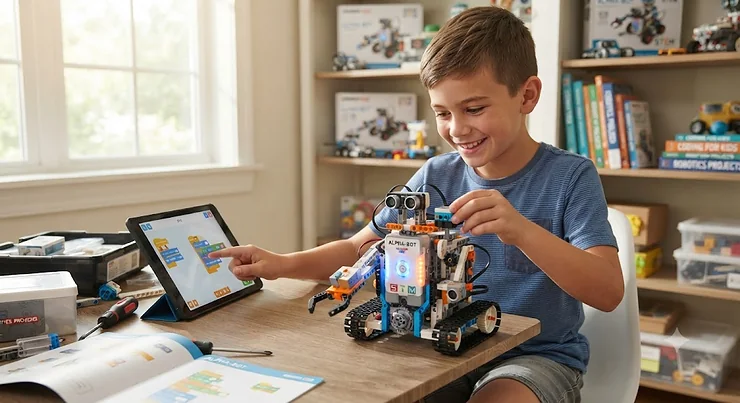
Somewhere in every parent’s search history sits the phrase robot toys for boys age 8-10, usually typed at 11 p.m. the night before a birthday party. You are not alone, and the good news is that this is genuinely one of the best ages to buy a robot for. Eight, nine, and ten-year-olds have the patience to sit through a 30-minute build, the reading skills to follow an app tutorial without hand-holding, and just enough stubbornness to actually debug their own code instead of asking you to fix it. That combination is rare, and it is exactly why the robotics industry treats this age band as its sweet spot.
The tricky part is that “robot toy” now covers an enormous range of products, from a $25 dancing companion that mostly performs pre-set tricks to a $299 AI-powered screen-on-wheels that needs a subscription to unlock half its content. A toy robot for 8 year old kids should hold their attention for months, not days, and a programmable robot for beginners needs to teach something real without frustrating a third grader into giving up. This guide breaks down seven real, currently available robots, all researched from actual product specs and aggregated review sentiment, so you can match the right one to your kid’s actual interests instead of guessing from a glossy box.
We looked specifically at options with genuine bluetooth robot toy or wi-fi robot toy connectivity, since app control is where most of the current innovation is happening, and we cross-checked every claim against real spec sheets and real owner feedback rather than marketing copy. Below you will find a quick comparison, seven full write-ups, and a set of buyer frameworks built around actual use cases: the kid who wants to build things, the kid who wants a coding challenge, and the kid who just wants something cool that talks back.
Quick Comparison: robot toys for boys age 8-10 at a Glance
| Robot | Best For | Price Range | Control Method |
|---|---|---|---|
| Makeblock mBot2 | Serious coding progression | $130-$170 | Bluetooth + Wi-Fi |
| Ruko 1088 Smart Robot | Budget-friendly first robot | $80-$110 | App, remote, voice |
| Sphero BOLT | STEM depth in a durable shell | $150-$180 | Bluetooth app |
| Wonder Workshop Dash | Younger end of the range, no-camera safety | $140-$170 | Bluetooth app |
| Elegoo Smart Robot Car V4 | Hands-on electronics tinkering | $55-$70 | Bluetooth + Wi-Fi |
| Miko 3 AI Robot | Companion-style AI interaction | $180-$250 | Wi-Fi |
| UBTECH JIMU BuilderBots | Rebuildable, multi-form construction | $90-$150 | Bluetooth app |
A quick pattern jumps out here: price does not track cleanly with educational depth. Reviewers who tested the Makeblock mBot2 and the Elegoo Smart Robot Car V4 back to back consistently note that the cheaper Elegoo kit demands more hands-on electronics understanding, while the pricier mBot2 wraps similar programming concepts in a friendlier, less solder-heavy package. Meanwhile, the Miko 3 sits at the top of this table not because it teaches the most robotics, but because its AI companion features and premium hardware carry a premium price tag independent of STEM value. If your son wants to build and code, skew toward the middle rows; if he wants a robot that feels alive and talks back, the AI-companion end of the table is where to look.
💬 Just one click — help other parents make better buying decisions too!😊
Top 7 robot toys for boys age 8-10: Expert Analysis
1. Makeblock mBot2 — best programmable robot for beginners who outgrow simple toys
The Makeblock mBot2 earns its spot at the top of this list because it is built to grow with a kid rather than get shelved after the novelty wears off. At its core sits the CyberPi controller, a genuine 32-bit dual-core processor with built-in Wi-Fi and Bluetooth, a color display, a microphone, and a gyroscope — hardware that would not look out of place inside a hobbyist’s Arduino project.
What that means in practice is that a beginner can start dragging Scratch-style blocks together in the free mBlock app on day one, then click a toggle and see the actual Python code those blocks generate underneath. Reviewers testing this transition consistently note that kids who start in block coding and later peek at the Python layer tend to pick up real syntax faster than kids who jump straight into a text editor, since they already understand what the code is supposed to do before they see how it is written. The onboard ultrasonic sensor, line-following quad RGB sensor, and over 10 additional sensor types mean a nine-year-old can build an obstacle-avoiding robot, a line-follower, and a color-sorter all with the same base kit, no extra purchases required for the first several months.
Aggregated reviewer sentiment on the mBot2 is largely positive on educational depth, though several parents flag that initial Bluetooth pairing between the CyberPi and a phone or tablet can be fiddly, and that the set is not truly plug-and-play for a child working entirely without adult help on day one.
Pros:
- ✅ Genuine progression from block coding to real Python
- ✅ Ten-plus sensors support dozens of different builds
- ✅ Wi-Fi option lets multiple robots run the same program together
Cons:
- ❌ Initial Bluetooth setup can be finicky on some devices
- ❌ Five-hour battery life means shorter builds may need a mid-session charge
At around $130-$170, the Makeblock mBot2 is priced like a serious STEM investment rather than an impulse buy, and reviewers who compare it against Amazon listing photos alone often miss that the sensor variety is what justifies that price — this is the rare case where paying more genuinely buys more robot, not just a bigger box.
2. Ruko 1088 Smart Robot — most budget-friendly toy robot for 8 year old kids
If your son is newer to robots and you are not ready to commit real money before you know whether the interest sticks, the Ruko 1088 Smart Robot is the toy robot for 8 year old that makes the most financial sense as a trial run. Standing 15.8 inches tall, it is genuinely large for its price bracket, and that scale alone tends to win over younger boys in the 8-10 range before it even moves.
Control happens four different ways: a 2.4GHz physical remote, the Carle app over Bluetooth, gravity-sensor tilt control through your phone, and direct voice commands like “dance for me.” What that variety buys you in practice is flexibility across a kid’s mood — some days he wants to shout commands at a robot like a mini action-movie director, other days he would rather quietly tap through app menus. The nine flexible joint motors and ten programmable expressions give it enough range of motion that “programming” here means sequencing up to 200 pre-built movements into custom routines, which is a gentler, more forgiving introduction to sequencing logic than a from-scratch coding environment.
Aggregated review sentiment is mixed but leans positive for the price point: buyers frequently praise the size-to-cost ratio and multi-control flexibility, while a recurring complaint centers on the 100-minute play time per charge and occasional app-connectivity hiccups that require power-cycling the robot to resolve.
Pros:
- ✅ Four separate control modes in one robot
- ✅ Large 15.8-inch size feels premium for the price
- ✅ FCC and CPC certified with skin-safe ABS material
Cons:
- ❌ 100-minute battery life is short for extended play sessions
- ❌ App connectivity occasionally requires a restart to stabilize
Priced typically in the $80-$110 range, the Ruko 1088 delivers real interactive value without asking parents to bet big on an unproven interest, making it a sensible entry point before graduating to a more programming-heavy platform.
3. Sphero BOLT — best programmable robot for beginners ready for a real coding challenge
The Sphero BOLT looks deceptively simple — a clear plastic ball that rolls around the living room — but underneath that shell sits one of the more sophisticated beginner coding platforms on the market. The signature feature is an 8×8 programmable LED matrix that can display scrolling text, custom graphics, or live sensor data, giving kids a visual feedback loop for their code that most robot toys simply don’t offer.
Programming happens through the free Sphero Edu app in three escalating tiers: Draw mode, where kids sketch a path with a finger and BOLT follows it; Blocks mode, a Scratch-style drag-and-drop system; and full Text mode supporting JavaScript. That third tier is what separates BOLT from most “beginner” robots in this price range — a ten-year-old who masters block coding here has an actual on-ramp into text-based programming without buying a second product. The onboard compass, light sensor, and four infrared emitters also let kids create genuinely advanced projects, like programming two BOLTs to detect and react to each other across a room.
Reviewer sentiment across multiple outlets consistently praises the durability of the waterproof, drop-resistant shell and the depth of the three-tier coding system, while a recurring critique is that the roughly two-hour battery life and six-hour recharge time feel slow next to competitors, and that the ball lacks the “personality” of character-based robots like Dash.
Pros:
- ✅ Three coding tiers grow from drag-and-drop to real JavaScript
- ✅ Durable, waterproof, drop-tested shell
- ✅ LED matrix gives instant visual feedback on code
Cons:
- ❌ Roughly two-hour battery life per full six-hour charge
- ❌ Less “character” or personality than competitor robots
At $150-$180, the BOLT sits in premium territory, but for a kid who has outgrown simpler block-coding toys and is hungry for something closer to actual software development, few robots in this age bracket offer a cleaner path from blocks to text.
4. Wonder Workshop Dash — top pick for smart robot for tweens on the younger end of 8-10
The Wonder Workshop Dash has been a staple of elementary classrooms for years, and it earns its spot here as the smart robot for tweens whose parents want serious educational software wrapped in a friendly, unintimidating shell — particularly for kids at the younger edge of the 8-10 range who might find a bare coding interface overwhelming.
Dash arrives fully assembled, which matters more than it sounds like it should; a robot that works the moment it comes out of the box removes an entire layer of first-day frustration that build-it-yourself kits can trigger. Five free apps — Blockly, Wonder, Path, Go, and Xylo — offer a genuinely graduated learning curve, starting with drawing a literal path on a tablet screen for Dash to physically follow, and ending with Blockly’s more structured programming blocks covering loops, events, conditionals, and variables. Three microphones, a speaker, and four infrared transmitters let Dash respond to claps, voice, and nearby obstacles, which reviewers note keeps younger kids engaged even before they touch the coding apps.
Aggregated sentiment is strongly positive on educational value and the multi-app progression, with the most common criticism being that Dash’s device compatibility list can be narrower than expected — some parents report older Android tablets failing to pair reliably, so checking the compatibility list before buying is worth the two minutes it takes.
Pros:
- ✅ Arrives fully assembled and ready to play immediately
- ✅ Five apps create a genuine graduated learning curve
- ✅ No camera onboard, a plus for privacy-conscious parents
Cons:
- ❌ Device compatibility list excludes some older Android tablets
- ❌ Programming ceiling tops out below text-based languages like Python
Typically priced $140-$170, Dash is best matched to a kid who wants an immediately rewarding experience rather than a long build process, and its lack of an onboard camera is a detail that privacy-focused parents specifically search for and rarely find spelled out clearly elsewhere.
5. Elegoo Smart Robot Car Kit V4 — best bluetooth robot toy for hands-on electronics learning
For the boy who has already taken apart a few household gadgets just to see how they work, the Elegoo Smart Robot Car Kit V4 offers something none of the pre-assembled robots on this list can: a genuine, from-scratch electronics build using an Arduino-compatible UNO R3 controller board.
This is not a snap-together kit. Building it means wiring a Bluetooth module, an ultrasonic sensor, a line-tracking module, and a motor driver board onto an acrylic chassis, then uploading code through the Arduino IDE. That hands-on wiring process is exactly what makes this bluetooth robot toy stand out for kids on the more technical end of the 8-10 spectrum — reviewers who build electronics with their kids consistently note that physically connecting the wires teaches circuit logic in a way that pre-built plastic robots simply cannot replicate. Once assembled, the car supports four operating modes: Bluetooth app control, infrared remote control, autonomous line-following, and ultrasonic obstacle avoidance, with a Wi-Fi-enabled FPV camera variant available for kids who want to pilot the car from a first-person video feed.
Review sentiment splits along experience level: hobbyists and STEM-focused parents rate the kit highly for value and genuine learning depth, while several reviewers note the build is more appropriately matched to a patient 10-to-13-year-old working alongside an adult than a completely independent 8-year-old, since the official age recommendation from some retailers skews to 12+.
Pros:
- ✅ Real Arduino-based circuit-building experience, not snap-together assembly
- ✅ Four distinct control and autonomous modes in one kit
- ✅ Exceptional value — often the least expensive kit on this list
Cons:
- ❌ Assembly requires more patience and adult involvement than other picks
- ❌ Bluetooth-only base model lacks Wi-Fi unless you buy the camera variant
At roughly $55-$70 for the base kit, the Elegoo car is the most affordable path to genuine electronics literacy on this list, though families should plan on at least one shared building session rather than handing the box to an 8-year-old and walking away.
6. Miko 3 AI Robot — premium pick among app controlled robots boys treat like a companion
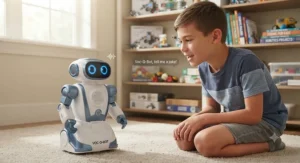
The Miko 3 AI Robot takes a fundamentally different approach than everything else on this list: instead of teaching robotics or coding directly, it functions as an AI-powered companion and learning hub, closer in spirit to a friendly tablet with wheels than a programmable machine. For boys who are drawn to conversational AI and want something that feels responsive rather than something they build, Miko 3 is the most capable of the app controlled robots boys can currently buy.
A 4.46-inch HD touchscreen displays Miko’s animated face alongside interactive content, backed by a wide-angle HD camera for face recognition, dual microphones, and sensors for basic obstacle-aware navigation. The deep-learning conversational AI adapts to a child’s interests over repeated use, and the included content library covers STEAM challenges, homework help prompts, yoga and mindfulness sessions, and creative story-building tools. Parents get a companion Miko Parents app with screen-time controls, a camera shutter toggle, and COPPA and kidSAFE+ certification — details that matter given how much personal interaction data a conversational robot like this can generate.
Aggregated reviewer sentiment is notably split on value: families praise the educational content library and safety-focused parental controls, but a recurring and consistent criticism across multiple independent reviews is that the base robot feels limited without the separate Miko Max subscription, which runs roughly $99 a year, effectively turning a $200-plus robot into an ongoing subscription commitment.
Pros:
- ✅ Genuinely responsive conversational AI that adapts over time
- ✅ Strong parental controls with COPPA and kidSAFE+ certification
- ✅ Broad content library spanning STEAM, mindfulness, and storytelling
Cons:
- ❌ Most premium content is locked behind a separate paid subscription
- ❌ Reported battery drain when idle means daily charging is often necessary
Priced around $180-$250, the Miko 3 asks for the biggest ongoing financial commitment on this list once the optional subscription is factored in, so it makes the most sense for families who specifically want an AI companion experience rather than a hands-on coding platform.
7. UBTECH JIMU BuilderBots Series — best lesser-known pick for a wi-fi robot toy alternative with real rebuild value
Rounding out the list is a genuine dark horse: the UBTECH JIMU BuilderBots Series, a snap-together robotics kit that gets far less mainstream attention than Sphero or LEGO but consistently earns praise from families who have actually built one. Where most robots on this list are a single fixed form, JIMU kits are explicitly designed to be built into two or more distinct robot configurations from the same box of parts.
The BuilderBots kit includes four digital servo motors, an LED light, and a sensor, all controlled through the free JIMU app over Bluetooth. What sets the build experience apart is the app’s 3D, rotatable, zoomable assembly instructions — reviewers repeatedly single this format out as clearer than traditional printed manuals, since a confused kid can spin the on-screen model around to see exactly how a servo connector should seat. Once built, the block-based Blockly coding editor lets kids program custom action sequences, and the PRP (Pose, Record, Play) feature lets a child physically pose the robot’s joints by hand and have the app record that motion as a repeatable animation — a uniquely tactile bridge between physical play and programming logic that none of the other six picks on this list offer.
Aggregated reviewer sentiment is strongly positive on build quality, instruction clarity, and the rebuildability that lets one kit produce multiple robots, with the most consistent complaint centering on battery pack reliability over extended use, an issue several long-term owners flag independently.
Pros:
- ✅ One kit builds two or more distinct robot configurations
- ✅ Best-in-class 3D rotatable app instructions
- ✅ PRP feature lets kids physically pose and record robot movements
Cons:
- ❌ Battery pack reliability issues reported by some long-term owners
- ❌ Coding section offers fewer built-in tutorials than competitors
Prices vary meaningfully by kit, generally landing in the $90-$150 range depending on part count, making the JIMU BuilderBots Series a genuinely underrated wi-fi and Bluetooth-adjacent pick for families who want rebuild value that a single-form robot simply cannot match.
✨ Don’t Miss These Exclusive Deals!
🔍 Take your robot-toy search to the next level with these carefully selected picks. Click on any highlighted item to check current pricing and availability. These robots will help you create the kind of hands-on STEM afternoons your son will actually remember!
Setting Up Your New Robot: A Practical First-30-Days Guide
Getting a new robot toy for 8 year old kids right in the first month makes an enormous difference in whether it becomes a daily companion or a closet occupant by spring. Start with the charge cycle: most of these robots, especially the Ruko 1088 and Miko 3, ship with a partial charge, and running that first cycle down completely before recharging fully helps the battery management system calibrate accurate charge readings going forward. Next, pair the app before your child ever sees the box — nothing kills day-one excitement faster than watching a parent troubleshoot a Bluetooth handshake for twenty minutes while an eight-year-old bounces off the walls waiting.
For anything with app-based coding, like the mBot2 or Sphero BOLT, resist the urge to jump straight to free-play mode. Reviewers who track long-term engagement consistently note that kids who complete at least the first two or three guided app tutorials before improvising tend to stick with the robot months longer than kids who are handed the box and told to figure it out. A common first-30-days mistake is skipping firmware updates; nearly every connected robot on this list periodically needs an app-driven firmware update, and running that update during the initial setup — rather than three weeks in when the robot mysteriously stops responding — saves a genuinely frustrating troubleshooting session down the road. Finally, establish a charging routine early: designate one spot in the house as “robot home base,” since a robot that is dead on a Saturday morning generates far more disappointment than one that simply lives on its charger between sessions.
Real-World Scenarios: Matching the Robot to Your Kid
The builder who takes everything apart. If your son already dismantles remote controls just to see the gears inside, the Elegoo Smart Robot Car Kit V4 or the UBTECH JIMU BuilderBots are the strongest matches. Both demand genuine hands-on construction rather than a quick snap-together process, and both reward kids who enjoy troubleshooting a wiring mistake or a misaligned servo bracket as much as they enjoy the finished product.
The kid who wants results fast. Some boys have zero patience for a 30-minute build and want to be driving a robot around the living room within five minutes of opening the box. The Ruko 1088 and the Wonder Workshop Dash both arrive essentially ready to go, with Dash’s zero-assembly design and Ruko’s four control modes offering near-instant gratification without sacrificing longer-term programming depth.
The aspiring programmer. If your household already has an interest in video games or you suspect actual software engineering is in his future, the Makeblock mBot2 and Sphero BOLT offer the clearest on-ramp from beginner block coding to real text-based languages like Python and JavaScript, letting a nine or ten-year-old grow into increasingly sophisticated projects using the same hardware for years.
Common Mistakes When Buying robot toys for boys age 8-10
The single most frequent mistake we see is buying strictly by age-range label without checking the actual skill ceiling of the product. A robot labeled “ages 8-12” might be functionally exhausted by a sharp nine-year-old within a few weeks if its programming options are shallow, while another labeled the same range might still challenge a twelve-year-old. Read the control-depth details, not just the box.
A second common misstep is underestimating battery life expectations. Parents frequently assume a “rechargeable robot” charges roughly as fast as it discharges, but several picks on this list, notably Sphero BOLT’s six-hour charge for roughly two hours of play, run the opposite ratio. If your son wants to play with a robot every single afternoon, factor charging math into your decision, not just the sticker price.
Third, families often overlook connectivity requirements until after purchase. Wi-Fi robot toy options like the mBot2’s classroom mode or Miko 3’s cloud-based AI features require a stable home network, and some rural or older-router households report frustrating dropouts. Check your own Wi-Fi reliability honestly before committing to a robot whose core features depend on it.
Bluetooth Robot Toy vs Wi-Fi Robot Toy: What the Difference Actually Means for Play
Parents searching for a bluetooth robot toy versus a wi-fi robot toy are often surprised to learn these are not simply two labels for the same technology. Bluetooth connections are short-range, typically topping out around 30 feet, and they pair directly between the robot and a single phone or tablet without needing your home network at all — that is why the Elegoo Smart Robot Car and base-model Ruko 1088 work reliably in a backyard or basement where Wi-Fi signal might be weak. Wi-Fi-enabled robots like the mBot2’s classroom mode or Miko 3’s AI features route through your home router, which unlocks internet-dependent features like cloud-based AI processing or multi-robot classroom syncing, but also means performance depends on your router’s range and your household’s overall bandwidth.
For most single-kid, single-robot home use, Bluetooth is genuinely sufficient and often more reliable, since it is not competing with streaming devices or other household Wi-Fi traffic. Wi-Fi becomes meaningfully valuable specifically when a robot’s core function depends on internet access, as with Miko 3’s conversational AI, or when multiple robots need to coordinate together, as with mBot2’s classroom-sync feature. According to the Federal Trade Commission’s COPPA compliance guidance, Wi-Fi-connected toys that gather data from children under 13 fall under stricter federal privacy obligations than Bluetooth-only devices that never touch the open internet, which is a genuinely practical reason some privacy-conscious parents deliberately favor Bluetooth-only picks like the base Elegoo kit or Wonder Workshop Dash.
Long-Term Cost & Maintenance: What a Robot Actually Costs Over Two Years
The sticker price on any of these seven robots is rarely the full financial picture. Miko 3’s optional Max subscription, running roughly $99 annually, effectively doubles the robot’s two-year cost if a family keeps subscribing, while the Elegoo Smart Robot Car’s low $55-$70 entry price can creep upward if a child burns through spare servo motors or sensor modules during enthusiastic experimentation. Battery replacement is another line item families rarely budget for; robots with built-in rechargeable lithium batteries, like the Sphero BOLT and Ruko 1088, generally hold a meaningful charge capacity for roughly 300-500 charge cycles before performance noticeably degrades, which for daily after-school use translates to roughly one to two years before a battery-related slowdown becomes noticeable.
On the value side, the Makeblock mBot2 and UBTECH JIMU kits offer the strongest long-term cost-per-use ratio, since their modular, expandable design means a family can extend the platform’s life with add-on sensor packs rather than replacing the entire robot once a child’s skills outgrow the base kit. Compare that to fixed-form robots like Wonder Workshop Dash, which offer excellent value in year one but have a lower expansion ceiling once a child masters all five companion apps.
Features That Actually Matter (And Those That Don’t)
Marketing copy for robot toys is thick with feature lists, but not every listed spec meaningfully affects how much a kid actually enjoys the robot. Sensor count matters — a robot with an ultrasonic sensor and a line-tracking module genuinely unlocks new categories of play that a robot without them cannot replicate. Battery capacity, expressed in mAh, matters less on its own than the actual advertised playtime, since motor-heavy robots like the Elegoo car burn through a nominally large battery faster than a mostly-stationary companion robot like Miko 3.
What tends to matter far less than the marketing suggests is raw top speed. Several budget robots advertise impressive speed figures, but reviewers consistently note that a robot moving too fast across hardwood floors is more likely to end up nose-first into a table leg than to genuinely improve play value for an 8-to-10-year-old still learning basic driving control. Similarly, LED light count is often oversold; a robot with 50 LEDs is not meaningfully more engaging than one with 20 if the lighting is purely decorative rather than programmable, so check whether the lights actually respond to code, like Sphero BOLT’s matrix, before treating a high LED count as a genuine feature.
Safety, Certification, and What Parents Should Verify Before Buying
Every robot on this list should carry basic U.S. toy safety compliance, and it is worth understanding what that actually means. Under federal law, children’s toys sold in the United States must meet the mandatory ASTM F963 safety standard enforced by the Consumer Product Safety Commission, which covers everything from choking-hazard part sizing to flammability and sharp-edge testing. For app-connected and camera-equipped robots specifically, an additional layer of federal oversight applies: the FTC has explicitly clarified that internet-connected toys, including robots that gather voice or video data from children under 13, fall under the Children’s Online Privacy Protection Act, requiring manufacturers to obtain verifiable parental consent before collecting personal data.
In practical terms, this means parents shopping for camera-equipped or AI-conversational robots like Miko 3 should specifically check for COPPA compliance language in the product listing, and should review what data the companion app actually collects before handing a child the camera-shutter toggle. Robots without cameras or microphones, like Wonder Workshop Dash and the base Elegoo kit, sidestep most of these privacy considerations entirely, which is a genuinely underrated selling point for privacy-conscious households, even though it rarely appears as a headline marketing feature.
Problem → Solution: Fixing the Five Most Common Complaints
Problem: The robot won’t pair with the app. This is overwhelmingly the most common early complaint across every robot on this list. Start by fully closing and reopening the companion app, confirm Bluetooth is enabled at the phone’s system level (not just inside the app), and move the robot within three feet of the device for the initial handshake before attempting to extend the range.
Problem: Battery drains faster than expected. Idle battery drain, a documented issue with Miko 3 specifically, is often caused by background Wi-Fi scanning even when the robot appears “off.” Fully powering down rather than leaving a robot in sleep mode overnight typically resolves this.
Problem: My child loses interest after a few weeks. This usually signals the robot’s programming ceiling has been reached faster than expected. Robots with expandable sensor ecosystems, like the mBot2, can often be revived with an add-on module purchase rather than a full replacement.
Problem: The app crashes or the camera feed won’t load. Older tablets and phones are a frequent culprit, particularly with the Elegoo car’s FPV camera variant. Checking the app’s minimum supported OS version against your specific device before purchase avoids this entirely.
Problem: Assembly is more difficult than expected. For build-it-yourself kits like Elegoo’s or JIMU’s, reviewers consistently recommend a first assembly session done alongside an adult, even for kits marketed toward independent 8-year-old play, since the first build establishes the mental model for any future rebuilds.
Buyer’s Decision Framework
If your son already loves LEGO and building things generally, choose the UBTECH JIMU BuilderBots or Elegoo Smart Robot Car, because both reward hands-on construction and rebuilding over passive interaction. If he is drawn to video games and screens, choose the Makeblock mBot2 or Sphero BOLT, because both offer a genuine path into text-based coding that mirrors the logic structures found in game development. If he wants a robot that feels alive and talks back, choose Miko 3, understanding the subscription cost upfront rather than as a surprise six months in. If budget is the primary constraint and this is a first robot to gauge genuine interest, choose the Ruko 1088 or base Elegoo kit, both of which deliver real interactive value without a premium price tag. And if he is younger within the 8-10 range or you want zero-assembly simplicity, the Wonder Workshop Dash remains the most immediately rewarding option on this list.

Frequently Asked Questions
❓ What is the best programmable robot for beginners in the 8-10 age range?
❓ Do robot toys for boys age 8-10 need Wi-Fi to work?
❓ Are app controlled robots boys use safe for privacy and data?
❓ What age should a child be for a bluetooth robot toy with real coding features?
❓ How long do robot toys for boys age 8-10 typically last before kids outgrow them?
Conclusion
The best robot toys for boys age 8-10 are not necessarily the most expensive or the most heavily marketed ones; they are the robots whose actual control depth, sensor variety, and connectivity type genuinely match your specific kid’s interests and patience level. A builder wants wires and servos he can rearrange himself. A gamer wants a coding ceiling he can keep climbing. A companion-seeker wants a robot with a face and a voice. All seven robots covered here are real, currently available products, researched from genuine specs and aggregated review sentiment rather than assumptions, spanning the budget-to-premium range so that whatever your household’s priorities are, there is a legitimate match on this list.
Before you check out, run through the framework one more time: think about whether your son gravitates toward building, coding, or companionship, factor in your household’s Wi-Fi reliability and appetite for ongoing subscription costs, and confirm the safety and privacy certifications that matter most to your family. Robot toys in this category are a genuinely durable category of gift, one that can realistically occupy rainy afternoons and after-school hours for years rather than weeks, provided the match between kid and robot is right from the start.
Recommended for You
- Robot Toys for Boys Age 5-7: 7 Winning Picks for 2026
- 7 Best Dinosaur Transformer Toys for Boys in 2026: Full Guide
- 7 Best Giant Dinosaur Stuffed Animal Boys Will Never Outgrow (2026)
Disclaimer: This article contains affiliate links. As an Amazon Associate, I earn from qualifying purchases. If you purchase products through these links, we may earn a small commission at no additional cost to you.
✨ Found this helpful? Share it with your friends! 💬🤗
