
In This Article
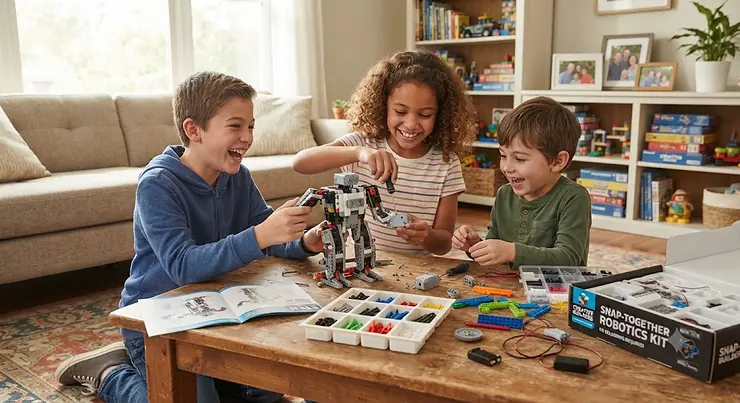
A robot building toy kit no soldering required is any kit that lets you assemble a working robot using screws, snap-together pieces, or brick connectors — no hot iron, no melted wire insulation, no adult standing over a smoking workbench. Just torque, patience, and a Phillips-head screwdriver. That’s the entire promise, and in 2026 it’s become the default standard for kids’ robotics rather than a nice-to-have feature.
Here’s the thing nobody tells you before you start browsing: “robot kit” now covers an enormous range of experiences. On one end you’ve got a $30 solar-powered crab that wiggles when the sun hits its panel. On the other, you’ve got a $350 system with a color sensor, a distance sensor, and Python support that would make a college engineering student nod approvingly. Between those two extremes sits a genuinely confusing middle ground of coding robots, snap-circuit builds, and mechanical arms — all claiming to be “the best” for reasons that don’t always hold up once you actually dig into the specs.
We spent real time cross-referencing product documentation, manufacturer specs, and aggregated buyer sentiment across seven kits that represent the honest range of what’s available right now — from a budget solar bot to a flagship coding platform. Educational robotics as a field uses programmable computers, motors, and sensors to teach coding, engineering, and hands-on problem-solving, and understanding which mechanism does what is the difference between a kit that gets used for six months and one that gets abandoned after the first Saturday.
Quick Comparison Table
| Kit | Best For | Price Range | No Soldering |
|---|---|---|---|
| Sillbird 12-in-1 Solar STEM Robot Kit | Budget-conscious first builds | Around $30-$40 | Yes |
| OWI Robotic Arm Edge | Hands-on mechanical dexterity | $60-$80 range | Yes |
| Snap Circuits Motion | Snap circuit robot fans | $100-$130 range | Yes |
| Makeblock mBot Neo | Entry level coding robot | $90-$110 range | Yes |
| LEGO Education SPIKE Essential | Durable brick-based building | $130-$160 range | Yes |
| Thames & Kosmos Robotics Workshop w/ micro:bit | Widest variety of robot designs | $270-$300 range | Yes |
| LEGO Mindstorms Robot Inventor | Serious coding + engineering depth | $350-$400 range | Yes |
Look at the spread here and a pattern jumps out immediately: price correlates far more with programming depth than with build complexity. The Sillbird 12-in-1 Solar STEM Robot Kit and the OWI Robotic Arm Edge both demand real assembly patience, yet they cost a fraction of the LEGO Mindstorms Robot Inventor because neither one asks you to write actual code. If your kid wants to snap parts together and watch something move, the cheap end delivers that fully. If they want to eventually write Python, you’re paying for that runway.
💬 Which build style fits your kid best? Scroll down to the full breakdown before you decide!😊
Top 7 Robot Building Toy Kit No Soldering Options: Expert Analysis
1. Sillbird 12-in-1 Solar STEM Robot Kit — most builds per dollar, zero batteries needed
The standout feature here is right in the name: twelve distinct solar-powered robot configurations from one box, and not a single battery required. That “12-in-1” claim isn’t marketing fluff — the parts genuinely reconfigure into a crab, a plane, a dog, and other forms, each one driven by the same small solar panel and motor.
The kit ships with roughly 190 pieces and a single geared DC motor wired directly to a solar cell, which means the “circuit” a kid is learning about is refreshingly visible — no hidden microcontroller, just light hitting a panel and a motor spinning. Assembly takes 30-60 minutes per configuration once a kid gets the hang of the gear ratios, and there’s no screen, app, or Bluetooth pairing involved anywhere in the process.
Based on the spec comparison against other budget solar kits, this one earns its reputation through sheer configuration count rather than build sophistication — it’s a mechanical-thinking kit first, an electronics kit a distant second. Reviewers consistently report that the appeal fades a bit once a child has built through all twelve models, which is honestly the natural lifecycle of a $30-40 toy rather than a flaw unique to this one.
Pros:
- ✅ Twelve distinct robot builds from a single kit
- ✅ No batteries ever required — runs entirely on light
- ✅ Genuinely low price point for the format
Cons:
- ❌ Small gears and hinges reportedly strip with rough handling
- ❌ Motor torque struggles on cloudy or low-light days
At around $30-40, this sits firmly in impulse-buy territory, and the value verdict is straightforward: it’s the cheapest legitimate entry point into a robot building toy kit no soldering required, but treat it as a starter, not a long-term investment.
2. OWI Robotic Arm Edge — best for hands-on mechanical dexterity
What sets this one apart from every snap-together kit on this list is that it’s the only true robotic arm toy kit here — five independent gearboxes, five degrees of freedom, and a gripper that opens, closes, and lifts real objects. The Robotic Arm Edge has five motors with gearboxes providing five degrees of freedom: 120° wrist motion, 300° elbow motion, 180° shoulder motion, 270° base motion, and a 0-1.77 inch gripping motion, all controlled through a wired five-switch panel.
Assembly requires only a Phillips screwdriver, long-nose pliers, and diagonal cutters — no soldering involved, though don’t let that fool you into thinking it’s quick. This is a multi-hour build spread across gearbox after gearbox, and the arm includes a safety gear audible indicator on all five gearboxes to alert users before gear damage occurs — a genuinely thoughtful touch for a kit aimed at kids still learning how much torque is too much torque.
What most buyers overlook about this model is that it teaches mechanical transmission concepts — gear reduction, torque versus speed tradeoffs — that block-coding robots skip entirely because their motors are pre-assembled. Reviewers consistently note the build takes far longer than expected (multiple sessions is typical) and that a lost screw can stall the whole project, since replacement parts require contacting the manufacturer directly.
Pros:
- ✅ Five real degrees of freedom on a working robotic arm
- ✅ Teaches gear mechanics you won’t find in coding-only kits
- ✅ Audible safety alerts on every gearbox joint
Cons:
- ❌ Assembly commonly takes six to nine hours across sessions
- ❌ Small parts are easy to lose and hard to replace
Priced in the $60-80 range depending on retailer, the value case rests entirely on patience: if your kid finishes what they start, this is one of the most mechanically educational robotic arm toy kit options on the market.
3. Snap Circuits Motion — best snap circuit robot for movement-based builds
The defining feature of this kit is motion itself — it builds a crawler, a mini-car, and an airplane, all powered by Snap Circuits components, which distinguishes it from the more static Snap Circuits lines focused purely on lights and sounds. This is the snap circuit robot pick specifically because it’s built around locomotion rather than novelty circuits.
The kit includes an 82-page full-color manual covering over 165 hands-on activities, and every component clips onto a plastic grid using Elenco’s patented color-coded snap system — no tools, no soldering iron, no wire strippers. What most buyers overlook is that the “circuit” concepts taught here (parallel paths, switches, resistance) transfer directly to understanding how the bigger coding robots on this list actually move once you strip away the app layer.
Based on the spec sheet, three AA batteries power the whole system, and the crawler mechanism specifically demonstrates gear-driven walking motion rather than simple wheels — a detail that separates it from cheaper “snap and go” kits. Reviewers consistently praise the safety-focused CircuitSafe technology that prevents dangerous voltage combinations, which matters since younger builders are the target audience here.
Pros:
- ✅ 165+ projects built around movement and locomotion
- ✅ True snap-together assembly, zero tools required
- ✅ CircuitSafe technology limits dangerous voltage paths
Cons:
- ❌ Plastic snap pieces feel less durable over years of reuse
- ❌ No programming or coding component at all
At around $100-130, this sits at the pricier end for a non-coding kit, but for a family specifically chasing the snap circuit robot experience over pure electronics, it’s the most movement-focused option Elenco currently makes.
4. Makeblock mBot Neo — best entry level coding robot overall
The standout advantage is the CyberPi controller board, which bundles a gyroscope, accelerometer, and light sensor directly onto the main board — sensors that competing entry-level kits typically sell as separate add-ons. The mBot Neo assembles in about 30 minutes without soldering, supports both block-based and Python programming, and includes built-in sensors that let new makers start coding immediately.
Here’s what the spec sheet won’t tell you outright: that “30-minute assembly” claim assumes a kid already comfortable with a screwdriver, so budget closer to 45-60 minutes for a first-timer working alongside a parent. Once built, though, the mBlock software runs across Windows, Mac, Chromebook, and iOS/Android tablets, which makes it genuinely classroom-friendly and eliminates the “wrong device” problem that kills momentum on other platforms.
The main limitation involves Makeblock’s proprietary RJ25 connectors for sensor modules, meaning third-party Arduino sensors require an adapter board — worth knowing if you’re hoping to expand into the wider Arduino ecosystem later. As an entry level coding robot, this is the one we’d point a genuine beginner toward first: the on-ramp from drag-and-drop blocks to typed Python is about as gentle as the category gets.
Pros:
- ✅ Onboard gyroscope, accelerometer, and light sensor from the start
- ✅ Clean progression from block coding straight into Python
- ✅ Cross-platform software works on nearly any household device
Cons:
- ❌ Proprietary connectors limit third-party sensor expansion
- ❌ First-time screw assembly often takes longer than advertised
At roughly $90-110, this is priced squarely in the “serious first robot” bracket, and it earns that price by being the most balanced entry level coding robot in this lineup — accessible now, with real room to grow.
5. LEGO Education SPIKE Essential — most durable, tool-free brick assembly
What sets SPIKE Essential apart is that it needs zero tools at all — everything clicks together using standard LEGO stud connections, meaning even a lost piece is trivially replaced from any LEGO bin in the house. SPIKE Essential brings school-grade robotics to the 7-10 age range with a simplified hub, two motors, a color sensor, and a distance sensor, and the Scratch-based programming interface is accessible from age 7.
Based on the spec comparison with mBot-style kits, the tradeoff is clear: SPIKE Essential sacrifices some programming depth (no native Python path yet at this tier) in exchange for build durability and expandability that plastic-clip kits simply can’t match. Because it’s built on standard LEGO bricks, structures can be supplemented with any LEGO collection already in the house — a meaningful long-term value point that rarely gets mentioned in spec sheets.
What most buyers overlook is that this durability advantage compounds over time. A snapped plastic connector on a rival kit often means a support ticket and a wait; a broken LEGO connection means grabbing another brick from the bin. It’s used in primary school STEM programs globally as something of an educational robotics standard for this age range, which speaks to how well it holds up under repeated classroom handling.
Pros:
- ✅ Zero tools needed thanks to standard LEGO connections
- ✅ Fully compatible with any existing LEGO brick collection
- ✅ Widely used in real classroom STEM curricula
Cons:
- ❌ No native Python programming path at this tier
- ❌ Fewer sensors included than the pricier SPIKE Prime
Priced in the $130-160 range, the value case here is durability and ecosystem compatibility rather than raw programming horsepower — a smart pick for households already sitting on a pile of LEGO bricks.
6. Thames & Kosmos Robotics Workshop with micro:bit — most robot designs from one box
The defining feature is sheer design variety: the kit begins with instructions to build fourteen simple motorized robots with sensors that can control them, and later builds include an ultrasound obstacle-avoiding robot, a drawing robot, a ball-shooting robot, a crawling robot, a grabbing robot, a robotic arm, and even a scorpion-style robot.
The system runs on the award-winning micro:bit, programmed through the free MakeCode platform, which starts as visual block coding and stretches into Python and JavaScript as skills grow — arguably the most complete language ladder on this list short of the Mindstorms flagship below. Here’s what the spec sheet won’t tell you: some owners report the companion app and Bluetooth connection can be inconsistent, making certain robot behaviors harder to get working reliably than the marketing suggests, so honest expectations matter before you commit.
With over one hundred snap-together, reusable building pieces included, kids aren’t limited to the fourteen preset designs — the parts genuinely support original robot designs once the manual builds are exhausted. Based on the spec comparison, this is less “one great robot” and more “a robotics design studio,” which is exactly the audience it’s built for.
Pros:
- ✅ Fourteen-plus distinct robot designs from one kit
- ✅ Full coding ladder from blocks to Python and JavaScript
- ✅ Over 100 reusable pieces support original designs
Cons:
- ❌ App and Bluetooth reliability draws mixed owner feedback
- ❌ Premium price for a kit without a single flagship “hero” robot
Sitting around $270-300, this is a genuine premium purchase, and the value verdict depends on what you’re buying: as a variety-first design platform it’s excellent, but families wanting one polished flagship robot may prefer the Mindstorms option below.
7. LEGO Mindstorms Robot Inventor — most sophisticated build-and-code system
The standout advantage is raw capability: the kit includes 949 pieces, an intelligent hub, four motors, plus a color sensor and a distance sensor, letting kids build five distinct robots that range from simple rovers to genuinely complex multi-motor machines. Kids code through a Scratch-based app that also supports Python for advanced users, giving it the same language ladder ambition as the Thames & Kosmos kit but backed by LEGO’s engineering ecosystem.
What most buyers overlook about the “successor to Mindstorms EV3” framing is that this isn’t a minor refresh — the original EV3 platform had already proven itself as the long-running king of DIY robotics since 2013, and the Robot Inventor builds directly on that decade of classroom validation with a modernized hub and sensor suite. Here’s what the spec sheet won’t state outright: four motors and two sensor types genuinely demand more assembly patience than any block-based kit on this list, so this isn’t the first robot kit for an impatient seven-year-old.
Based on the spec comparison against every other product here, this is the only kit where “premium price” is matched by genuinely premium engineering complexity rather than just brand markup — the five-robot build variety and dual coding pathway (Scratch through Python) justify sitting at the top of this lineup.
Pros:
- ✅ Five distinct robot builds from 949 LEGO pieces
- ✅ Full Scratch-to-Python coding progression included
- ✅ Backed by a decade-plus proven LEGO robotics ecosystem
Cons:
- ❌ Steepest price point of any kit on this list
- ❌ Four-motor, dual-sensor builds demand real patience
At around $350-400, this is a serious investment, but for a child who’s already outgrown simpler kits, it’s genuinely the deepest robot building toy kit no soldering required experience available at retail.
Top 7 Products: Full Specification Comparison
| Kit | Age Range | Programming | Price Range | Best For |
|---|---|---|---|---|
| Sillbird 12-in-1 Solar STEM Robot Kit | 8+ | None (solar mechanical) | $30-$40 range | First-time budget builders |
| OWI Robotic Arm Edge | 10-13+ | None (manual control) | $60-$80 range | Robotic arm toy kit fans |
| Snap Circuits Motion | 8+ | None (circuit-based) | $100-$130 range | Snap circuit robot enthusiasts |
| Makeblock mBot Neo | 8-14 | Blocks + Python | $90-$110 range | Entry level coding robot seekers |
| LEGO Education SPIKE Essential | 7-10 | Scratch blocks | $130-$160 range | LEGO-loving households |
| Thames & Kosmos Robotics Workshop | 8-18+ | Blocks + Python + JS | $270-$300 range | Variety-driven builders |
| LEGO Mindstorms Robot Inventor | 8-14+ | Scratch + Python | $350-$400 range | Advanced, long-term hobbyists |
Reading this table side by side, the “age range” column tells its own story: the kits that skip programming entirely (Sillbird, OWI Robotic Arm Edge, Snap Circuits Motion) tend to have wider or younger-skewing age windows, since mechanical assembly is a more universally scalable challenge than debugging code. The two LEGO entries bookend the coding-capable tier — LEGO Education SPIKE Essential as the accessible floor, LEGO Mindstorms Robot Inventor as the ceiling — with Makeblock mBot Neo and the Thames & Kosmos Robotics Workshop filling the middle ground at different price points and variety levels.
Robot Kits vs. Traditional Toy Alternatives
| Factor | Robot Building Kits (No Soldering) | Pre-Built RC Toys | Video Games / Apps |
|---|---|---|---|
| Hands-on construction | Extensive | None | None |
| Teaches mechanical/coding logic | Yes, directly | Rarely | Indirectly at best |
| Replay value after “completion” | High (rebuild, reprogram) | Low once novelty fades | Depends on title |
| Best For | Builders who want ownership over the process | Kids who want instant play | Screen-first learners |
The comparison here isn’t really close on educational value, and it’s worth saying plainly: a pre-built RC car gives you five minutes of setup and instant gratification, but there’s no gear ratio to puzzle over and no code to debug when something doesn’t work. Robotics kits teach spatial reasoning and problem-solving while adding a third skill nobody talks about enough — the satisfaction of making something physical respond to your own commands. That third skill is exactly what separates a toy a kid plays with once from one they keep coming back to.
✨ Ready to pick a winner? Compare your top two picks side by side before you check out!
Practical Usage Guide: Getting the Most From Your Kit
The first thirty days determine whether a robot kit becomes a fixture in the house or a dust magnet in the closet, and a few habits make an outsized difference. Sort every bag of screws and connectors into labeled cups before starting — small parts vanish into carpets with alarming speed, and a missing screw is the single most common reason builds stall halfway through. Read the entire manual once before touching a single piece; robotics manuals build sequentially, and skipping ahead almost always means backtracking later.
For coding robots specifically, resist the urge to jump straight to the “cool” pre-loaded demo program. Spend the first session just moving one motor with one block of code, confirming cause and effect before layering in sensors. For mechanical kits like the OWI Robotic Arm Edge, test each gearbox individually as it’s completed rather than waiting until final assembly — it’s far easier to diagnose a stuck gear at step 12 than to disassemble a finished arm at step 40. Store loose sensor modules and connector cables in the original box between sessions; these are the parts most likely to disappear between a Saturday build and the following weekend’s continuation.
Real-World Scenarios: Matching Kits to Actual Kids
Picture a curious seven-year-old who’s never held a screwdriver but loves taking apart old remotes. That kid does best starting with the LEGO Education SPIKE Essential or the Sillbird 12-in-1 Solar STEM Robot Kit — tool-free or nearly tool-free assembly means early wins instead of early frustration, and neither kit punishes a wandering attention span with hours-long single builds.
Now picture a ten-year-old who’s finished every LEGO set in the house and asks for something that “actually thinks.” That’s squarely Makeblock mBot Neo territory — the built-in sensors and Scratch-to-Python pathway give a kid who’s outgrown pure mechanical building a genuine coding runway without the price tag or build complexity of the flagship kits.
And picture a thirteen-year-old already talking about robotics club or FIRST competitions. That student is the target buyer for the LEGO Mindstorms Robot Inventor or the Thames & Kosmos Robotics Workshop with micro:bit — both offer enough sensor and motor depth to feel like a genuine engineering platform rather than a toy they’ll outgrow by spring.
How to Choose a Robot Building Toy Kit No Soldering Required
Picking the right kit comes down to a handful of concrete questions, answered in order:
- Confirm the age range matches reality, not aspiration. A kit rated “8+” assumes reading comprehension and fine motor patience many seven-year-olds don’t yet have — round up, not down, when in doubt.
- Decide if coding matters yet. If your kid has never programmed anything, a mechanical-only kit builds foundational patience before a coding layer gets added.
- Check the tool requirement. Screwdriver-only kits are far more forgiving of a lost part than kits requiring specialized connectors.
- Look at battery or power needs. Solar kits eliminate an ongoing cost; motor-and-sensor kits often need rechargeable packs sold separately.
- Weigh reusability of components. Snap-together and brick-based systems get rebuilt into new designs; single-purpose kits typically don’t.
- Match the coding ladder to your long-term goal. If competitive robotics is the eventual target, prioritize kits with a real Python pathway now rather than switching platforms later.
- Budget for the accessories. Batteries, spare screws, and occasionally a tablet or smartphone for the app aren’t always included in the sticker price.
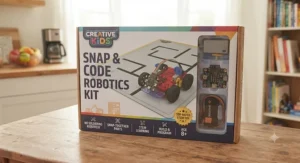
Entry Level Coding Robot vs. Mechanical Robot Construction Set
This is the fork in the road that trips up most first-time buyers, and it’s worth spelling out plainly. An entry level coding robot like the Makeblock mBot Neo teaches sequencing, logic, and sensor-response thinking — the same conceptual building blocks used in real programming languages, just wrapped in drag-and-drop blocks. A beginner in a mechanical robot construction set, by contrast, focuses entirely on how physical mechanisms translate motor rotation into motion — gears, hinges, and linkages rather than logic branches.
Both approaches typically start with visual, drag-and-drop programming environments like Scratch, which was designed specifically to teach programming logic without requiring kids to memorize syntax first. Neither approach is objectively better, but they suit different kids. A child who gravitates toward puzzles and pattern-matching often takes to coding robots faster, since debugging code scratches a similar itch. A child who prefers taking things apart to see how they work — the kind who dismantles an old alarm clock just because — usually gets more satisfaction from a mechanical robot construction set like the OWI Robotic Arm Edge or the Thames & Kosmos Robotics Workshop, where the “aha” moment comes from watching gears translate into arm movement rather than a screen confirming code executed correctly. Plenty of families end up owning one of each, and that’s not overbuying — it’s covering two genuinely different skill tracks.
Snap Circuit Robot Kits: Where Electronics Meets Mechanics
Snap circuit robot kits occupy a specific niche that often gets overlooked between pure coding platforms and pure mechanical builds: they teach basic electronics — voltage, switches, parallel circuits — through a format that requires zero soldering and zero programming knowledge. The Snap Circuits Motion kit reviewed above is the clearest example, since its crawler and mini-car builds demonstrate how a motor actually receives power rather than treating the motor as a black box that “just works” once a coding block says “go.”
What most buyers overlook about this category is its role as a bridge product. A kid who’s built a few snap circuit robot projects and understood how a switch interrupts current flow has a real conceptual head start when they later encounter a coding robot’s motor block — they already know current has to physically reach the motor for anything to move. That foundational understanding rarely gets built by jumping straight into block coding, where the electronics are entirely hidden inside a sealed control board.
Robotic Arm Toy Kits: A Different Kind of Build
A robotic arm toy kit asks something different of a kid than any wheeled robot on this list: precision over speed, and mechanical patience over programming logic. The OWI Robotic Arm Edge, with its five degrees of freedom across wrist, elbow, shoulder, and base rotation, is the clearest example of the category, and it rewards exactly the kind of kid who enjoys fine-tuning a mechanism until it works smoothly rather than one who wants instant results.
The honest tradeoff worth stating up front: a robotic arm toy kit is the slowest build category on this entire list, often stretching across multiple weekend sessions rather than a single afternoon. What that patience buys, though, is a genuinely tactile understanding of torque, leverage, and gear reduction that no coding robot teaches, since those concepts are usually abstracted away behind a pre-built chassis on wheeled platforms.
Common Mistakes When Buying a Robot Kit No Soldering Required
The single most common mistake is buying based on box art rather than actual age-appropriateness — a kit that looks exciting in photos can still demand fine motor skills or reading comprehension well beyond a young child’s current stage. A close second is ignoring battery and power requirements until after checkout; several kits on this list need batteries or a tablet that aren’t included in the box, and discovering that gap on build day kills momentum fast.
Buyers also frequently underestimate build time, expecting a “30-minute assembly” claim to hold for a first-timer rather than an experienced builder, which sets up disappointment before the first screw goes in. Finally, many parents skip checking whether a kit’s programming ecosystem (Scratch, mBlock, MakeCode) actually runs on the household’s existing devices — a kit requiring a specific tablet OS that the family doesn’t own turns an exciting purchase into a returns-department problem.
Long-Term Cost & Maintenance
The sticker price is rarely the full cost of ownership here. Battery-powered kits like the Makeblock mBot Neo and LEGO Mindstorms Robot Inventor typically run on rechargeable packs that add $15-25 upfront if not bundled, plus the ongoing (if modest) electricity cost of recharging. Kits with small, easily lost gearbox screws — the OWI Robotic Arm Edge is the prime example — carry a real risk of needing manufacturer replacement parts down the line, which can mean shipping delays measured in weeks rather than days.
On the other end, LEGO-based systems hold their value differently: because pieces are standard LEGO bricks, a broken connector rarely means a stalled project, just a trip to the parts bin. Solar kits like the Sillbird 12-in-1 carry the lowest ongoing cost of the entire lineup since there’s no battery to replace, ever — though that same solar dependency means unusable builds on persistently overcast days. Weighed over two or three years of ownership, the LEGO and micro:bit-based platforms tend to offer the best total cost of ownership despite higher upfront prices, simply because their components are more standardized and more repairable.
Features That Actually Matter (And Those That Don’t)
Marketing copy loves to tout piece count — “500+ parts!” — but piece count alone tells you almost nothing about build quality or educational value; a kit with 950 pieces that are mostly small structural fillers isn’t inherently better than a tighter 200-piece kit with genuinely purposeful components. What actually matters is sensor variety (light, distance, touch, sound each teach a different concept), a real coding progression path rather than a single fixed skill level, and cross-device software compatibility so the whole household isn’t locked to one specific tablet.
What doesn’t matter nearly as much as the box suggests: app “gamification” layers, bonus stickers, or bundled unrelated accessories. These are the features that pad a listing’s bullet points without meaningfully changing what a kid learns while building. If you’re comparing two similarly priced kits and one leads with piece count while the other leads with sensor types and coding pathway, the second one is very likely the better long-term investment.
Safety, Batteries & Age Recommendations
Every kit reviewed here markets itself as requiring no soldering, and that claim holds up consistently across manufacturer documentation — none of these seven require a soldering iron, exposed wire splicing, or open-flame tools of any kind. That said, “no soldering” doesn’t mean “no small parts hazard.” Several manufacturers explicitly flag choking hazards from small components, and age recommendations of 8+ or 10+ reflect genuine developmental thresholds around fine motor control and small-part safety, not arbitrary marketing minimums.
Battery safety deserves its own mention: kits using standard AA or D-cell batteries carry standard household battery-safety guidance (no swallowing risk beyond typical button-cell warnings, no mixing old and new batteries), while rechargeable-pack systems like the coding robots should always use manufacturer-supplied chargers rather than third-party substitutes. For general toy safety guidance beyond what any single manufacturer publishes, the Consumer Product Safety Commission’s toy safety resources are a useful independent reference point before buying for a younger child.
Assemble Your Own Robot Kit: A Beginner Robot Building Roadmap
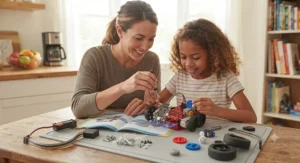
For a family taking on their very first assemble your own robot kit project, the path from unboxing to a working robot is more predictable than it feels in the moment. Start by dedicating a distraction-free hour to sorting and reading — not building, just organizing every bag and skimming the full manual so surprises don’t derail momentum halfway through. Build in short sessions rather than one marathon sitting; beginner robot building fatigue sets in faster than expected, especially for kids under ten, and a stalled build left half-finished overnight is far easier to resume than one abandoned in frustration mid-session.
When something doesn’t work on the first try — a motor that won’t spin, a sensor that won’t register — resist immediately assuming a defective part. The overwhelming majority of first-build issues trace back to a reversed connector or a missed step several pages back, not a manufacturing flaw. Kids who push through that first troubleshooting moment successfully tend to develop real confidence with the platform, which is genuinely the entire point of beginner robot building as a category. For families whose kids fall in love with the process, organizations like FIRST Robotics offer a structured next step once a starter kit’s ceiling has been reached, connecting hobby-level building to actual competitive engineering programs.
Buyer’s Decision Framework
If your child has never used a screwdriver and gets frustrated easily, choose the LEGO Education SPIKE Essential or Sillbird 12-in-1 Solar STEM Robot Kit, because both minimize tool complexity and deliver a visible result quickly. If your child already codes in Scratch at school and wants a physical outlet for that skill, choose the Makeblock mBot Neo, because its sensor suite and Python pathway extend classroom coding into a tangible object. If your child specifically asked for something with an arm or claw, choose the OWI Robotic Arm Edge, since it’s the only true robotic arm toy kit on this list. If budget isn’t the constraint and you want maximum long-term runway, choose the LEGO Mindstorms Robot Inventor, because its five-robot build variety and dual coding languages give it the longest usable lifespan of anything reviewed here.
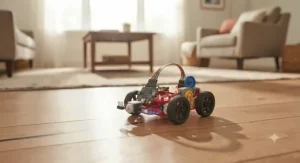
FAQ
❓ What age is best for a robot building toy kit no soldering?
❓ How long does it take to build a no-soldering robot kit?
❓ Is an entry level coding robot better than a mechanical-only kit?
❓ Do robotic arm toy kits actually pick up objects?
❓ Are snap circuit robot kits reusable for other projects?
Conclusion
Choosing among these seven kits really comes down to answering one honest question: what does your kid actually want to spend their Saturday doing? If the answer is “watch something move that I built with my own hands,” the Sillbird 12-in-1 Solar STEM Robot Kit or OWI Robotic Arm Edge deliver that satisfaction without demanding a single line of code. If the answer leans toward “make something that thinks,” the Makeblock mBot Neo offers the gentlest realistic on-ramp into programming logic available at this price point.
For families chasing electronics fundamentals specifically, the Snap Circuits Motion kit earns its spot as the strongest snap circuit robot option here, while LEGO Education SPIKE Essential rewards households already invested in the broader LEGO ecosystem. And for the kid who’s outgrown every starter kit and keeps asking for “something harder,” both the Thames & Kosmos Robotics Workshop with micro:bit and the LEGO Mindstorms Robot Inventor offer genuine engineering depth worth the premium price tag.
No single kit here is the universal “best” — but every one of them delivers exactly what a robot building toy kit no soldering required should: real mechanical or coding education, without a single soldering iron in sight.
Recommended for You
- 7 Best Remote Control Robot Toy for Boys Picks in 2026
- Robot Toys For Boys Age 8-10: 7 Picks Kids Actually Keep Playing With (2026)
- Robot Toys for Boys Age 5-7: 7 Winning Picks for 2026
Disclaimer: This article contains affiliate links. As an Amazon Associate, I earn from qualifying purchases. If you purchase products through these links, we may earn a small commission at no additional cost to you.
✨ Found this helpful? Share it with your friends! 💬🤗
