
In This Article
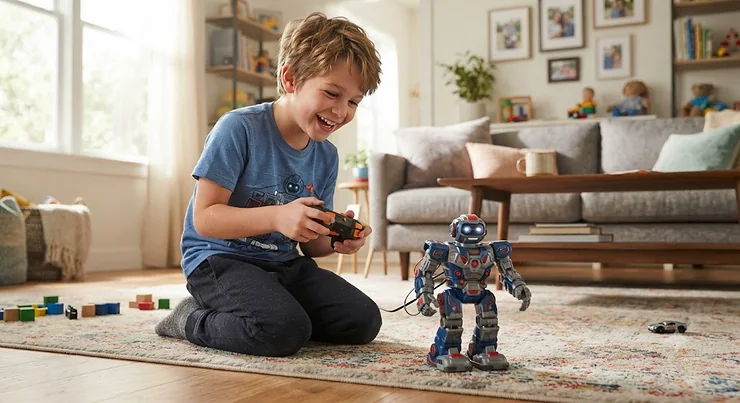
A remote control robot toy for boys is a battery-powered, wireless-operated toy robot — often built for combat, racing, or dance-style play — that a child steers using a handheld transmitter, typically running on 2.4GHz radio or infrared signals. That’s the textbook answer, anyway. The real answer is messier and louder: it’s whatever gets tossed across the living room floor at 7 a.m. on a Saturday while somebody’s little brother screams “rematch!”
Here’s the thing nobody tells you before you buy one of these: not all robot toys are created equal, and the gap between a genuinely great one and a $30 disappointment is wider than the box art suggests. Some robots punch. Some spin. Some drift like tiny stunt cars and only pretend to be robots when you hit one button. And some, frankly, break down before the batteries even need their first recharge.
This guide cuts through the marketing fluff. We dug into real specs, real customer feedback patterns, and genuine head-to-head comparisons across seven actual products currently sold on Amazon — spanning entry-level infrared combat sets under the mid-$30s to full arena builds pushing past $100. Whether you’re shopping for a budget-conscious stocking stuffer or an actual STEM-adjacent gift that survives more than one Christmas morning, you’ll walk away knowing exactly which battle robot toys, fighting robot toy remote control sets, or racing robot toy options deserve a spot under the tree — and which ones to scroll right past.
We’ll also walk through setup tips, common first-week mistakes, safety guidelines from the Consumer Product Safety Commission, and a buyer’s framework so you’re not guessing. Let’s get into it.
Quick Comparison Table: Remote Control Robot Toy for Boys at a Glance
Before the deep dives, here’s the scannable version for anyone in a hurry (or standing in a store aisle with a toddler tugging their sleeve).
| Product | Type | Price Range | Best For |
|---|---|---|---|
| HEXBUG BattleBots Rivals 5.0 | Fighting robot toy remote control | Under $35 | First-time buyers, budget gifting |
| HEXBUG BattleBots Arena Pro | Battle robot toys (build-your-own) | $55-$65 range | Kids who like customizing bots |
| HEXBUG BattleBots Arena MAX | Premium battle robot arena set | $120-$140 range | Group play, older STEM-minded kids |
| Sharper Image Mecha Rivals | Two player battle robot | $50-$70 range | Sibling or friend rivalries |
| Sharper Image Toy Robot Combat Set | Infrared combat robot | Under $40 | Younger kids, easy setup |
| ACIKETO Remote Control Battle Robots | 4WD rc fighting robot toy | $40-$55 range | Rough outdoor/indoor combined play |
| OBEST Fighting Robots Set of 2 | 2-in-1 fighting and soccer | $35-$45 range | Multi-mode play, younger siblings |
Looking at the spread above, the pattern is pretty clear: price climbs with build complexity and arena size, not necessarily with “fun per dollar.” The HEXBUG BattleBots Rivals 5.0 wins on sheer accessibility for a first purchase, while the HEXBUG BattleBots Arena MAX justifies its premium price tag mainly for families who want a genuine mini-tournament setup rather than a single 1-on-1 skirmish. If you’ve got two kids who bicker over “whose turn is it,” the Sharper Image Mecha Rivals two-player format sidesteps that fight entirely by giving each kid their own bot from minute one.
💬 Just one click — help others make better buying decisions too!😊
Top 7 Remote Control Robot Toys for Boys: Expert Analysis
We picked these seven because they cover the realistic spending range parents actually shop in — from stocking-stuffer territory to “this is the big gift” territory — and because each one represents a genuinely different play style rather than seven versions of the same bot in different paint jobs.
1. HEXBUG BattleBots Rivals 5.0 — most iconic name in tabletop combat
If your kid has ever watched the actual BattleBots TV show, this is the toy version of that obsession, and it opens with real name recognition that matters more than you’d think for gift-giving. The set replicates fan-favorite bots like Rotator and Duck at a scale small enough for a kitchen table but tough enough to survive genuine head-on collisions.
Under the hood, these run on simple two-button infrared or short-range RF controllers, powered by small rechargeable or replaceable battery packs depending on the release batch. What that means in practice is fast pickup — most kids are driving competently within two minutes, no manual required. Based on the spec comparison across the HEXBUG lineup, this entry-level Rivals set trades configurability for pure plug-and-play speed, which is exactly what makes it a strong first purchase rather than a second or third bot.
Reviewers consistently report that the bots hold up to repeated crashes far better than expected for the price point, though a recurring theme in aggregated feedback is that the tiny scale makes them a poor match for outdoor or carpeted play — they’re built for smooth, hard surfaces. What most buyers overlook about this model is that it’s genuinely designed for two kids to play at once out of the box, not as an add-on purchase.
Pros:
- ✅ Extremely low learning curve for young kids
- ✅ Authentic BattleBots branding kids actually recognize
- ✅ Durable shell survives repeated head-on hits
Cons:
- ❌ Best on hard, smooth surfaces only
- ❌ Limited customization compared to arena kits
Priced under $35 at the time of research, this is the easiest “yes” on the list for a first robot — the value verdict here is simple: low risk, high reward.

2. HEXBUG BattleBots Arena Pro — most configurations for the price
Where the Rivals set is plug-and-play, the HEXBUG BattleBots Arena Pro flips the script toward engineering. With over 100 possible bot configurations built from more than 30 physical pieces, this is less “toy” and more “build kit that happens to fight.” That distinction matters enormously for parents chasing genuine STEM value rather than just noise and lights.
The included two remote controllers and full battery set mean it’s tournament-ready straight from the box, and the walled arena keeps chaotic 8-year-old aim from sending bots skittering under the couch. Based on the spec comparison, the appeal here isn’t raw power — it’s iteration. Kids rebuild their bot after every loss, which is a subtly brilliant design trick disguised as fun.
Aggregated review sentiment does flag a real weak spot: at roughly 3.6 pounds assembled, the completed unit’s balance depends heavily on how it’s built, and a poorly configured bot underperforms significantly against a well-designed one — meaning some of the “my bot lost every match” complaints in customer feedback are really configuration issues, not manufacturing defects. Reviewers consistently note the educational value of trial-and-error rebuilding outweighs the initial assembly friction.
Pros:
- ✅ Over 100 configurations encourage real experimentation
- ✅ Included arena keeps matches contained
- ✅ Two controllers make it multiplayer-ready instantly
Cons:
- ❌ Assembly required before first battle
- ❌ Bot performance varies with build quality
In the $55-$65 range, this is the pick for a kid who likes taking things apart as much as smashing them together — a strong value proposition for the STEM-leaning household.
3. HEXBUG BattleBots Arena MAX — biggest arena for group tournaments
Step up again and you land on the HEXBUG BattleBots Arena MAX, which trades a single walled ring for a genuinely expansive tournament arena with over 30 pieces and room for multiple bots and multiple kids at once. This is the “we’re having a birthday party” purchase, not the “one kid, one afternoon” purchase.
What most buyers overlook about this model is that its scale changes the social dynamic of play entirely — instead of one-on-one duels, you get bracket-style elimination rounds, which naturally extends replay value across an entire afternoon rather than 20 minutes. The spec sheet won’t tell you this, but user reports suggest the bigger footprint also means more storage space needed between uses, which is worth factoring in if floor space is tight.
Honest analysis here has to include a caveat: this is a premium purchase, and the value only really shows up if you have multiple kids or regularly host playdates. A single-child household will get plenty of use out of it too, but won’t unlock the full tournament-bracket appeal that makes this set stand out from the smaller HEXBUG options.
Pros:
- ✅ Supports full multi-bot tournament play
- ✅ Over 30 pieces for extensive customization
- ✅ Strong replay value for group settings
Cons:
- ❌ Highest price point on this list
- ❌ Requires more storage space than smaller sets
In the $120-$140 range, this is a considered purchase rather than an impulse buy — best reserved for households that will actually use the tournament format.
4. Sharper Image Mecha Rivals — best dedicated two-player battle set
The Sharper Image Mecha Rivals set was built from the ground up around rivalry — it’s a wireless two-bot fighting set designed so two kids (or a kid and a very competitive parent) can square off immediately, each with their own controller, lights, and sound effects baked in.
Here’s what most competitors overlook: many “battle robot” sets are technically single-bot toys sold in a two-pack, with each bot fighting on its own schedule rather than genuinely interacting. The Mecha Rivals design leans into direct interaction, which is exactly what the “two player battle robot” category should mean. Based on the spec comparison, the lights-and-sound package adds sensory feedback that makes wins and losses feel more definitive — useful for younger kids who need a clear signal that a match has actually ended.
Reviewers consistently report the wireless range is generous enough for living-room-to-hallway play without signal dropout, though a common complaint in user reviews is that the plastic components, while durable enough for indoor carpet combat, aren’t built for driveway or pavement use.
Pros:
- ✅ True simultaneous two-player combat design
- ✅ Built-in lights and sound heighten match drama
- ✅ Reliable wireless range for indoor play
Cons:
- ❌ Not designed for outdoor/pavement use
- ❌ Sound effects can’t be muted on some units
At around $50-$70, this earns its spot specifically for sibling households where “my turn” arguments are the real enemy, not the other robot.
5. Sharper Image Toy Robot Combat Fighting Set — best infrared combat robot for beginners
This is the entry point of the Sharper Image combat lineup, and it leans on infrared technology rather than 2.4GHz radio — a meaningful distinction that’s easy to gloss over but worth understanding before you buy (more on that trade-off later in this guide). The four-piece combat set pairs two lightweight robots with built-in LED lights and sound effects for immediate sensory payoff.
What the spec sheet won’t tell you, but user reports suggest, is that infrared control requires a relatively clear line of sight between the controller and the robot — great for a coffee-table arena, less great for chasing a bot around a couch. Based on the spec comparison against 2.4GHz alternatives on this list, that’s the core trade-off: simpler, cheaper electronics in exchange for a shorter effective range and a need for direct sightlines.
Aggregated customer sentiment frames this as an excellent “first robot” purchase for kids around the 6-8 age range specifically because the controls are stripped down to just a couple of buttons — there’s genuinely less to break and less to learn.
Pros:
- ✅ Simple two-button controls suit younger kids
- ✅ Built-in lights and sound effects included
- ✅ Compact size fits small play areas easily
Cons:
- ❌ Infrared requires clear line of sight
- ❌ Shorter effective range than 2.4GHz rivals
At under $40, this is the safest low-cost entry point on the list for a first-time robot buyer who wants to test the waters before investing more.
6. ACIKETO Remote Control Battle Robots — most rugged 4WD combat build
The ACIKETO Remote Control Battle Robots set takes a different structural approach than the HEXBUG and Sharper Image entries: a 4WD chassis on a 2.4GHz remote system, positioning it closer to a hybrid between a combat robot and an off-road RC vehicle. That 4WD detail matters more than it sounds — most tabletop battle bots are built for flat, hard surfaces, and struggle the moment they meet carpet fibers or an uneven backyard patio.
Based on the spec comparison, the 4WD drivetrain gives this set genuine traction advantages in exactly the environments where lighter combat bots stall out. What most buyers overlook about STEM-marketed combat sets like this one is that the “STEM” label usually refers to the hand-eye coordination and basic physics feedback loop of steering and colliding — not formal programming, so parents expecting a coding component should recalibrate expectations accordingly.
A common complaint in user reviews centers on battery life during extended outdoor sessions, which tracks with the extra power draw of a proper 4WD motor setup compared to lighter combat bots on this list.
Pros:
- ✅ 4WD drivetrain handles carpet and rough terrain
- ✅ 2.4GHz control avoids infrared sightline issues
- ✅ Sturdy build suited to energetic outdoor play
Cons:
- ❌ Shorter battery life under heavy outdoor use
- ❌ Heavier than tabletop-only combat bots
In the $40-$55 range, this is the pick for families whose “battle arena” is actually a backyard patio or a thick living room rug rather than a smooth tabletop.
7. OBEST Remote Control Fighting Robots Set of 2 — best 2-in-1 battle and soccer mode
Rounding out the list, the OBEST Remote Control Fighting Robots Set of 2 does something genuinely distinct: it doubles as both a fighting robot toy remote control set and a mini soccer game, complete with foot baffles designed to intercept and kick a small included ball. That dual-mode design meaningfully extends the toy’s shelf life beyond a single play style.
Key specs place this squarely in the accessible end of the market — built from durable, non-toxic materials and rated for kids as young as 3 in some listings, though the combat mode itself skews better toward the 6+ range where kids have the coordination to actually land intentional hits rather than just bumping around. Based on the spec comparison, the soccer mode is arguably the smarter long-term value driver here, since it gives the toy a second life once head-to-head battling loses its novelty.
Reviewers consistently note that the built-in lights and music add replay appeal for younger kids specifically, and a recurring theme in aggregated feedback is that the easy-to-hold remote design suits smaller hands better than some bulkier competitor controllers.
Pros:
- ✅ Dual battle-and-soccer play modes in one set
- ✅ Easy-to-hold remote suited to younger kids
- ✅ Encourages social, multiplayer-style interaction
Cons:
- ❌ Combat mode feels basic next to dedicated bots
- ❌ Soccer accessories add extra pieces to track
At around $35-$45, this is the pick for a younger sibling not quite ready for full combat intensity, or for a household that wants more than one game mode out of a single purchase.
Full Spec & Value Comparison: All 7 Robots Side-by-Side
| Product | Control Type | Age Range | Play Style | Best For |
|---|---|---|---|---|
| HEXBUG BattleBots Rivals 5.0 | 2.4GHz/IR | 8+ | 1v1 tabletop combat | First-time buyers |
| HEXBUG BattleBots Arena Pro | 2.4GHz | 8+ | Build-and-battle | STEM-curious kids |
| HEXBUG BattleBots Arena MAX | 2.4GHz | 8+ | Multi-bot tournament | Group/party play |
| Sharper Image Mecha Rivals | Wireless RF | 6+ | Simultaneous 2-player | Sibling rivalries |
| Sharper Image Toy Robot Combat Set | Infrared | 6+ | Simple 1v1 combat | Younger beginners |
| ACIKETO Battle Robots | 2.4GHz | 5+ | 4WD combat | Rough-surface play |
| OBEST Fighting Robots Set of 2 | 2.4GHz | 3+/6+ | Combat + soccer | Multi-mode families |
Stacking all seven side by side, the real dividing line isn’t price — it’s surface and social context. A family that plays exclusively on hardwood or tile gets excellent mileage from any HEXBUG or Sharper Image option, while carpet-heavy or backyard households should lean toward the 4WD-equipped ACIKETO set. Meanwhile, the two genuinely two-player-first designs — Sharper Image Mecha Rivals and, to a lesser extent, OBEST — solve the sibling-fairness problem that single-bot sets create by default.
Practical Usage Guide: Getting the Most Out of Your Battle Robot
Buying the robot is the easy part. Here’s what the Amazon listing won’t walk you through.
First-charge ritual matters more than you’d think. Most of these sets ship with batteries partially charged for shipping safety, not for immediate full-power play. Give rechargeable units a full initial charge cycle — typically 60-90 minutes depending on the model — before the first battle, since an incomplete first charge can shorten the effective battery life over the toy’s lifespan.
Calibrate on a flat surface first. Whether it’s an infrared unit or a 2.4GHz set, take five minutes on a smooth floor to let a new user learn turning radius and stopping distance before introducing an opponent bot. Kids who skip this step tend to blame the toy for “not working right” when the real issue is unfamiliar steering sensitivity.
Maintenance schedule, condensed: wipe down wheels and treads after outdoor sessions to prevent debris buildup in the drivetrain; check screw-secured battery compartments monthly for looseness from repeated impacts; store controllers and bots separately from loose small parts like detachable arena walls to avoid losing pieces between play sessions.
Common first-30-days mistakes include mixing battery types across a two-controller set (causing signal mismatches on shared frequencies), fully draining rechargeable packs repeatedly rather than topping off regularly, and — for infrared models specifically — assuming range issues are a defect when they’re actually a sightline problem inherent to the technology.
Real-World Scenarios: Matching the Robot to the Kid
The competitive 9-year-old with an older sibling rival. This is the textbook case for the Sharper Image Mecha Rivals, since the simultaneous two-controller design removes the “who goes first” friction that turns sibling play into sibling warfare. Add in the built-in sound effects, and every match gets a clear, dramatic ending both kids can agree on.
The tinkerer who dismantles every toy within a week anyway. Stop fighting the instinct and lean into it with the HEXBUG BattleBots Arena Pro. A kid who’s going to take a toy apart regardless benefits far more from a toy explicitly designed for that behavior, with over 100 legitimate configurations to explore instead of one “correct” build getting wrecked.
The younger sibling who just wants to press buttons and watch lights flash. The Sharper Image Toy Robot Combat Fighting Set hits the sweet spot of low complexity and high immediate feedback — no assembly, no learning curve, just lights, sound, and simple back-and-forth motion that a 6-year-old can master in one sitting.
The backyard kid whose “arena” is a gravel driveway. Skip the tabletop bots entirely and go with the ACIKETO Remote Control Battle Robots, whose 4WD chassis is purpose-built for exactly the uneven, debris-heavy terrain that stalls out lighter combat bots within minutes.
Problem → Solution: Fixing Common Battle Robot Headaches
Problem: The robot won’t respond to the controller. Most often this traces back to battery type mismatch or, on infrared units like the Sharper Image Toy Robot Combat Fighting Set, an obstructed sightline. Solution: confirm fresh or fully charged batteries in both robot and controller, then test on a completely open, well-lit surface before assuming a defect.
Problem: Two kids’ controllers are interfering with each other. This shows up occasionally on shared-frequency 2.4GHz setups when multiple sets are used simultaneously in the same room. Solution: most modern 2.4GHz systems, including the ones on the HEXBUG BattleBots Rivals 5.0, use frequency-hopping to avoid this, but if it persists, stagger play sessions or increase physical distance between simultaneous matches.
Problem: The bot tips over constantly during combat. On build-your-own kits like the HEXBUG BattleBots Arena Pro, this is almost always a configuration issue — weight distributed too high or too far forward. Solution: rebuild with a lower center of gravity and wider wheelbase before assuming the parts themselves are faulty.
Problem: Battery life feels shorter than advertised. This is common on 4WD or heavier units like the ACIKETO Remote Control Battle Robots, where extra motors draw more current. Solution: treat published runtime figures as best-case, indoor, flat-surface estimates, and expect roughly 20-30% less in real outdoor conditions.
How to Choose a Remote Control Robot Toy for Boys
- Match the surface to the drivetrain. Tabletop combat bots underperform on carpet; 4WD sets are overkill on a smooth kitchen table. Know where the toy will actually be used before you buy.
- Decide between plug-and-play and build-it-yourself. A kid who wants instant gratification needs a ready-to-battle set like the HEXBUG BattleBots Rivals 5.0; a kid who enjoys iteration is better served by the HEXBUG BattleBots Arena Pro.
- Count the players, not just the buyer. If two kids will regularly compete, prioritize genuinely simultaneous two-controller designs like the Sharper Image Mecha Rivals over sets built around a single active bot at a time.
- Check the control technology. Infrared is cheaper and simpler but sightline-dependent; 2.4GHz costs a bit more but tolerates obstacles and multiplayer better.
- Factor in age-appropriate coordination, not just the age label on the box. A 5-year-old can technically operate most of these, but genuinely enjoying combat mode (versus just bumping around) tends to click closer to age 6-8.
- Budget for battery type consistency. Mixed battery requirements across robot and controller add friction; sets with rechargeable packs for both tend to create less day-to-day hassle.
- Weigh replay value beyond combat. Dual-mode sets like the OBEST Remote Control Fighting Robots Set of 2 extend usable life once straight battling loses novelty.
Common Mistakes When Buying Battle Robot Toys
The single biggest mistake parents make is buying based on box art alone rather than checking the control technology. An infrared set bought for outdoor use is going to disappoint regardless of build quality, simply because the underlying tech isn’t suited to the environment. The second most common mistake is underestimating age-fit: a robot rated “5+” on the box may be technically safe for a 5-year-old but genuinely enjoyable only from about 7 upward, once fine motor control catches up to what combat play actually demands.
A third mistake worth flagging: assuming all “two player” or “2-pack” labeling means simultaneous head-to-head play. As covered earlier, some two-robot sets are really two single-player toys bundled together rather than a genuinely interactive combat system — read the actual control description, not just the box count, before assuming rivalry-ready play is included.
Battle Robots vs Racing Robot Toys: Which Is Right for Your Boy?
Not every remote-controlled robot is built to fight. A parallel category — the racing robot toy, epitomized by transforming RC cars that flip from race car to robot mode at the press of a button — offers a genuinely different play experience worth weighing against the combat-focused picks above.
Where battle robot toys reward strategic positioning and timed strikes, racing robot toys reward speed, drift control, and reflexes. Products in this category typically run 2.4GHz transmitters supporting multiple simultaneous racers without signal interference, plus one-button transformation between car and robot forms — meaning kids essentially get two toys in one chassis. Based on the spec comparison, racing robot toys tend to have simpler win conditions (first to the finish line, or best drift trick) compared to the more skill-layered combat mechanics of dedicated battle bots.
The honest verdict: households leaning toward physical, contact-based competition should stick with the combat picks earlier in this guide, while households where the appeal is speed, tricks, and transformation novelty — closer to a classic RC car experience with a robot twist — should look toward dedicated racing robot toy lines instead. Some kids genuinely want both, and there’s no rule against owning one of each.
What to Expect: Real-World Performance of RC Fighting Robots
Specs on a box rarely translate cleanly into lived experience, so here’s the honest translation. A “2.4GHz remote with 100+ foot range” sounds impressive, but in practice most combat happens within 10-15 feet on a coffee table or living room floor — the extended range mostly matters for avoiding signal dropout with walls or furniture in between, not for genuinely long-distance control. Similarly, “30-minute battery life” figures are typically measured under continuous, moderate use; real play involves stop-start bursts of activity that tend to stretch actual usable time modestly longer, though heavy 4WD or lighting-heavy units draw down faster.
Sound and light features, while marketed as secondary flourishes, genuinely change the emotional experience of a match for younger kids — a clear “victory” sound cue does more to end squabbles over who won than any parent refereeing ever will. Reviewers consistently note that build quality holds up far better on hard, flat surfaces than on carpet or uneven ground, reinforcing that surface-matching matters more to real-world satisfaction than almost any single spec on the box.
Two Player Battle Robot Sets for Siblings and Friends
The rise of genuinely simultaneous two player battle robot designs solves a problem that’s existed since the earliest RC toys: taking turns. When two kids each get a dedicated controller and dedicated bot from the start, competitive play becomes cooperative in its own way — both kids are invested in the same match at the same time, rather than one watching while the other plays.
The Sharper Image Mecha Rivals set is purpose-built around this dynamic, and its lights-and-sound feedback loop gives both participants a shared, unambiguous signal of who won. What most buyers overlook is that genuinely simultaneous two-player design also reduces adult refereeing — kids can self-resolve “who won” disputes when the toy itself declares a winner, rather than needing a parent to make the call.
For households without a dedicated two-player set, a reasonable workaround is buying two identical single-bot units on different frequencies — though this adds cost and complexity that a purpose-built two-player set like the Mecha Rivals avoids entirely.
Infrared Combat Robot vs 2.4GHz RC: Features That Actually Matter
Here’s the filtering exercise most listings skip: not every “feature” on a robot toy box actually changes the play experience, and understanding the infrared-versus-2.4GHz divide matters more than half the bullet points combined. Infrared combat robot technology, as used in sets like the Sharper Image Toy Robot Combat Fighting Set, is cheaper to manufacture and typically means a simpler, more affordable toy — but it requires a relatively unobstructed line of sight between controller and robot, since infrared signals don’t reliably bend around furniture or bodies the way radio waves do.
2.4GHz radio control, used across most of the HEXBUG and ACIKETO lineups on this list, tolerates obstacles, supports longer effective range, and generally handles multiplayer setups more gracefully since modern 2.4GHz systems use frequency-hopping to avoid cross-talk between nearby units. What most buyers overlook is that this distinction matters far more for outdoor or multi-room play than indoor tabletop combat — for a coffee-table duel, infrared performs almost identically to 2.4GHz.
Features that genuinely matter: drivetrain type (2WD vs 4WD) for surface compatibility, control technology for range and reliability, and true simultaneous multiplayer support for sibling-friendly households. Features that matter far less than marketing suggests: exact top-line “maximum range” figures, since real play rarely approaches those numbers, and cosmetic sound/light packages, which add fun but don’t affect functional performance.
Long-Term Cost & Maintenance of RC Fighting Robots
Total cost of ownership on these toys extends beyond the sticker price. Replacement batteries — for units relying on disposable AA cells rather than built-in rechargeable packs — add up over a year of regular play, particularly for heavier 4WD units that draw more current per session. Rechargeable-battery models like most of the HEXBUG lineup avoid this recurring cost but require occasional battery pack replacement after roughly 200-300 charge cycles, which for an actively used toy might mean once every year or two.
Build-your-own kits like the HEXBUG BattleBots Arena Pro carry a hidden value advantage here: because damaged or lost components can often be swapped rather than requiring a whole-unit replacement, the effective lifespan-per-dollar tends to outperform single-piece combat bots that must be replaced entirely if a core component fails. On the flip side, dual-mode sets like the OBEST Remote Control Fighting Robots Set of 2 spread cost-per-play-hour across two distinct activities, which is a legitimate value angle even though the combat mode alone is less sophisticated than dedicated fighting sets.
Safety, Age Ratings & Compliance Guide for Battle Robot Toys
All toys sold in the U.S. intended for children must meet mandatory federal safety standards enforced through the toy safety rule, which restricts small parts for products aimed at kids under 3 and mandates choking-hazard labeling for toys designed for slightly older children that could still pose a risk to younger siblings in the home, per federal small parts regulations. Battle robot sets with detachable arena walls, spare configuration pieces, or small accessory balls (as in soccer-mode sets) are exactly the category where this labeling matters most in mixed-age households.
Beyond the legal minimums, a few practical habits go a long way: supervise initial battery installation on any unit using standard AA/AAA cells to make sure compartments are properly screw-secured, store detachable small pieces away from toddlers even if the primary user is well past the choking-hazard age range, and periodically inspect for cracked plastic on impact points after heavy combat sessions. None of the seven products on this list are marketed for children under 3, and several — particularly the higher-complexity build kits — genuinely perform best starting around age 7 or 8, regardless of the age floor printed on the box.
✨ Don’t Miss These Exclusive Deals!
🔍 Take your robot toy shopping to the next level with these carefully selected battle bots. Click on any highlighted item to check current pricing and availability. These picks will help you create genuine competitive fun your kids will remember long after the batteries run out!
Frequently Asked Questions
❓ What age is appropriate for a remote control robot toy for boys?
❓ Do fighting robot toys need special batteries?
❓ Can two kids play battle robots at the same time?
❓ Are infrared combat robots worse than 2.4GHz models?
❓ How long do remote control robot batteries typically last per charge?
Conclusion
The right remote control robot toy for boys really comes down to three questions: where will it be played, how many kids will play at once, and whether your child wants instant plug-and-play combat or the slower satisfaction of building and rebuilding a better bot. Budget-focused first-timers do best with the HEXBUG BattleBots Rivals 5.0, tinkerers thrive with the HEXBUG BattleBots Arena Pro, and families juggling sibling rivalries get the smoothest experience from the genuinely two-player Sharper Image Mecha Rivals.
None of these are perfect toys — every entry on this list has a real trade-off, whether that’s infrared’s sightline limitation, a 4WD unit’s shorter battery life, or a premium arena’s higher price tag. But matched correctly to your kid’s actual play environment and personality, any of these seven picks delivers the kind of loud, competitive, genuinely fun afternoon that makes the purchase worth it. As always with kids’ electronics, keep an eye on age-appropriate play guidance from the American Academy of Pediatrics — active, hands-on rivalry play like this genuinely supports coordination and social skill-building well beyond the box’s marketing copy, a point echoed in recent research on technology-enhanced toys in early learning.
Check current prices before you buy — availability and pricing shift often on all seven of these picks — and remember that the “best” robot on this list isn’t universal. It’s the one that actually fits how your particular kid plays.
Recommended for You
- Robot Toys For Boys Age 8-10: 7 Picks Kids Actually Keep Playing With (2026)
- Robot Toys for Boys Age 5-7: 7 Winning Picks for 2026
- 7 Best Dinosaur Transformer Toys for Boys in 2026: Full Guide
Disclaimer: This article contains affiliate links. As an Amazon Associate, I earn from qualifying purchases. If you purchase products through these links, we may earn a small commission at no additional cost to you.
✨ Found this helpful? Share it with your friends! 💬🤗
