
In This Article
Somewhere between the dinosaur-obsessed toddler years and the “please just let me play Roblox” tween years sits a golden window — roughly ages 5 to 7 — when a kid will happily spend an entire Saturday morning bossing around a little plastic robot. If you’re shopping for robot toys for boys age 5-7 right now, you’ve probably already noticed the problem isn’t scarcity, it’s noise: a wall of nearly identical boxes promising “STEM,” “AI,” and “endless fun” in roughly the same font. Some of those claims hold up. Plenty don’t.
This guide cuts through that with seven real, currently sold products, chosen specifically because they cover the actual range a 5-to-7-year-old lives in — the kid who still needs big buttons and simple wins, and the kid who’s suddenly asking sharp questions about how things work. We looked at real specs, real aggregated review sentiment, and where the honest trade-offs are, because a $25 dancing robot and a $220 wooden coding kit are not solving the same problem, even if they’re sitting on the same shelf. Whether you’re chasing a toy robot for 5 year old hands that still fumble small buttons, or something closer to a voice activated robot that can keep pace with a chattier 7-year-old, you’ll find a genuine fit here — not a rehashed spec sheet.
Quick Comparison Table
| Robot | Best For | Price Range | Control Style |
|---|---|---|---|
| Botley 2.0 | Screen-free coding, budget beginners | $65–$85 range | Remote programmer |
| Ruko 1088 | Active, hands-on kids who like variety | $110–$120 range | App, remote, voice, gravity sensor |
| Wonder Workshop Dash | Voice-responsive coding, longer attention spans | $140–$170 range | App-based (Blockly, Wonder) |
| Primo Toys Cubetto | Gentle first coding intro, ages 5 on the younger side | $200–$230 range | Physical wooden blocks |
| Miko 3 | Companionship + AI conversation | $200–$300 range | Touchscreen, voice, app |
| Contixo R1 | Tight budgets, first robot ever | Under $30 | Voice control, touch sensor |
| GILOBABY Interactive Talking Robot | Stocking-stuffer budget, simple wins | Under $30 | Touch control, voice, record-and-repeat |
Look at that spread and a pattern jumps out fast: price correlates less with “how fun is this” and more with “how much structured learning is baked in.” Contixo R1 and the GILOBABY Interactive Talking Robot deliver instant, low-effort delight for under $30, while Cubetto and Miko 3 ask for real investment in exchange for a deeper, longer-running relationship between kid and robot. Neither approach is wrong — it depends on whether you want a toy that entertains this weekend or a tool that’s still teaching something new six months from now.
💬 Just one click — help others make better buying decisions too!😊
Top 7 Robot Toys for Boys Age 5-7: Expert Analysis
We dug into specs, manufacturer documentation, and aggregated review sentiment from retailers and independent reviewers for every product below. None of these are hands-on test reports — think of it as the research you’d do yourself if you had four extra hours and a strong coffee.
1. Botley 2.0 — best screen-free coding robot for beginners
Botley 2.0 from Learning Resources is the toy most likely to survive a kid actually dropping it, tossing it, and running it into a wall repeatedly — which, let’s be honest, is most of how 5-year-olds test durability. It’s a squat, sturdy little coding robot that skips apps and screens entirely in favor of a physical remote programmer.
On paper, Botley 2.0 runs on 3 AAA batteries, programs up to 150 sequential steps across six directions, and includes obstacle detection plus a black-line-following mode. In practice, that means a five-year-old can build a real (if short) program — forward, forward, turn, forward — and watch it execute exactly as coded, which is a genuinely satisfying “I made this happen” moment that most flashier robots skip past. Based on the spec comparison with other entry-level coding toys, Botley 2.0‘s screen-free design is its real differentiator: no tablet negotiations, no app updates, no Wi-Fi troubleshooting at 7am.
Reviewers consistently report that the activity set — coding cards, obstacle tiles, and swappable faceplates — extends play well past the initial “drive it around” phase, though a few noted the line-sensor can be finicky on certain units. What most buyers overlook is that the 46-piece and 78-piece sets aren’t just about “more stuff” — the larger set’s maze tiles are what actually teach sequencing logic, so springing for it over the base kit tends to pay off.
Pros:
- ✅ Fully screen-free — no app, account, or Wi-Fi needed
- ✅ Genuine sequencing and looping logic for beginners
- ✅ Rated for the youngest end of this age range (5+)
Cons:
- ❌ Line-sensor reliability inconsistent across some units
- ❌ Requires 5 AAA batteries not included in the box
Price sits in the $65–$85 range depending on the activity set size, and at that range Botley 2.0 is one of the better dollar-for-dollar entries into real coding logic on this list — not the flashiest robot here, but arguably the most educationally honest one.
2. Ruko 1088 — most control options for active play
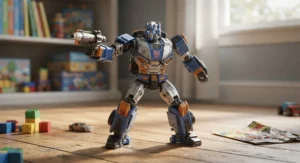
At 15.8 inches tall, Ruko 1088 is the robot that actually looks like a robot — a big-eyed, articulated humanoid that a kid can genuinely play “commander” with. Four separate control methods (app, 2.4GHz remote, voice, and gravity-sensor tilt control) mean a boy can switch how he bosses it around depending on mood, which matters more than it sounds for a 5-to-7-year-old’s notoriously short attention span.
Specs worth flagging: 9 flexible joints, 200 preset movements, 10 built-in songs, and roughly 100 minutes of active play from a 150-minute charge. Here’s what the spec sheet won’t tell you, but reviewers note: the size is both the appeal and the drawback — it commands a room and photographs great under the tree, but it’s genuinely too big for cramped apartments or small bedrooms where floor space is at a premium.
Aggregated review sentiment from Best Buy and independent blogs skews positive, with buyers specifically praising build quality — solid plastic, joints that hold up to rough handling — and calling out voice-command accuracy as a pleasant surprise for the price tier. A few reviewers flagged that the companion app’s programming mode is more novelty than depth; younger kids gravitate toward remote and voice control almost exclusively.
Pros:
- ✅ Four distinct control modes keep play varied
- ✅ Large, durable build holds up to rough handling
- ✅ Voice command accuracy praised in aggregated reviews
Cons:
- ❌ Large footprint — not ideal for small play spaces
- ❌ App-based coding mode feels shallow compared to dedicated coding robots
Priced around $110–$120, Ruko 1088 earns its spot as the mid-range pick for boys who want a robot that feels like a companion first and a learning tool second — the value verdict here is strong if physical, expressive play matters more to your son than structured coding.
3. Wonder Workshop Dash — best voice-responsive coding companion
Wonder Workshop Dash has been the reference point other coding robots get measured against for close to a decade, and the reason is simple: it does more things reasonably well than almost anything else in this price bracket. It sings, dances, detects objects, navigates obstacles, and — the feature most relevant to a “voice activated robot” search — responds to spoken commands without needing a wake word gimmick.
The real substance is in the five companion apps (Blockly, Path, Wonder, and others), which scaffold coding concepts from drag-and-drop sequences up through basic loops and variables, growing with the child rather than being outgrown in a month. Based on the spec comparison, Dash doesn’t include a camera — worth noting for privacy-conscious parents — and runs up to five hours on a charge, noticeably longer than most robots at this price point.
Reviewers who’ve used Dash across multiple kids and multiple years consistently flag the accessory ecosystem as both a strength and a mild annoyance: Lego-compatible connectors, marker attachments, and building blocks genuinely extend the toy’s life, but they’re sold separately and the upsells add up. What most buyers overlook is that Dash is used in over 40,000 schools — that classroom durability testing shows up in how well it survives a chaotic living room floor.
Pros:
- ✅ Genuinely accurate voice command recognition
- ✅ Five apps that scale in coding complexity over years
- ✅ No built-in camera — reassuring for privacy-minded parents
Cons:
- ❌ Accessories (bricks, markers) sold separately and add up
- ❌ Officially aged 6-11, so a 5-year-old may need help early on
Expect to pay in the $140–$170 range. Given the multi-year runway of apps and the strength of voice interaction, Dash delivers strong long-term value for a boy on the older end of the 5-7 bracket who’s ready to be challenged.
4. Primo Toys Cubetto — gentlest introduction to programming logic
Cubetto looks nothing like the other robots on this list, and that’s the entire point. It’s a smiling wooden cube on wheels, paired with a physical control board and colored coding blocks — no screen, no app, no battery-hungry Bluetooth handshake. Kids place blocks into the board to build a sequence, then press “go” and watch Cubetto trundle the exact path they coded across an included storybook map.
The Montessori-and-LOGO-Turtle-inspired design isn’t marketing fluff — as Primo Toys’ company history documents, the London-based studio built Cubetto specifically to teach programming logic through a tangible, screen-free language, and the toy has since reached millions of children worldwide. That last part matters enormously for the younger end of this age range: a 5-year-old who isn’t yet a confident reader can still fully participate, since the coding language is entirely tactile and color-based rather than text-based.
Reviewers, including several independent tech-and-parenting outlets, consistently describe the “aha” moment as arriving fast — most kids grasp the block-to-movement relationship within their first session, which speaks to how well the interface maps abstract sequencing onto something physically graspable. The honest trade-off is durability of expectations, not the product itself: because Cubetto is deliberately simple, a 7-year-old who’s already coded on a tablet may outgrow it faster than a 5-year-old encountering sequencing for the first time.
Pros:
- ✅ No reading required — fully tactile, screen-free coding language
- ✅ Fast, well-documented comprehension curve for young kids
- ✅ Durable wood construction built for years of use
Cons:
- ❌ Premium price for what is, mechanically, a simple robot
- ❌ Older or more tech-savvy 7-year-olds may outgrow it quickly
At around $200–$230, Cubetto is the priciest entry here, and the value verdict depends entirely on whether you’re buying a first coding experience or a robot with flashy features — it’s unmatched at the former, modest at the latter.
5. Miko 3 — most humanlike AI conversation partner
Miko 3 is less “robot toy” and more “AI companion in a robot-shaped shell,” and that framing matters for setting expectations. It runs on a 4.46-inch touchscreen with a camera for face recognition, dual microphones, and Wi-Fi connectivity that lets it hold open-ended conversations, tell stories, play adaptive games, and even host two-way video calls with parents.
Here’s what the spec sheet won’t tell you, but reviewers note repeatedly: Miko 3‘s free tier is noticeably thin, and the experience genuinely depends on the optional Miko Max content subscription. Independent reviewers testing the base unit described the conversational AI as sometimes slow to respond and occasionally struggling with anything but very clear speech — a real consideration if your son has any speech delays, since the “AI robot” experience can feel broken rather than magical in that scenario. On the safety side, the robot is built for children roughly ages 5-12, with navigation sensors, parental controls, and encrypted data handling layered underneath its conversational features, and reviewers confirm it carries kidSAFE+ and COPPA certification.
On the positive side, aggregated parent feedback — particularly from Walmart’s review base — repeatedly mentions kids returning to Miko 3 daily rather than losing interest within days, which is a meaningfully higher bar than most electronic toys clear. Battery life runs roughly 4-7 hours depending on usage intensity, and several reviewers flagged that it drains faster than expected in standby mode, so a nightly charging habit is basically mandatory.
Pros:
- ✅ Genuine two-way conversation and personality memory
- ✅ Strong, well-documented parental controls and safety certification
- ✅ Reviewers report sustained daily engagement, not novelty fade
Cons:
- ❌ Base experience is limited without the paid Max subscription
- ❌ Battery drains fast in standby; nightly charging basically required
Priced in the $200–$300 range before any subscription, Miko 3 is a premium bet — the value case is strongest if you’re comfortable treating the subscription as part of the real cost, not an optional add-on.
6. Contixo R1 — best budget talking robot under $30
If your search leaned toward “toy robot for 5 year old” because you want something small, forgiving, and genuinely cheap, Contixo R1 is built for exactly that moment. It’s a compact, palm-sized talking robot that responds to voice commands like “come here” or “can you dance,” reacts to touch on its head sensor, and includes a record-and-repeat feature that lets a kid record an 8-second voice clip and replay it on command.
Specs are refreshingly simple: 3 AAA batteries, roughly 14 ounces, and a body small enough to toss in a backpack or car door pocket for a road trip. What most buyers overlook about a toy in this price tier is that the value isn’t in feature depth — it’s in reliability of the basics. Voice recognition, touch response, and walking motion all work as advertised according to aggregated retailer feedback, without the connectivity headaches that come with app-based robots.
Reviewers across Amazon, Newegg, and Target listings consistently describe it as an easy hit for younger kids specifically because the interaction loop is instant: say a command, get an immediate physical or audio reaction, no loading screen, no pairing process. The honest limitation is depth — there’s no coding, no app, no long-term skill progression, so a 7-year-old who’s already had a robot before may find it babyish within a few weeks.
Pros:
- ✅ Genuinely responsive voice and touch control at a low price
- ✅ Simple, instant interaction loop with no setup friction
- ✅ Compact and travel-friendly
Cons:
- ❌ No coding or long-term skill progression
- ❌ May feel babyish quickly for kids already familiar with robots
At under $30, Contixo R1 is close to a no-risk purchase — the value verdict is excellent for a first robot, weaker as a lasting centerpiece gift.
7. GILOBABY Interactive Talking Robot — lightest wallet hit for first-time buyers
GILOBABY Interactive Talking Robot occupies almost identical territory to Contixo R1 — a budget, entry-level talking robot built around touch sensors, voice control, and a record-and-repeat mode — but it’s worth including separately because the brand’s broader lineup and price positioning attract a slightly different buyer, often stocking-stuffer or party-favor shoppers who want something under $30 without much deliberation.
Construction is BPA-free ABS plastic, and the company backs it with a 12-month warranty, which is a meaningfully longer coverage window than most toys in this price bracket bother offering. The interactive mode lets the robot dance, sing, and mimic recorded phrases back to the kid, giving it a responsive robot toy kids can bond with in short, low-stakes bursts — the kind of play session that fills a rainy 20 minutes rather than an entire afternoon.
Aggregated sentiment across retailer reviews is generally positive on ease of use and initial delight, though it’s worth being honest here: several reviewers of GILOBABY’s broader remote-control robot lineup reported inconsistent build quality between units — one working perfectly, a sibling unit barely functioning. That variability is common at this price tier across many budget toy brands, not unique to GILOBABY, but it’s a real consideration worth flagging rather than glossing over.
Pros:
- ✅ Genuinely low price point with a 12-month warranty
- ✅ Simple voice and touch interaction, easy for young kids
- ✅ BPA-free construction, easy to wipe clean
Cons:
- ❌ Some reported build-quality inconsistency between individual units
- ❌ Very limited feature depth beyond talk-and-dance play
Priced under $30, GILOBABY Interactive Talking Robot is a fine low-commitment gift — just consider ordering slightly ahead of when you need it, in case an exchange is required.
Practical Usage Guide: Setting Up Your Kid’s New Robot Toy
Getting a robot toy out of the box and actually keeping it running smoothly for months, not weeks, comes down to a few habits most parents skip in the excitement of unboxing day. First, charge or battery-test the unit fully before your son ever sees it — nothing kills first-impression magic faster than a robot that dies eight minutes into play. For app-connected robots like Dash, Ruko 1088, or Miko 3, set up parental controls and Wi-Fi during nap time or after bedtime, not with an impatient 6-year-old hovering over your shoulder.
In the first 30 days, resist the urge to hand over every feature at once. Introduce one control mode at a time — voice first, then remote or app — so the robot doesn’t feel overwhelming. For coding robots like Botley 2.0 and Cubetto, the most common early mistake is skipping the included storybook or activity cards entirely; those aren’t filler, they’re the scaffolding that turns “drive the robot around” into actual sequencing practice. On the maintenance side, budget robots running on AAA batteries burn through them faster than expected during heavy play — rechargeable batteries pay for themselves within a couple of months for anything used daily.
Real-World Scenarios: Matching the Right Robot Toy to Your Son
Picture three different families walking into this decision. First, there’s the family with a five-year-old who just started kindergarten and has never coded anything — for that kid, Cubetto or Botley 2.0 make more sense than a flashy AI companion, because the goal is building comprehension slowly through tactile, repeatable success.
Second, there’s the seven-year-old who already has a tablet, watches YouTube tutorials on how things work, and asks “but why” more than any adult can handle. That kid is often better matched with Wonder Workshop Dash, since its multi-year app progression and voice responsiveness reward curiosity instead of capping it early. Third, picture the family on a tight holiday budget buying for a boy who mostly wants something fun to show his cousins — Contixo R1 or the GILOBABY Interactive Talking Robot deliver that instant “look what it does” payoff without the financial risk of a $200 gift landing flat.
✨ Don’t Miss These Exclusive Deals!
🔍 Take your robot-toy shopping to the next level with these carefully selected picks. Click on any highlighted item to check current pricing and availability. These robots will help you create the kind of hands-on, screen-balanced play your family will love!
Toy Robot for 5 Year Old vs Toy Robot for 6 Year Old: What Actually Changes
It’s tempting to treat “age 5-7” as one uniform shopping bracket, but a genuine developmental gap sits between the two ends. A toy robot for 5 year old hands needs to accommodate shorter attention spans, still-developing fine motor control, and — frequently — pre-reading literacy. That’s exactly why Cubetto‘s block-based, no-reading-required interface and Botley 2.0‘s big, chunky remote buttons tend to land better with the younger half of this range; both minimize the number of steps between “I want the robot to move” and “it moved.”
A toy robot for 6 year old kids, by contrast, can usually handle multi-step sequences, basic reading of on-screen prompts, and app navigation with light adult supervision. This is where Ruko 1088‘s four control modes and Wonder Workshop Dash‘s Blockly app genuinely start to click — six-year-olds are frequently ready to move past “press one button, watch reaction” into “build a short program and predict what happens.” The practical takeaway: if you’re buying for the younger end, prioritize simplicity and physical controls over app depth; if you’re buying for a six- or seven-year-old, feature depth becomes the better investment because they’ll actually use more of it.
How to Choose Robot Toys for Boys Age 5-7
Robot toys for boys age 5-7 fall into three broad categories — screen-free coding robots, app-connected companions, and simple voice/touch-response toys — and the right pick depends less on brand and more on matching category to your specific kid and household. Here’s how to work through that decision:
- Assess reading ability first. If your son isn’t reading confidently yet, prioritize tactile, symbol-based interfaces like Cubetto over text-heavy apps.
- Decide your screen-time comfort level. Screen-free options like Botley 2.0 and Cubetto sidestep the debate entirely; app-based robots like Dash and Miko 3 require a conscious decision about daily limits.
- Match durability to play style. Rough, physical players do better with sturdier builds like Ruko 1088; gentler, more deliberate kids get more mileage out of delicate coding kits.
- Set a realistic budget ceiling, including accessories. Factor in batteries, subscriptions, or add-on kits before comparing sticker prices across categories.
- Consider household Wi-Fi and privacy comfort. App- and camera-equipped robots need parental account setup; if that’s unappealing, lean toward non-connected options.
- Check the stated age range against your kid’s actual maturity, not just birthday — a mature five-year-old may be ready for a “6+” robot, and vice versa.
- Read aggregated review sentiment, not just the star average. A 4.3-star product with consistent complaints about one specific part (like a line sensor) tells you more than the number alone.
Interactive Robot Toy Boys: What Makes a Robot Actually Interactive
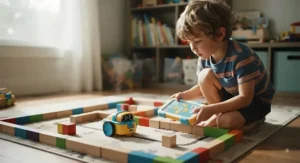
“Interactive” gets slapped on packaging pretty loosely, so it’s worth being precise about what separates a genuinely interactive robot toy boys will bond with from one that just lights up and beeps. True interactivity means the robot’s response changes meaningfully based on input — Ruko 1088 reacting differently to a voice command than a remote press, or Miko 3 referencing something a kid said in an earlier conversation. That’s different from pre-programmed, non-adaptive reactions, which is closer to what budget picks like Contixo R1 and the GILOBABY Interactive Talking Robot offer — real, but simpler, single-loop responses rather than adaptive ones.
Neither tier is inherently better; they solve different problems. A five-year-old often finds a simple, predictable interaction loop more satisfying than an unpredictable AI conversation, because predictability builds mastery and confidence fast. A seven-year-old, on the other hand, tends to get bored of predictable loops within a couple of weeks and starts craving the adaptive layer that Dash or Miko 3 provide. Reading your own kid’s temperament here matters more than reading the box.
Talking Robot Toy for Kids: How Conversation Features Really Work
Not every talking robot toy for kids actually “talks” the same way. On the simple end, Contixo R1 and the GILOBABY Interactive Talking Robot use pre-recorded phrases and a record-and-repeat function — the robot mimics what your kid says, which is charming but not conversational in any real sense. On the sophisticated end, Miko 3 uses cloud-connected natural language processing to hold something closer to an actual back-and-forth conversation, remembering context and adjusting responses.
The honest trade-off: conversational depth requires Wi-Fi, a camera or microphone array, and — usually — an ongoing subscription to unlock the good content. Reviewers consistently note that stripped-down “talking” robots without that infrastructure feel more limited but also more private, more reliable offline, and far less likely to have a bad day because of a spotty internet connection. If genuine two-way conversation matters most, budget for the subscription-supported option; if novelty voice mimicry is enough, the budget-tier robots deliver that at a fraction of the cost.
Responsive Robot Toy Kids: Problem → Solution Guide
Even a well-reviewed robot runs into hiccups. Here are the most common complaints parents report, paired with realistic fixes.
Problem: The robot ignores voice commands. Background noise, a soft-spoken kid, or simple mic sensitivity settings are the usual culprits. Solution: have your son practice commands in a quiet room first, and check whether the manufacturer app (relevant for Ruko 1088 or Dash) has an adjustable sensitivity setting.
Problem: The robot stops responding mid-play. Often a battery or overheating issue on budget models like Contixo R1 or the GILOBABY Interactive Talking Robot. Solution: give it a full cool-down and recharge cycle before assuming it’s defective, and check the return window before that window closes.
Problem: Line-following or sensor-based navigation drifts off course. This shows up most with Botley 2.0‘s black-line mode. Solution: use matte, non-reflective tape and avoid direct overhead lighting, which can confuse optical sensors.
Problem: The coding interface feels “too easy” within weeks. Common with Cubetto for kids who’ve coded before. Solution: introduce the more advanced storybook maps before assuming the robot itself is outgrown, or graduate to Dash‘s layered app system.
Problem: A truly responsive robot toy kids loved suddenly feels sluggish. Usually a software or firmware update is overdue on app-connected robots. Solution: check the companion app’s settings menu for pending updates before troubleshooting hardware.
Voice Activated Robot: How Listening and Recognition Actually Work
A voice activated robot depends on a small onboard or app-connected microphone picking up a limited vocabulary of trigger phrases — it’s not the same open-ended listening you’d get from a smart speaker. Wonder Workshop Dash and Ruko 1088 both use this constrained-vocabulary approach, which is actually a feature, not a limitation: fewer false triggers, more consistent results, and less risk of the robot picking up unrelated household chatter.
Miko 3 operates differently, using cloud processing for broader natural-language understanding, which enables more flexible conversation but introduces latency — the brief pause before it responds that some reviewers flagged as noticeable. What most buyers overlook is that voice recognition accuracy for young kids specifically depends on clear articulation; children who are still developing certain speech sounds may find simpler, more forgiving robots like Contixo R1 less frustrating than an AI system straining to parse imperfect pronunciation.
Common Mistakes When Buying Robot Toys for Boys
The single most common mistake is buying for the aspirational older sibling’s interests instead of the actual age of the child receiving it — a coding-heavy robot like Dash can sit unused if a five-year-old isn’t developmentally ready for its app layer yet. A close second is ignoring battery requirements entirely; several of these robots need batteries not included in the box, which means an underwhelming, robot-less Christmas morning if nobody checks in advance.
Parents also frequently underestimate ongoing costs — subscription content for Miko 3, replacement AAA batteries for Contixo R1 or Botley 2.0, or add-on accessory kits for Dash — treating the sticker price as the full cost rather than a starting point. Finally, skipping the manufacturer’s stated age range in favor of “he’s smart for his age” backfires more often than it pays off; robots rated 6+ often assume reading fluency or fine motor control a genuinely bright five-year-old simply hasn’t developed yet, regardless of vocabulary.
Long-Term Cost & Maintenance
Sticker price only tells part of the story. Here’s how the real, ongoing costs stack up across categories.
| Robot | Ongoing Cost Driver | Estimated Annual Add-On |
|---|---|---|
| Botley 2.0 | Replacement AAA batteries | Under $20 (with rechargeables) |
| Miko 3 | Optional Max content subscription | Around $100/year if subscribed |
| Ruko 1088 | Rechargeable battery wear over time | Minimal, built-in battery |
| Contixo R1 / GILOBABY | Replacement batteries, possible unit exchange | Under $15 |
Looking at the table, the real long-term cost gap isn’t between cheap and expensive robots — it’s between subscription-dependent and self-contained ones. Miko 3 carries by far the highest ongoing cost if you want the full experience, while Ruko 1088‘s built-in rechargeable battery keeps its total cost of ownership close to the sticker price. For budget-conscious families, the battery-swap total for Contixo R1 or the GILOBABY Interactive Talking Robot stays negligible even with heavy daily use, which is worth weighing against their more limited feature set.
Safety, Privacy & Regulations Guide
Toy safety in the United States runs through the Consumer Product Safety Commission, and the rules are more specific than most parents realize. Under CPSC small-parts labeling rules, toys and games containing small detachable pieces must carry a clear warning if they’re marketed anywhere near the under-3 age range, precisely because those pieces present a choking risk to younger siblings. For robot toy sets that ship with detachable arms, faceplates, or coding blocks — relevant to Botley 2.0 and Ruko 1088 — check that labeling before assuming a hand-me-down or sibling toy is safe for a younger child in the house.
App-connected and camera-equipped robots raise a second, separate concern: data privacy. Per FTC guidance on COPPA compliance, connected toys, smart speakers, and voice assistants are treated the same as any other online service when it comes to collecting a child’s personal information, meaning they fall under the same parental-consent and data-handling rules as a kids’ website or app. That’s directly relevant to Miko 3‘s camera and cloud-based conversation features, and worth a few minutes reviewing the manufacturer’s privacy policy and parental controls before your son’s face and voice start syncing to a company server. Wonder Workshop Dash, notably, ships without a camera at all — a meaningful point of comparison if camera-free is a priority for your household.
Features That Actually Matter (And Those That Don’t)
Marketing copy loves to lead with headline numbers — “200 movements,” “9 flexible joints” — that sound impressive but rarely predict how much a kid actually plays with a robot six months in. What genuinely matters: response consistency (does the robot reliably do what it’s told), battery life relative to actual play sessions, and whether the learning curve matches your kid’s current stage rather than an aspirational one.
What doesn’t matter nearly as much: exact movement counts, flashy LED patterns, or marketing claims about “AI” that, on closer inspection, just mean pre-programmed responses. Compare that against traditional non-robotic toys and tablets for a moment:
| Category | Robot Toys | Traditional Toys | Tablets/Apps |
|---|---|---|---|
| Hands-on, physical engagement | High | High | Low |
| Structured skill-building | Medium-High | Low-Medium | Medium |
| Screen-time concerns | Low-Medium | None | High |
| Best For | Active, curious builders | Open-ended imaginative play | Passive entertainment |
The analysis here is straightforward: robot toys occupy a genuinely useful middle ground, offering more structured skill development than a plain toy car while avoiding the passive-consumption trap that pure screen time invites. That’s precisely why screen-free options like Cubetto and Botley 2.0 get singled out repeatedly by reviewers as strong picks for parents managing overall screen exposure — <cite index=”85-1″>the American Academy of Pediatrics’ current guidance frames media decisions around the child, the content, calm routines, what the media is crowding out, and ongoing communication rather than a single hard time limit</cite>, and a robot that runs entirely without a screen sidesteps that whole conversation.
Best Beginner Robot Boys: A Buyer’s Decision Framework
If you’re specifically hunting for the best beginner robot boys can pick up with zero prior experience, use this simple framework instead of scrolling through fifty more listings.
If your son has never touched a coding toy and isn’t reading confidently yet, choose Cubetto, because its tactile block system removes literacy as a barrier entirely. If budget is the primary constraint and you want a guaranteed smile on unwrapping day, choose Contixo R1 or the GILOBABY Interactive Talking Robot, because both deliver reliable, low-risk delight under $30. If your son is closer to seven, already curious about “how things work,” and you’re comfortable with app-based screen time in moderation, choose Wonder Workshop Dash, because its multi-year app progression won’t be outgrown by next birthday. And if you want maximum control-mode variety for a physically active kid who likes bossing things around, choose Ruko 1088.
✨ Ready to Bring One Home?
🔍 Compare these seven robot toys for boys age 5-7 side by side, check current availability, and pick the one that actually fits your kid’s stage — not just the flashiest box on the shelf.
Frequently Asked Questions
❓ What age is best for a first robot toy?
❓ Do robot toys really teach coding, or is that just marketing?
❓ Are AI companion robots like Miko 3 safe for kids?
❓ How long do robot toy batteries typically last?
❓ What's the difference between a toy robot for 5 year old and 6 year old kids?
Conclusion
There’s no single “best” robot in this category — there’s a best match for your specific kid, budget, and household comfort with screens and connectivity. A five-year-old who’s never coded gets more genuine value out of Cubetto‘s tactile blocks than out of a flashy AI companion he’s not developmentally ready to hold a conversation with. A budget-conscious family gets a perfectly satisfying win from Contixo R1 or the GILOBABY Interactive Talking Robot, without gambling $200 on an untested interest.
What ties all seven picks together is that none of them ask you to fake enthusiasm about specs that don’t matter. Botley 2.0 and Cubetto win on screen-free integrity. Ruko 1088 and Wonder Workshop Dash win on responsive, multi-mode interaction. Miko 3 wins on conversational depth, at a real ongoing cost. And the budget pair — Contixo R1 and GILOBABY Interactive Talking Robot — wins on pure, low-stakes delight. Pick based on your son’s actual stage today, not the robot he might grow into eventually, and you’ll land on the right one.
Recommended for You
- 7 Best Dinosaur Transformer Toys for Boys in 2026: Full Guide
- 7 Best Giant Dinosaur Stuffed Animal Boys Will Never Outgrow (2026)
- Remote Control Dinosaur Toy for Boys: 7 Best Picks (2026)
Disclaimer: This article contains affiliate links. As an Amazon Associate, I earn from qualifying purchases. If you purchase products through these links, we may earn a small commission at no additional cost to you.
✨ Found this helpful? Share it with your friends! 💬🤗
