
In This Article
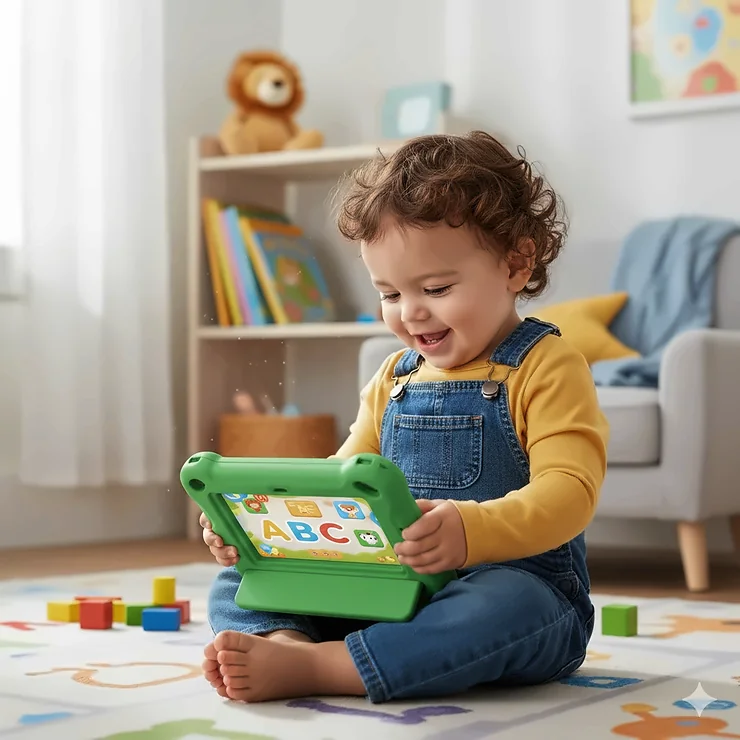
Watching your toddler reach for your phone or tablet is no longer surprising—it’s practically a modern rite of passage. But here’s the million-dollar question: should you hand over your expensive device, or invest in a dedicated learning tablet for 2 year old?
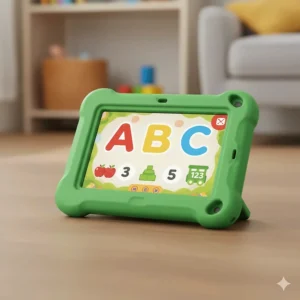
I remember the first time my nephew grabbed my iPad with his sticky fingers. After that incident (and a near-heart attack moment when he almost dropped it), I knew it was time to explore dedicated learning tablet for 2 year old options that could survive toddler life while actually teaching something valuable.
The truth is, not all toddler tablets are created equal. Some are glorified toy phones with flashing lights, while others genuinely support early literacy development and cognitive growth. According to the American Academy of Pediatrics, while screen time for toddlers should be limited, high-quality educational content paired with parent engagement can offer meaningful learning experiences.
In this comprehensive guide, we’ll explore seven top-rated learning tablets specifically designed for 2-year-olds. From budget-friendly options under $30 to feature-rich tablets around $200, you’ll discover which educational tablets for toddlers deliver real value without the guilt. Whether you’re searching for ABC learning toys that teach letters and numbers, or counting toys for toddlers that make math fun, we’ve got you covered with honest reviews based on real parent experiences and expert recommendations.
Quick Comparison Table: Best Learning Tablets for 2 Year Olds
| Tablet Model | Age Range | Screen Size | Key Features | Price Range | Best For |
|---|---|---|---|---|---|
| Amazon Fire HD 10 Kids | 3-7 years | 10.1″ | 1-year Kids+, 2-year warranty | $190-$230 | Overall best value |
| LeapFrog LeapPad Academy | 3-8 years | 7″ | 20+ preloaded apps, shatter-safe | $110-$130 | Educational content |
| Fisher-Price Laugh & Learn Tablet | 12m-3 years | N/A (toy tablet) | 100+ songs, 3 Smart Stages levels | $15-$25 | Budget-friendly starter |
| VTech Little Apps Tablet | 2-5 years | Color-changing screen | 12 learning activities, A-Z keyboard | $20-$30 | Interactive learning |
| Amazon Fire HD 10 Kids Pro | 6-12 years | 10.1″ | Slim case, web browsing | $190-$230 | Older toddlers |
| VTech Light-Up Baby Touch | 9-36 months | Light-up screen | Swipe technology, 25+ songs | $15-$25 | Youngest toddlers |
| Samsung Galaxy Tab A9+ Kids | 3+ years | 11″ | Parent controls, Kid-friendly UI | $240-$290 | Premium Android option |
💬 Just one click – help others make better buying decisions too! 😊
Top 7 Learning Tablet for 2 Year Old: Expert Analysis
1. Amazon Fire HD 10 Kids – Best Overall Learning Tablet for 2 Year Old
When it comes to the best learning tablet for 2 year old, the Amazon Fire HD 10 Kids consistently tops the charts for good reason. This isn’t just another toy—it’s a full-featured tablet wrapped in toddler-proof armor.
Key Specifications:
- 10.1-inch 1080p Full HD display
- 32GB storage (expandable to 1TB)
- 13-hour battery life
- Includes 1-year Amazon Kids+ subscription
Price Range: $190-$230 (varies by sales and promotions)
Parents rave about the 2-year worry-free guarantee—if your toddler drops it, Amazon replaces it free. The kid-proof case withstands drops, bumps, and the inevitable juice spills. The 1-year Kids+ subscription provides access to thousands of educational apps for kids, including PBS Kids, Disney content, and Sesame Street programming that supports early literacy development.
Real Parent Feedback: Tori from Amazon reviews shares, “Screen time = me time. No shame in my game. Charges fast because we always forget to charge. Works great, we love it.”
Pros:
✅ Robust parental controls let you set screen time limits by category
✅ Fast performance with 25% improvement over previous generation
✅ Truly kid-proof with exceptional warranty
Cons:
❌ Slightly heavy for very young 2-year-olds to hold long-term
❌ Amazon ecosystem lock-in (no Google Play Store)
2. LeapFrog LeapPad Academy – Best for Educational Content
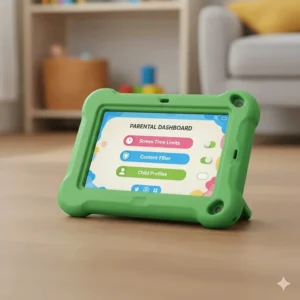
The LeapFrog LeapPad Academy is what happens when educators design a LeapFrog tablet for toddlers. This device comes preloaded with $175 worth of educator-approved apps focused on reading, math, science, and creativity.
Key Specifications:
- 7-inch shatter-safe screen
- 16GB internal storage
- 20+ preloaded learning apps
- 3-month free LeapFrog Academy trial
Price Range: $110-$130
Unlike many educational toys for 3 year olds that overpromise, LeapPad Academy delivers genuine learning outcomes. The included apps teach everything from phonics to basic coding. The tablet includes a stylus for drawing and writing practice, plus a sturdy bumper with kickstand that survives toddler treatment.
Real Parent Feedback: Parents report their children genuinely learn the alphabet, counting, and early problem-solving skills through the interactive games.
Pros:
✅ Content specifically designed by learning experts
✅ No subscription required (though optional)
✅ Shatter-safe screen protects from drops
Cons:
❌ Smaller screen compared to Fire tablets
❌ Limited app selection compared to full Android tablets
3. Fisher-Price Laugh & Learn Smart Stages Tablet – Best Budget Option
If you’re not ready to invest $200 in a learning tablet for 2 year old, the Fisher-Price Laugh & Learn Smart Stages Tablet offers an excellent entry point. This isn’t a real tablet—it’s a pretend one that teaches real skills.
Key Specifications:
- 28 app-style buttons
- 3 Smart Stages learning levels
- 100+ songs, sounds, and phrases
- Requires 3 AAA batteries
Price Range: $15-$25
The Smart Stages technology is brilliant: Level 1 (12+ months) introduces sounds and songs, Level 2 (18+ months) encourages finding letters and objects, and Level 3 (24+ months) engages in imaginative play. It teaches letters, first words, animals, and colors through interactive play without any actual screen time for toddlers.
Real Parent Feedback: One Amazon reviewer noted their child “learned so much that it is unbelievable. Scout taught him to count, letters, numbers, shapes, and so much more.”
Pros:
✅ No actual screen reduces eye strain concerns
✅ Incredibly durable and affordable
✅ Multi-level learning grows with your child
Cons:
❌ Not a real tablet (if that’s what you want)
❌ Batteries drain quickly with heavy use
4. VTech Little Apps Tablet – Best Interactive Learning Experience
The VTech Little Apps Tablet bridges the gap between toy and tablet with its color-changing screen and full A-Z keyboard. It’s perfect for toddlers who want to type like mom and dad.
Key Specifications:
- Color-changing light-up screen (4 colors)
- Full A-Z letter buttons + piano keyboard
- 12 learning activities with progressive levels
- Landscape orientation for easy lap play
Price Range: $20-$30
Cody the Smart Cub guides children through activities teaching letters, words, basic math, and music. The progressive learning levels adapt as your child masters skills, making this one of the better ABC learning toys that actually challenges growing minds.
Real Parent Feedback: Amazon customers praise it as “educational. There are about 12 ‘games’…simple enough for a toddler, and a great learning tool.”
Pros:
✅ A-Z keyboard helps with letter recognition
✅ Piano feature introduces music concepts
✅ Affordable price point under $30
Cons:
❌ Screen isn’t touch-sensitive (button press only)
❌ Volume can be loud even on lowest setting
5. Amazon Fire HD 10 Kids Pro – Best for Older Toddlers (Ages 3+)
While technically designed for ages 6-12, the Amazon Fire HD 10 Kids Pro works beautifully for advanced 3-year-olds or those with older siblings. The slim case and more mature interface appeal to kids ready to graduate from baby apps.
Key Specifications:
- 10.1-inch Full HD display
- Slim kid-friendly case
- 1-year Amazon Kids+ (age 6-12 content)
- Web browsing with parental controls
Price Range: $190-$230
The Pro version includes content from National Geographic, Marvel, LEGO, and popular creators. Kids can request additional apps while parents approve downloads—teaching digital responsibility early.
Pros:
✅ Grows with your child for years
✅ Access to more advanced educational apps for kids
✅ Video calling capabilities
Cons:
❌ Content may be too advanced for young 2-year-olds
❌ Same price as regular Kids edition
6. VTech Light-Up Baby Touch Tablet – Best for Youngest Toddlers
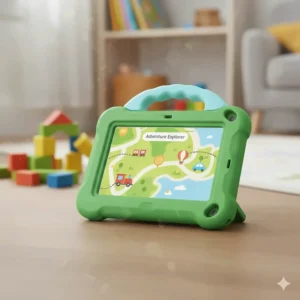
For toddlers aged 9-36 months, the VTech Light-Up Baby Touch Tablet offers age-appropriate introduction to tablet interaction. The swipe technology mimics real tablets while remaining completely safe.
Key Specifications:
- Light-up screen with animations
- 25+ songs, melodies, and phrases
- Swipe-sensitive “screen”
- Teaches letters, numbers, and shapes
Price Range: $15-$25
Cora the Smart Cub makes learning fun with pretend emails, weather checks, and time-telling features. It’s one of the best counting toys for toddlers that doesn’t overwhelm with complex features.
Pros:
✅ Perfect size for tiny hands
✅ Swipe technology feels like real tablets
✅ Very affordable
Cons:
❌ Limited longevity (outgrown quickly)
❌ No actual apps or expandable content
7. Samsung Galaxy Tab A9+ Kids Edition – Premium Android Option
For families preferring Android, the Samsung Galaxy Tab A9+ Kids Edition delivers premium features with comprehensive parental controls and a kid-friendly interface.
Key Specifications:
- 11-inch display
- Robust parental controls
- Access to Google Play Store
- Durable case included
Price Range: $240-$290
This tablet offers more flexibility than Amazon’s ecosystem, allowing downloads from the full Google Play Store. The larger screen makes it great for educational apps for kids, especially those focusing on early literacy development.
Pros:
✅ Full Android experience
✅ Largest screen in this roundup
✅ Premium build quality
Cons:
❌ Most expensive option
❌ Heavier than competitors
✨ Don’t Miss These Exclusive Deals!
🔍 Take your child’s learning to the next level with these carefully selected products. Click on any highlighted item to check current pricing and availability. These tools will help you create authentic educational experiences your family will love!
Understanding Screen Time for Toddlers: What Parents Should Know
Before diving deeper into learning tablet for 2 year old options, let’s address the elephant in the room: is screen time bad for toddlers?
According to the American Academy of Pediatrics, children younger than 18-24 months should avoid screen time except for video chatting. For 2-year-olds, up to one hour per day of high-quality programming is acceptable when parents co-view and discuss content.
What Makes “High-Quality” Content?
High-quality educational apps for kids share these characteristics:
🎓 Educational Value – Teaches specific skills like letters, numbers, or problem-solving
👥 Interactive Elements – Encourages participation, not passive watching
🎨 Age-Appropriate Design – Matches your child’s developmental stage
👨👩👧 Parent Involvement – Designed for co-viewing and discussion
Research from Children’s Hospital Los Angeles emphasizes that interactive, educational screen time is different from passive entertainment. When you sit with your 2-year-old exploring ABC learning toys or counting toys for toddlers on a tablet, you’re actively supporting early literacy development.
Balancing Screen Time With Other Activities
The key isn’t eliminating screen time for toddlers—it’s about balance. Your daily routine should include:
- Physical play – Running, climbing, dancing
- Creative play – Drawing, building, imagining
- Social interaction – Talking, reading, playing with others
- Limited screen time – 30-60 minutes of quality educational content
Think of educational tablets for toddlers as one tool in your parenting toolkit, not the whole toolbox.
How to Choose the Best Learning Tablet for 2 Year Old
1. Prioritize Durability and Safety
Your 2-year-old will drop, throw, and test the limits of any device. Look for:
🛡️ Sturdy cases – Bumpers and protective covers
📱 Shatter-resistant screens – Reinforced or plastic screens
🔋 Battery safety – Secure battery compartments
✅ Warranty protection – 2-year guarantees like Amazon offers
2. Evaluate Educational Content Quality
Not all learning tablet for 2 year old devices offer equally valuable content. Research shows that the best educational apps for kids:
- Adapt to your child’s learning pace
- Provide immediate feedback
- Encourage active participation
- Align with early childhood education standards
LeapFrog tablet for toddlers options excel here because learning experts design every app. Look for tablets where content creators have education backgrounds, not just entertainment experience.
3. Consider Parental Controls
You need robust controls to manage:
⏰ Screen time limits – Set daily or weekly maximums
🚫 Content filtering – Block inappropriate material
📊 Usage monitoring – Track what your child accesses
🔒 Purchase restrictions – Prevent accidental buying
The best learning tablet for 2 year old will make these controls easy to set up and adjust.
4. Think Long-Term Value
A $20 toy tablet might seem appealing, but will your child use it for six months or six weeks? Consider:
Growth potential – Can content expand as they learn?
Subscription costs – Are ongoing fees reasonable?
Sibling sharing – Can multiple kids use it?
Resale value – Can you recoup some cost later?
5. Match Your Child’s Interests
Some toddlers love animals, others adore vehicles or music. The best educational toys for 3 year olds align with natural interests. If your child lights up when singing, prioritize tablets with music features. Love counting? Focus on counting toys for toddlers that gamify numbers.
Maximizing Early Literacy Development With Learning Tablets
Learning tablets aren’t magic bullets for early literacy development, but when used correctly, they support crucial skills:
Letter Recognition
Apps that highlight letters while pronouncing them help toddlers connect visual symbols with sounds. The ABC learning toys built into quality tablets reinforce what you’re teaching during book time.
Phonemic Awareness
Games that emphasize beginning sounds (“Find the picture that starts with /b/”) build phonemic awareness—the foundation for reading success. LeapFrog tablet for toddlers excels at this progressive phonics instruction.
Vocabulary Building
Interactive stories that define new words in context expand vocabulary faster than passive watching. The best educational apps for kids pause to explain terms your child doesn’t know yet.
Pre-Math Skills
Counting toys for toddlers on tablets make number concepts visual and engaging. Sorting games, pattern recognition, and simple addition become fun challenges rather than lessons.
Fine Motor Skills
Using a stylus to trace letters or tap specific buttons develops the hand-eye coordination necessary for future writing. VTech and LeapFrog tablets include stylus-based activities for this reason.
Common Concerns About Learning Tablet for 2 Year Old
“Won’t this damage their eyesight?”
The Mayo Clinic confirms that limited, supervised screen time for toddlers doesn’t harm vision development. The key is following the 20-20-20 rule: every 20 minutes, look at something 20 feet away for 20 seconds. Also ensure tablets have blue light filters and brightness isn’t maxed out.
“Will they become addicted to screens?”
When you set clear boundaries from the start, screen time for toddlers becomes just another activity—not an obsession. Use timers, stick to schedules, and make screen time a privilege connected to other positive behaviors.
“Shouldn’t they play with real toys instead?”
Absolutely! Educational tablets for toddlers should complement, not replace, traditional toys. Your 2-year-old still needs blocks, dolls, balls, and books. Think of tablets as modern ABC learning toys that fit alongside classic options.
“Is the content really educational?”
Some apps are glorified commercials. Others teach genuine skills. Look for learning tablet for 2 year old content created by educators, reviewed by parents, and aligned with early childhood standards. Avoid anything focused solely on entertainment.
Setting Up Your Toddler’s Learning Tablet Successfully
Initial Setup Tips
Create a profile – Personalize with your child’s name and age
Set limits immediately – Establish screen time for toddlers boundaries from day one
Download quality apps – Curate educational apps for kids before handing over
Test parental controls – Ensure they actually work as expected
Daily Usage Guidelines
📱 Designated times – Morning after breakfast or late afternoon works well
👨👩👧 Co-viewing – Sit with your child, especially initially
💬 Discussion – Talk about what they’re learning
🎯 Goals – “Let’s practice counting to 10 today”
Storage and Charging
Keep the tablet in a central location where you can monitor usage. Charge overnight in your bedroom, not your child’s room—this prevents sneaky morning screen time.
Best Educational Apps for Kids to Download First
Once you’ve chosen your learning tablet for 2 year old, prioritize these types of apps:
Literacy Apps
- Endless Alphabet – Animated vocabulary builder
- Starfall ABCs – Comprehensive phonics program
- PBS Kids Games – Multiple literacy games
Math Apps
- Moose Math – Makes counting fun
- Bugs and Numbers – Visual math concepts
- Todo Math – Comprehensive early numeracy
Creative Apps
- Toca Boca series – Open-ended creative play
- Sago Mini apps – Imagination-focused games
- Duck Duck Moose – Music and art creation
Maintaining Your Child’s Learning Tablet
Cleaning Guidelines
🧼 Daily wipe-down – Use microfiber cloth with 70% isopropyl alcohol
🚫 Avoid harsh chemicals – No bleach or abrasive cleaners
💧 Keep dry – Even “kid-proof” doesn’t mean waterproof
🔌 Check charging ports – Remove lint and debris gently
Battery Care
Lithium batteries last longer when you:
- Avoid complete drains (charge at 20%)
- Don’t leave plugged in after reaching 100%
- Store at room temperature
- Replace every 2-3 years if needed
Software Updates
Enable automatic updates for:
- Operating system security
- App improvements
- New educational content
- Bug fixes
When Your Child Outgrows Their First Learning Tablet
Around age 4-5, your child might need something more advanced. Signs include:
🎓 Mastered all content – Apps are too easy
Lost interest – Tablet sits unused
📈 Ready for complexity – Asks for more challenging games
👦 Growing physically – Device feels too babyish
At this point, graduate to:
- Full Android tablets with kids mode
- iPad with Guided Access
- Kid-specific tablets with broader content
- Your old phone with parental controls
Alternatives and Complementary Products
Instead of Tablets
- Smart learning toys – LeapFrog learning systems
- Interactive books – Sound books and talking pens
- Educational subscription boxes – Age-appropriate monthly activities
Alongside Tablets
- Tablet stand – Reduces neck strain
- Kid-safe headphones – Controls volume, protects hearing
- Stylus pack – Extras when originals disappear
- Protective sleeve – Additional drop protection
❓ FAQ: Learning Tablet for 2 Year Old
❓ Is a learning tablet for 2 year old actually beneficial for development?
❓ What's the difference between a LeapFrog tablet for toddlers and an Amazon Fire Kids tablet?
❓ How much screen time for toddlers is safe?
❓ Are ABC learning toys on tablets better than physical letter toys?
❓ Can a learning tablet for 2 year old replace preschool?
Conclusion: Choosing Your Perfect Learning Tablet for 2 Year Old
Selecting the best learning tablet for 2 year old doesn’t have to feel overwhelming. Whether you choose the versatile Amazon Fire HD 10 Kids for its comprehensive features and unbeatable warranty, the education-focused LeapFrog LeapPad Academy for expert-designed content, or budget-friendly options like Fisher-Price and VTech tablets, you’re making a positive investment in your child’s early literacy development.
Remember: the tablet itself matters less than how you use it. Limit screen time for toddlers to recommended amounts, choose quality educational apps for kids, engage alongside your child, and balance digital learning with physical play. ABC learning toys and counting toys for toddlers—whether digital or physical—all serve the same purpose: making learning fun and effective.
Start with one device, see how your 2-year-old responds, and adjust accordingly. The beauty of modern educational tablets for toddlers is that they grow alongside your child, adapting content and complexity as those little minds expand. Happy learning!
Recommended for You
- 7 Best Shape Sorting Toys 18 Months – 2026
- 7 Best Wooden Push Toys for 1 Year Old – 2026
- 7 Best Baby Play Gym with Piano in 2026
Disclaimer: This article contains affiliate links. If you purchase products through these links, we may earn a small commission at no additional cost to you.
✨ Found this helpful? Share it with your friends! 💬🤗
