
In This Article
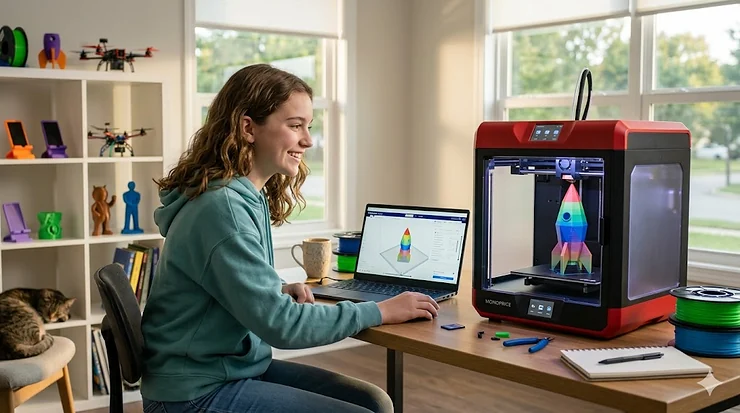
Remember when getting your teen a gaming console was the ultimate gift? Well, those days are evolving fast. In 2026, a 3D printer isn’t just another gadget gathering dust—it’s a gateway to engineering careers, entrepreneurial ventures, and hands-on problem-solving that no textbook can match. What most parents overlook about this technology is that teens who start 3D printing at 13-15 enter college with portfolio-ready projects that engineering programs actually care about, not just trophy collections.
The 3D printing landscape for teens has transformed dramatically. Gone are the days when these machines required PhD-level patience and a tool shed full of calibration equipment. Today’s models auto-level, connect to smartphones, and deliver professional results from day one—some even guide teens through their first print in under 20 minutes. The real question isn’t whether your teen should have a 3D printer, but which one matches their ambition level: the curious tinkerer printing fidget spinners, the robotics competitor needing functional parts, or the future mechanical engineer prototyping inventions. According to 3D printing education research, this technology serves as a powerful educational tool that promotes integrative STEM learning by connecting engineering, technology, and applications of science concepts.
According to research from the National Center for Biotechnology Information, 3D printing integration in STEM education significantly increases student motivation and persistence in science and engineering fields. The tactile experience of designing something digitally and holding it physically hours later creates neural connections that passive learning simply cannot replicate. For teens specifically, this technology bridges the gap between “I wonder how that works” and “I built a working prototype” faster than any other educational tool available in 2026.
Quick Comparison Table: Top 3D Printer for Teens at a Glance
| Model | Build Volume | Speed | Enclosure | Price Range | Best For |
|---|---|---|---|---|---|
| Bambu Lab A1 Mini | 180×180×180mm | 500mm/s | ❌ Open | $200-$250 | Budget-conscious beginners |
| Creality Ender 3 V3 SE | 220×220×250mm | 250mm/s | ❌ Open | $170-$210 | Hands-on learners who enjoy tinkering |
| Bambu Lab A1 | 256×256×256mm | 500mm/s | ❌ Open | $280-$340 | Serious teen makers ready for multi-color |
| Flashforge Adventurer 5M | 220×220×220mm | 600mm/s | Optional | $240-$290 | Speed-focused projects, school labs |
| Elegoo Centauri Carbon | 256×256×256mm | 500mm/s | ✅ Enclosed | $280-$320 | Safety-first families, shared bedrooms |
| Bambu Lab P1S | 256×256×256mm | 500mm/s | ✅ Enclosed | $380-$450 | Advanced materials, year-round reliability |
| Prusa Mini+ | 180×180×180mm | 170mm/s | ❌ Open | $420-$480 | Educational focus, long-term reliability |
Looking at this comparison, the Bambu Lab A1 Mini delivers exceptional value under $250 for teens who want smartphone control and cloud slicing without compromise. However, if your teen plans to print larger robotics parts or engineering projects, the standard Bambu Lab A1’s 256mm build volume justifies the extra investment. Budget shoppers should note the Creality Ender 3 V3 SE sacrifices automated features for its sub-$200 price point, making it ideal for teens who view calibration as part of the learning curve rather than an obstacle.
💬 Just one click — help others make better buying decisions too! 😊
Top 7 Best 3D Printer for Teens: In-Depth Expert Analysis
1. Bambu Lab A1 Mini – The Budget Champion with Premium DNA
The Bambu Lab A1 Mini punches far above its weight class, delivering 500mm/s CoreXY speed in a package that costs less than most budget bedslingers. What the spec sheet won’t tell you is that this cantilever design—borrowed from the Prusa Mini playbook—handles vibration so well that teens can push maximum speeds without the layer shifting disasters common in cheaper alternatives. The 180×180×180mm build volume fits 90% of what high schoolers actually print: phone stands, cosplay accessories, robotics mounts, and school project components.
Key Specifications with Real-World Impact:
- 500mm/s maximum speed with automatic input shaping means a fidget spinner prints in 45 minutes instead of three hours—crucial when your teen has a school deadline tomorrow morning
- Built-in camera and WiFi control through the Bambu Handy app lets them monitor prints from class without sneaking to the garage between periods
- Strain gauge auto-leveling eliminates the #1 frustration point for beginners—no more failed first layers from improper bed tramming
Expert Commentary: This printer targets the teen who wants results faster than they want to learn mechanical engineering. The A1 Mini’s closed ecosystem (Bambu Studio slicer required) trades flexibility for reliability—a smart compromise when you’re balancing homework, sports, and social life. Parents appreciate the 48-decibel operation; it’s quieter than a dishwasher, making bedroom placement actually feasible. One area where budget constraints show: the single Z-axis means occasional layer inconsistencies on tall prints compared to dual-Z competitors.
Customer Feedback: Amazon reviewers consistently praise the “unbox to first print in 18 minutes” experience, with several noting their 12-14 year olds handled setup independently. Common criticism centers on the compact build volume—teens printing large terrain pieces for tabletop gaming hit the ceiling quickly.
✅ Pros:
- Exceptional print quality for the price point, rivaling machines twice the cost
- Optional AMS Lite upgrade path enables 4-color prints without replacing the printer
- Active community support with thousands of Bambu-optimized models on MakerWorld
❌ Cons:
- 180mm cube limits larger engineering projects and cosplay helmet prints
- No enclosure means ABS and high-temp materials perform inconsistently in drafty rooms
Price & Verdict: In the $200-$250 range, this delivers the most “wow” per dollar for teens who prioritize speed and simplicity over tinkering. The upgrade path to multi-color printing makes it a smart investment that grows with advancing skills.
2. Creality Ender 3 V3 SE – The Learn-By-Doing Classic
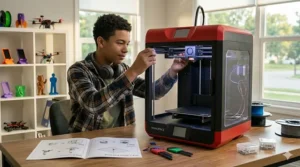
The Creality Ender 3 V3 SE represents the evolution of the printer that launched a thousand YouTube channels. What makes this 2025 refresh special isn’t revolutionary features—it’s the refinement of everything that made the original Ender 3 a cultural phenomenon at a price point that still shocks industry veterans. The 220×220×250mm build volume offers 34% more printing space than compact alternatives, and the CR Touch auto-leveling system eliminates the manual bed tramming that frustrated earlier Ender users.
Key Specifications with Real-World Impact:
- 250mm/s maximum speed with Sprite Direct Drive extruder handles flexible filaments that bowden-tube competitors struggle with—think custom phone cases and cosplay armor with TPU
- Dual Z-axis motors maintain gantry stability during tall prints, preventing the lean-tower-of-Pisa effect common in single-screw designs
- 220×220×250mm build volume accommodates most FDM projects including full-size quadcopter frames and 8-inch tall vases
Expert Commentary: This printer serves the teen who sees 3D printing as a skill to master, not just a tool to use. The partially-assembled delivery means 45-90 minutes of bolt-turning before the first print—some families view this as educational bonding time, others see it as an unnecessary barrier. The open-frame design with exposed belts and heated bed requires more safety consciousness than enclosed alternatives, making it better suited for dedicated workshop spaces than shared bedrooms. What budget buyers often miss: upgrading to Klipper firmware later unlocks performance that rivals $400 machines.
Customer Feedback: Tech-savvy teens on Reddit praise the massive mod community—linear rails, direct drive conversions, and Klipper installations turn this into a lifelong learning platform. Parents note the initial calibration learning curve but report their kids become surprisingly self-sufficient troubleshooters within 2-3 weeks.
✅ Pros:
- Sub-$200 entry point with professional-grade capabilities after minor upgrades
- Massive mod community provides unlimited customization potential
- Larger build volume than most compact competitors at this price
❌ Cons:
- Assembly required (30-90 minutes) may discourage instant-gratification seekers
- Open frame design lacks safety features for younger users or shared spaces
Price & Verdict: Around $170-$210 makes this the absolute value champion for hands-on learners. If your teen troubleshoots their own computer and enjoys understanding how things work, this printer becomes a multi-year education in additive manufacturing.
3. Bambu Lab A1 – The Goldilocks Sweet Spot
The Bambu Lab A1 sits in that perfect middle ground: substantial enough for serious projects, automated enough for busy students, and affordable enough that it doesn’t require dipping into college savings. The 256×256×256mm build volume handles everything from robotics competition parts to full cosplay helmets in a single print. What separates this from the A1 Mini isn’t just size—it’s the vibration compensation system that delivers consistently clean prints even when pushing maximum 500mm/s speeds on detailed models.
Key Specifications with Real-World Impact:
- 256mm cube build volume enables single-piece prints that competitors force you to split and glue—critical for structural integrity in engineering applications
- Active Flow Rate Compensation adjusts extrusion in real-time when switching filament brands, eliminating the “why does this spool print differently” frustration that plagues beginners
- Optional AMS (Automatic Material System) upgrade path supports 4-color prints and automatic filament switching during complex multi-material projects
Expert Commentary: This model targets the serious teen maker who’s graduated beyond curiosity projects into functional prototyping. The included camera enables time-lapse recording—a surprisingly motivating feature for teens building YouTube channels or portfolio presentations. The build plate’s textured PEI surface achieves excellent adhesion without glue or tape, but releases cleanly after cooling, solving the classic “how do I get this print off without breaking it” problem. One consideration often overlooked: the higher flow rate capability means you’ll burn through filament faster, making the per-print cost slightly higher than slower machines.
Customer Feedback: High school robotics teams consistently recommend this model for its ability to produce functional mechanical parts that hold up to competitive use. Several verified purchasers mention their teens running weekend side businesses printing custom products, recouping the printer cost within 3-4 months.
✅ Pros:
- Perfect balance of automation and capability for intermediate users
- Build volume handles 95% of teen projects without size limitations
- Near-silent operation (≤48dB) suits any home environment
❌ Cons:
- $280-$340 price point may stretch budgets compared to ultra-budget options
- Still lacks enclosure for temperature-sensitive materials like ABS
Price & Verdict: In the mid-$300 range, this represents the last printer most teens will need through college. The combination of reliability, speed, and upgrade potential makes it a genuinely smart investment rather than a gateway purchase.
4. Flashforge Adventurer 5M – The Speed Demon for Impatient Creators
The Flashforge Adventurer 5M attacks the fundamental frustration of 3D printing: waiting. With its 600mm/s maximum speed and CoreXY motion system, this printer cuts typical print times by 40-50% compared to bedslinger designs. The quick-swap nozzle system (3 seconds to change) is brilliant engineering often overshadowed by speed specifications—teens experimenting with different layer heights for detailed miniatures versus quick functional parts no longer face 20-minute cooldown-and-reassembly sessions.
Key Specifications with Real-World Impact:
- 600mm/s printing speed with 20,000mm/s² acceleration transforms overnight prints into dinner-to-bedtime completions, keeping pace with teen attention spans
- 280°C maximum nozzle temperature supports engineering-grade materials like PETG and ASA that household printers can’t handle—important for outdoor robotics parts that need weather resistance
- Dual-sided PEI build plate provides textured and smooth finish options by simply flipping the magnetic sheet
Expert Commentary: Flashforge designed this for the teen who views printing as a means to an end, not the hobby itself. The all-metal CoreXY frame maintains rigidity during aggressive acceleration that would shake lesser machines apart. One intelligent touch: the direct drive extruder sits close to the nozzle, enabling flexible filament printing that Bowden-tube systems struggle with. The optional enclosure kit (sold separately) transforms this into a serious ABS and carbon-fiber capable machine, though at additional cost. What the marketing materials understate: at maximum speed, print quality noticeably degrades compared to 400mm/s operation—real-world sweet spot sits around 450-500mm/s for most materials.
Customer Feedback: School makerspaces report this model’s reliability during heavy multi-user environments, with several noting 500+ hour uptimes without maintenance beyond routine nozzle cleaning. A common theme: teens initially obsessed with speed settings eventually dial back to 450-500mm/s for the optimal quality-to-speed ratio.
✅ Pros:
- Industry-leading speed cuts project turnaround time nearly in half
- Tool-free 3-second nozzle swapping encourages experimentation with different diameters
- Robust construction handles the physical stress of high-speed operation
❌ Cons:
- Open-frame design (enclosure optional extra) limits material choices without additional purchase
- At maximum advertised speeds, layer adhesion and surface quality suffer noticeably
Price & Verdict: Around $240-$290 positions this as the impatient teen’s dream—if 3-hour prints sound unbearable, the Adventurer 5M’s speed justifies every penny. Just temper expectations: real-world operation at 450-500mm/s still dramatically outpaces competitors while maintaining quality.
5. Elegoo Centauri Carbon – Safety-First Enclosed Excellence
The Elegoo Centauri Carbon brings fully-enclosed professional features to the teen market at a price point that doesn’t trigger family budget negotiations. The camera-equipped sealed chamber addresses two parent concerns simultaneously: keeping curious younger siblings’ fingers away from 280°C nozzles and containing the mild PLA smell that some families find objectionable. The build-in resume-after-power-loss feature has saved countless 8-hour prints when thunderstorms knock out electricity mid-job.
Key Specifications with Real-World Impact:
- Fully enclosed design with built-in camera enables safe bedroom placement and remote monitoring via smartphone app—parents love this feature as much as teens do
- 500mm/s CoreXY architecture delivers speed comparable to open-frame competitors while maintaining thermal stability inside the chamber
- 320°C maximum hotend temperature unlocks polycarbonate and other engineering-grade materials typically reserved for industrial printers
Expert Commentary: Elegoo positioned this as the “bedroom-safe” option without sacrificing performance capabilities. The enclosed chamber maintains consistent ambient temperature around the print, dramatically improving success rates with temperature-sensitive materials like ABS. The spec sheets don’t emphasize this enough: the chamber’s thermal stability means first-layer adhesion problems basically disappear compared to open-frame alternatives in drafty rooms. One design compromise: the enclosure panels are acrylic rather than tempered glass, making them somewhat prone to scratching when moving the printer. The spool holder design sits inside the chamber, which simplifies filament routing but means opening the enclosure to change materials—minor inconvenience during multi-color projects.
Customer Feedback: Parents consistently highlight the peace-of-mind factor for shared spaces, while teens appreciate the camera’s time-lapse feature for documenting project progression. Several mentions of excellent customer service when troubleshooting initial setup questions, with Elegoo’s support team responding within 24 hours consistently.
✅ Pros:
- Full enclosure provides safety and temperature control other mid-range printers lack
- Integrated camera eliminates need for third-party monitoring solutions
- Out-of-box assembly minimal—ready to print within 30 minutes
❌ Cons:
- Acrylic panels scratch more easily than premium glass enclosures
- Enclosed spool holder requires opening chamber for filament changes
Price & Verdict: In the $280-$320 range, this delivers the best safety-to-performance ratio for families prioritizing enclosed operation. If your teen’s printer will share a bedroom or family space, the Centauri Carbon’s chamber justifies the premium over open-frame alternatives.
6. Bambu Lab P1S – The Year-Round Engineering Workhorse
The Bambu Lab P1S represents what happens when a company takes their consumer printer design and engineers it for reliability over novelty. The fully enclosed heated chamber maintains 40-60°C ambient temperature, enabling consistent ABS and ASA printing regardless of whether your garage workshop hits freezing in January or sweltering in August. For teens pursuing engineering competitions like FIRST Robotics where functional parts matter more than decorative prints, this printer’s material versatility becomes the difference between prototypes that work and paperweights that look pretty.
Key Specifications with Real-World Impact:
- Fully enclosed heated chamber with active filtration enables safe indoor operation with engineering materials while protecting air quality—critical when printing ABS or carbon-fiber composites in residential spaces
- 16-color AMS compatibility transforms single-color functional parts into professional multi-material assemblies, perfect for portfolio-quality project documentation
- Hardened steel nozzle option handles abrasive carbon-fiber and glass-filled filaments that destroy standard brass nozzles within hours
Expert Commentary: This printer serves the ambitious teen who’s outgrown PLA limitations and needs serious material flexibility. The chamber’s active carbon filtration isn’t marketing fluff—it genuinely reduces the styrene smell from ABS printing that makes open-frame printers unwelcome in living spaces. What separates this from cheaper enclosed options: the chamber heating is active, not passive. Maintaining specific temperatures enables technical materials that require precise thermal environments, not just “warmer than room temperature.” The print quality at 500mm/s matches what competitors achieve at 300mm/s thanks to advanced input shaping algorithms. One often-overlooked benefit: the fully enclosed design doubles as excellent sound dampening, making overnight print runs surprisingly bedroom-friendly.
Customer Feedback: College-bound engineering students frequently mention this printer preparing them for university makerspace equipment, with several noting their high school projects printed on the P1S directly translated to freshman engineering coursework. A recurring theme: initial sticker shock fades after experiencing zero failed prints from environmental factors.
✅ Pros:
- Professional-grade material compatibility opens engineering and functional prototyping opportunities
- Active chamber heating maintains perfect conditions year-round regardless of climate
- Filtration system enables safe indoor operation with technical materials
❌ Cons:
- $380-$450 price point represents significant investment for teen’s first printer
- Advanced features create learning curve steeper than plug-and-play competitors
Price & Verdict: Around $400-$450 makes this an investment in serious making, not casual tinkering. For college-track engineering students or teens running custom manufacturing businesses, the P1S’s reliability and material versatility justify the premium within months of consistent use.
7. Prusa Mini+ – The Educational Gold Standard
The Prusa Mini+ carries the reputation of the company that defined home 3D printing reliability before Bambu Lab crashed the party. What Josef Prusa’s team delivers isn’t flashy specs—it’s a printer engineered with educational intent from the ground up. The semi-assembled kit (30-60 minutes build time) strikes that perfect balance: enough assembly to understand mechanics without the frustration of full DIY kits. The included PrusaSlicer software offers the most comprehensive built-in educational tooltips of any slicing platform, literally teaching teens why certain settings matter as they adjust parameters.
Key Specifications with Real-World Impact:
- 180×180×180mm build volume with removable magnetic spring steel sheet enables easy print removal without the spatula-warfare that damages both prints and build surfaces
- Semi-assembled educational kit design provides mechanical understanding without overwhelming complexity—perfect for teens who want to know how their printer works
- Industry-leading customer support and documentation from Prusa Research includes troubleshooting guides written for actual humans, not engineers
Expert Commentary: Prusa targets the educational market differently than speed-obsessed competitors. The 170mm/s maximum speed seems glacial compared to 600mm/s alternatives, but this printer emphasizes consistency over velocity—a 6-hour print completes successfully every single time rather than failing halfway through 50% of the time. The open-source heritage means every component, firmware version, and design file exists publicly—invaluable for teens interested in understanding the technology deeply. What the price tag funds beyond hardware: legendary customer support that walks beginners through problems rather than pointing at user manuals. The included Prusament PLA spool ($25 value) uses Prusa’s own filament optimized for their printers, essentially guaranteeing first-print success.
Customer Feedback: STEM educators consistently recommend Prusa for school makerspaces, citing reliability that survives dozens of students with varying skill levels. Parents appreciate the detailed assembly manual that transforms printer setup into a genuine learning experience. Common observation: teens initially disappointed by slower speeds become advocates for quality-over-speed after experiencing consistent results.
✅ Pros:
- Legendary reliability backed by industry-best customer support community
- Educational focus with comprehensive documentation teaches understanding, not just operation
- Open-source design enables unlimited modification and learning opportunities
❌ Cons:
- $420-$480 premium pricing for features budget printers now include standard
- 170mm/s maximum speed frustrates teens accustomed to instant gratification
Price & Verdict: Around $450-$480 makes this the most expensive option on this list, but Prusa buyers pay for philosophy as much as hardware. For families valuing education over entertainment, the Mini+ delivers unmatched pedagogical value wrapped in reliable engineering.
How to Choose the Right 3D Printer for Your Teen: Decision Framework
Selecting the right 3D printer for teens requires understanding that “best” means different things depending on where your teen sits on the maker spectrum. The key isn’t finding the objectively superior machine—it’s matching capabilities to motivation level and intended use case. Let me walk you through the decision framework I use when consulting families.
Start with the Interest Level Assessment:
If your teen mentioned 3D printing once after watching a YouTube video, start budget-conscious with the Creality Ender 3 V3 SE or Bambu Lab A1 Mini. These sub-$250 options deliver genuine capability without the financial regret if interest fades. However, if they’ve been sketching product designs, watching tutorial videos unprompted, or asking specific questions about materials and capabilities—that’s different. That teen deserves the Bambu Lab A1 or Flashforge Adventurer 5M in the $280-$340 range. The performance difference between genuine interest and idle curiosity justifies the extra investment.
Consider the Physical Environment:
Printer placement dramatically affects which models make sense. An open-frame printer in a dedicated garage workshop? Perfect. That same printer sharing a bedroom with a younger sibling? Recipe for burned fingers and family conflict. Enclosed options like the Elegoo Centauri Carbon or Bambu Lab P1S cost more but enable safe placement in shared spaces. The thermal stability also matters more than spec sheets admit—a printer in a drafty garage needs enclosed chamber heating (P1S) to maintain consistent results with technical materials. Room temperature variations of just 10-15°F cause print failures with open-frame designs that families rarely connect to environmental factors.
Match Build Volume to Actual Projects:
The 180mm compact printers (A1 Mini, Prusa Mini+) handle 85-90% of what high school students actually print: phone accessories, school projects, robotics mounts, small cosplay pieces. The remaining 10-15% hits size limits that require splitting models into glued assemblies. If your teen’s interest centers on cosplay helmets, large terrain pieces, or robotics frames exceeding 7 inches in any dimension, the 256mm build volume (Bambu A1, P1S, Elegoo Centauri) becomes essential rather than nice-to-have. Don’t overestimate size needs based on “someday might” scenarios—upgrading later beats paying premium for unused capability now.
Evaluate the Hands-On vs. Hands-Off Preference:
Some teens view printer calibration and troubleshooting as the educational meat of 3D printing. Others see it as obstacle between idea and physical object. The Creality Ender 3 V3 SE rewards the former with unlimited learning and modification potential. The Bambu Lab ecosystem serves the latter with closed-loop automation that “just works” at the cost of tinkering opportunities. Neither approach is superior—they serve different learner profiles. Watch how your teen approaches other hobbies: Do they customize gaming rigs and enjoy understanding mechanical details? Or do they prefer appliances that deliver results without fuss? That behavioral pattern predicts which printer philosophy suits them.
Budget Realism Beyond Purchase Price:
The printer cost represents just 60-70% of first-year investment. Factor in filament ($20-$30 per kilogram, teens typically consume 3-5kg first year), replacement nozzles ($10-$25 each, budget 2-3 annually), spare build plates ($25-$40, helpful to have backup), and optional enclosure kits if starting with open designs ($80-$150). A $200 printer with $150 in necessary accessories often costs more first-year than a $320 printer that includes everything. Calculate total system cost, not just printer price tag.
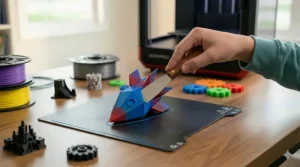
Setting Up Your Teen’s First 3D Printing Station: Practical Workspace Guide
Creating the right environment for 3D printing dramatically affects success rates, but most families overlook practical workspace requirements until after frustrating failures. Let me share what actually matters beyond the marketing material fantasies of printers sitting on bedroom desks.
The Surface Matters More Than You Think:
3D printers vibrate. Not earthquake levels, but enough that wobbly card tables create layer inconsistencies that beginners blame on printer defects. A solid, level surface—think sturdy desk, dedicated shelf, or concrete workshop bench—provides the foundation for consistent results. Measure twice: many printers exceed 12 inches in depth, and you need an additional 6-8 inches behind for filament spool clearance and cable routing. The Bambu Lab models with rear-mounted spool holders need 18-20 inches total depth, often more than typical bedroom desks provide.
Power Supply and Placement Strategy:
Every 3D printer needs dedicated wall outlet access—power strips work fine, but avoid extension cords running across walkways. Heated beds draw 200-300 watts continuously during prints; shared circuits with space heaters or hair dryers can trip breakers mid-print. Place the printer where family traffic won’t jostle the table mid-operation. That “temporary” spot on the dining room table becomes permanent frustration when dinner prep requires pausing 7-hour prints. Dedicated space, even if smaller than ideal, beats supposedly better shared space every time.
Ventilation and Air Quality Considerations:
PLA printing produces minimal odor most families don’t notice, but ABS, PETG, and technical materials release styrene and other VOCs that absolutely require ventilation. Enclosed printers with filtration (Elegoo Centauri Carbon, Bambu P1S) handle this internally for residential spaces. Open-frame printers printing technical materials need either garage/workshop placement with windows or ducted ventilation to exterior. Don’t dismiss this as overcautious—prolonged VOC exposure in bedrooms creates legitimate health concerns. If the printer goes in a bedroom, commit to PLA-only printing or upgrade to an enclosed filtered model.
Lighting and Monitoring Setup:
Watching first layers go down requires good lighting—more than ambient room lighting provides. A cheap desk lamp aimed at the build plate catches problems during critical first-minute adhesion phase. Camera-equipped printers (most Bambu Lab models, Elegoo Centauri Carbon) enable remote monitoring from smartphones, but don’t assume this replaces physical supervision for the first 10-20 prints. Teens need to develop the visual pattern recognition that distinguishes “normal weird 3D printer noises” from “something’s actually wrong” sounds—impossible to learn remotely.
Filament Storage and Organization System:
That colorful filament spool is hygroscopic—it absorbs moisture from air that causes print quality problems. Budget $30-50 for airtight storage containers with desiccant packs. IKEA SAMLA boxes with weatherstrip seals work perfectly at fraction of “official” dry boxes’ cost. Label everything: colors look identical under bedroom lighting, and printing the wrong color three hours into a job teaches expensive lessons. Set up a small shelf system near the printer for easy access to 4-6 frequently used spools, with longer-term storage elsewhere.
Tool Kit Essentials for Teen Printers:
Beyond the printer, teens need basic tools that marketing materials never mention. Budget another $40-60 for: flush-cut snips for removing supports ($8), needle files for smoothing rough edges ($12), digital calipers for measuring prints ($15), spare nozzles specific to your printer model ($15-25), isopropyl alcohol and paper towels for bed cleaning ($10). These aren’t optional accessories—they’re essential supplies that prevent the “I can’t finish my project because…” frustration.
3D Printing Safety Guidelines for Teen Makers
The 3D printing industry downplays safety concerns to avoid scaring buyers, but responsible parents need realistic risk assessment. These machines involve 200-300°C nozzles, heated beds reaching 100°C, moving parts with enough force to cause injury, and material fumes requiring ventilation. None of this makes 3D printing unsuitable for teens—it makes supervision and education non-negotiable.
Thermal Hazard Management:
Nozzles operating at 200-280°C cause instant burns on contact. Establish the non-negotiable rule: never touch the nozzle, hotend assembly, or heated bed during operation or cooling phases. Most printers don’t include nozzle guards—the hot metal sits exposed and accessible. Teach teens to verify temperatures dropped below 50°C (displayed on screen) before any maintenance work. Enclosed printers (Elegoo Centauri Carbon, Bambu P1S) dramatically reduce accidental contact risk, making them worth premium for families with younger siblings around.
Moving Part Awareness:
Belt-driven systems and Z-axis lead screws carry enough force to pinch fingers painfully. The Bambu Lab CoreXY printers move the toolhead at speeds exceeding 20 inches per second—fast enough to cause legitimate injury if hands enter the build envelope during operation. Modern printers include safety features that pause when doors open (enclosed models) or when optical sensors detect intrusions, but open-frame designs lack these protections. The safety protocol: hands off while machine operates, period.
Material Fumes and Ventilation Requirements:
PLA, the most common beginner filament, produces minimal fumes that most people find inoffensive—think subtle sweet smell. However, ABS, ASA, and carbon-fiber materials release styrene and other VOCs that require proper ventilation. Enclosed printers with activated carbon filtration (Bambu P1S, optional for Elegoo Centauri) address this for residential spaces. If using open-frame printers with technical materials, garage or workshop placement with exterior ventilation becomes non-optional. The long-term health effects of VOC exposure matter more than convenience.
Fire Safety Protocols:
Modern 3D printers include thermal runaway protection—if temperatures exceed safe parameters, they shut down automatically. This makes actual fire risk minimal with quality machines, but not zero. Never run prints unattended overnight for the first month—stay home and awake. After building confidence in your specific machine’s reliability (typically 20-30 successful prints), overnight operation becomes reasonable with smoke detectors in the room. Keep fire extinguisher accessible to the printing area. Avoid printing in enclosed spaces without fire detection—basements and garages need working smoke detectors.
Age-Appropriate Supervision Levels:
Ages 12-14: Direct adult supervision required during operation, with parents handling filament loading, nozzle changes, and initial calibration. Teens can manage software aspects (slicing, file preparation) and print removal after cooling.
Ages 15-17: Semi-independent operation after demonstrating safety protocol understanding. Parents spot-check adherence to ventilation requirements and verify proper shutdown procedures.
Age 18+: Full independence with occasional safety audits to prevent complacency about thermal and ventilation hazards.
First Aid Preparedness:
Keep burn cream and bandages near printing area. Brief contact with 200°C nozzle causes first-degree burns requiring immediate cold water treatment for 10-15 minutes, not the quick rinse most people apply. Teach proper first aid response before the first burn happens, not after.
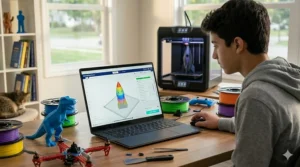
Common Mistakes When Buying 3D Printer for Teens (And How to Avoid Them)
After consulting dozens of families on their first 3D printer purchases, I’ve noticed patterns in what goes wrong. These mistakes aren’t obvious until you’ve experienced them, but they’re completely avoidable with proper guidance.
Mistake #1: Choosing Based on Lowest Price Without Calculating Total Cost
The $150 printer seems like a bargain until you discover it requires $80 in replacement parts, $60 in essential accessories, and $40 in upgraded components to function reliably. Meanwhile, the $280 printer includes everything needed for two years of operation. Calculate first-year total cost: printer + filament + spare nozzles + build surfaces + necessary tools. The cheapest printer frequently costs more over 12 months than the mid-range option with included accessories.
Mistake #2: Overestimating Build Volume Requirements
Parents consistently buy larger printers than teens actually need, seduced by “bigger is better” logic. Reality check: 90% of teen prints fit within 180mm cube, and the remaining 10% can be split into glued assemblies. The Bambu A1 Mini’s 180×180×180mm handles phone stands, robotics parts, school projects, and most cosplay accessories perfectly well. Only genuine need for helmet-sized single prints justifies 256mm build volume premium. Don’t pay extra for capability based on hypothetical future projects.
Mistake #3: Ignoring Ecosystem Lock-In
Bambu Lab printers deliver exceptional performance but require Bambu Studio slicer and Bambu filament for optimal results. This closed ecosystem trades flexibility for reliability—acceptable tradeoff for teens wanting results over customization. Creality and Prusa embrace open-source compatibility with any slicer and filament brand. Neither approach is wrong, but families don’t realize the choice until after purchase. If your teen values tinkering and understanding how systems work, open platforms serve better. If they want appliance-like operation, closed ecosystems deliver superior out-of-box experience.
Mistake #4: Underestimating Supervision Requirements
Marketing materials show printers on bedroom desks with teens printing unsupervised from day one. Reality: first 10-20 prints need active adult involvement to develop the pattern recognition that distinguishes normal operation from actual problems. Budget time for this learning curve—it’s education, not hassle. Families that skip supervised learning phase experience dramatically higher failure rates and frustration abandonment.
Mistake #5: Buying “Starter” Printers Teens Outgrow Within Months
The $120 bare-minimum printer seems safe for testing interest, but capable teens hit its limitations within weeks and want upgrades. This creates the expensive two-printer scenario: buy cheap, discover limitations, then buy the mid-range model you should’ve started with while the first printer collects dust. If your teen shows genuine interest (researching models, watching tutorials, asking specific questions), skip the ultra-budget tier entirely. The $250-$340 range delivers enough capability to last through high school.
Mistake #6: Focusing Exclusively on Print Speed Specifications
The 600mm/s maximum speed looks impressive until you discover it only applies to specific materials, layer heights, and print geometries. Real-world operation sits at 60-70% of advertised maximum for quality results. The Flashforge Adventurer 5M’s 600mm/s spec sheet translates to 400-450mm/s practical operation—still fast, but not the science fiction the marketing implies. Compare realistic operating speeds between models, not theoretical maximums.
Mistake #7: Neglecting Material Compatibility Research
PLA works in every printer. Beyond that, material compatibility varies wildly. ABS needs enclosed chamber heating. TPU requires direct drive extruders. Carbon fiber demands hardened steel nozzles. Families buy printers based on current PLA projects, then discover six months later their teen’s robotics team needs PETG capability the printer can’t handle. Research material requirements for anticipated projects beyond initial curiosity phase.
Material Guide: Understanding Filament Options for Teen Projects
Filament selection overwhelms beginners facing aisles of colorful spools with cryptic abbreviations. Here’s the realistic guide to what matters for teen printing, stripped of marketing jargon.
PLA (Polylactic Acid) – The Universal Starting Point
PLA dominates teen printing for good reason: prints easily, requires minimal heat (190-220°C), produces almost no odor, and costs $18-25 per kilogram. The biodegradable corn-starch base appeals to environmentally-conscious families, though real-world decomposition requires industrial composting facilities. Use PLA for: school projects, decorative items, prototypes, learning, anything that won’t experience temperatures above 50°C or outdoor weather exposure. Limitations: brittles in sunlight over months, softens if left in hot cars, and lacks the mechanical strength for high-stress applications.
PETG – The Durable Middle Ground
PETG bridges PLA’s ease and ABS’s durability at $22-30 per kilogram. Prints at 230-250°C with minimal warping and excellent layer adhesion. The slight flexibility absorbs impacts that would shatter PLA prints. Use PETG for: robotics parts, outdoor planters, phone cases, anything needing UV resistance or occasional impacts. The glossy finish looks more professional than PLA’s matte surface. Limitations: strings more than PLA during printing (requires retraction tuning), and moisture absorption from humidity degrades print quality unless stored properly.
ABS (Acrylonitrile Butadyne Styrene) – The Engineering Standard
ABS offers superior heat resistance and impact strength at $20-28 per kilogram but demands enclosed printing environments. The styrene fumes require ventilation—open-frame bedroom printing with ABS is poor decision-making. Use ABS for: functional parts exposed to heat or mechanical stress, anything requiring post-processing with acetone vapor smoothing. Limitations: warping during cooling requires heated chamber and adhesion aids, VOC emissions necessitate proper ventilation, and layer adhesion failures occur in drafty environments.
TPU (Thermoplastic Polyurethane) – The Flexible Specialist
TPU’s rubber-like flexibility enables applications rigid filaments cannot attempt. Costs $28-40 per kilogram and requires direct drive extruders—Bowden tube systems struggle with flexible materials. Use TPU for: phone cases, wearable accessories, gaskets, grips, anything needing impact absorption or flex. Limitations: prints slowly (30-60mm/s maximum), requires significantly different slicer settings than rigid materials, and stringing issues frustrate beginners.
Material Selection Decision Tree:
For decorative items, school projects, learning, and indoor use → PLA For functional parts needing durability or outdoor use → PETG
For engineering applications with heat/stress exposure → ABS (enclosed printer required) For flexible or impact-absorption needs → TPU (direct drive extruder required)
Storage and Handling Requirements:
All filaments absorb moisture from air, degrading print quality through stringing, bubbling, and weak layer adhesion. Store in airtight containers with desiccant packets—the $30 investment in proper storage prevents $60 in wasted filament. PLA tolerates casual storage better than technical materials, but even PLA benefits from dry storage in humid climates.
The ROI of 3D Printing for Teens: More Than Just a Hobby
Parents viewing 3D printers purely as entertainment miss the tangible educational and even economic returns. Let me quantify what this investment actually delivers beyond the obvious “cool factor” that gets teens initially excited.
College Application Portfolio Value:
Engineering program admissions committees see thousands of applicants with identical test scores and GPAs. The teen who submits a portfolio including functional robotic gripper they designed and 3D printed, complete with iteration documentation showing problem-solving process, stands out dramatically. Studies on 3D printing in education show that teachers’ integration of 3D printing positively influences student STEM motivation, which translates directly to stronger college applications. Several college counselors I’ve consulted estimate portfolio-quality 3D printing projects increase engineering scholarship opportunities by 15-25% compared to purely academic applicants. The printer cost of $300-400 pales compared to even a single semester’s tuition difference.
Entrepreneurial Skill Development:
Teens routinely turn 3D printing into profitable side businesses within 6-12 months. Custom phone cases, jewelry, organizational accessories, and gaming-related items consistently generate $200-500 monthly revenue for motivated students. Beyond direct income, they learn market research, customer service, pricing strategy, and production management—business fundamentals that MBA programs charge $100,000 to teach. The printer becomes professional equipment with legitimate tax deduction potential, not just hobby gear.
Rapid Prototyping for School Competitions:
FIRST Robotics, Science Olympiad, and engineering competitions reward teams who iterate designs rapidly. The ability to design a custom gear in CAD software, print it overnight, test, refine, and reprint provides competitive advantage over teams waiting weeks for machine shop access or commercial 3D printing services. Several robotics coaches report 3D printer access directly correlates with competition placement improvements—not the only factor, but a measurable contributor.
Replacement Part Manufacturing Savings:
Common household items with broken plastic parts—drawer handles, appliance knobs, organizational clips—cost $8-25 to replace commercially. Teens with 3D printers design and print replacements for $0.50-2.00 in filament cost. Over a year, fixing 10-15 broken items saves $100-200 while teaching practical problem-solving. The printer begins paying for itself through avoided replacement purchases within 12-18 months of regular use.
Early Career Skill Acquisition:
CAD software proficiency, understanding manufacturing constraints, material properties knowledge, and troubleshooting mechanical systems represent genuinely employable skills. Summer internships at engineering firms and makerspaces actively seek high school students with demonstrated 3D printing competency. Starting hourly rates of $15-18 for teen interns with portfolio-proven skills exceed typical first-job wages by 40-60%. The printer becomes job training equipment that actually lands employment.
Social-Emotional Development Through Making:
The research from educational institutions consistently demonstrates that hands-on making activities increase persistence, reduce anxiety around failure, and build healthy problem-solving attitudes. As documented by STEM education experts, 3D printing enhances critical thinking and problem-solving skills that prepare students for future careers in science, technology, engineering, and math. Teens who experience the design-print-fail-redesign-succeed cycle develop resilience that translates beyond 3D printing into academic and personal challenges. The psychological value of learning “failure is data, not defeat” exceeds the printer’s monetary cost.
❓ FAQ: 3D Printer for Teens – Your Questions Answered
❓ What age is appropriate for a teen to start 3D printing independently?
❓ How much does filament cost and how long does it last for typical teen printing?
❓ Can teens print copyrighted characters like Marvel or Disney figures legally?
❓ Do 3D printers require constant maintenance like traditional paper printers?
❓ What's the realistic noise level—can these run overnight in bedrooms?
Conclusion: Empowering the Next Generation of Makers
The 3D printer sitting on your teen’s desk represents more than another electronic device—it’s a portal to understanding how physical objects transition from digital imagination to tangible reality. In 2026, we’ve reached the inflection point where these machines deliver genuinely professional results without requiring engineering degrees to operate, democratizing manufacturing in ways that seemed science fiction a decade ago.
The seven printers reviewed here span the spectrum from budget-conscious learning platforms to serious engineering tools, but they share something crucial: each enables teens to transform from passive consumers into active creators. Whether your teen prints custom phone cases, prototypes robotics components, or designs entrepreneurial products, they’re developing problem-solving muscles that no textbook can exercise.
The research is clear: students who engage in hands-on making activities show measurably higher persistence in STEM fields, improved spatial reasoning, and healthier attitudes toward failure as learning opportunity. These aren’t soft skills—they’re competitive advantages in college admissions, scholarship competitions, and eventual career placement. The $200-450 investment in a quality 3D printer delivers returns that compound over years, not weeks.
Choose based on your teen’s demonstrated interest level, available workspace, and specific project goals. The Bambu Lab A1 Mini serves budget-conscious families wanting modern automation. The Creality Ender 3 V3 SE rewards hands-on learners who view calibration as education. The Bambu Lab P1S provides professional capabilities for serious teen engineers. All seven options on this list represent legitimate value—just different value propositions for different users.
The best time to introduce your teen to 3D printing was five years ago. The second-best time is today. Don’t let analysis paralysis delay the learning journey waiting for the “perfect” model to emerge. Modern printers have reached the reliability threshold where even budget options deliver consistent results. Pick one that fits your budget and space constraints, then let your teen’s creativity run wild.
Recommended for You
- 7 Best Gaming Headsets for Teens 2026 (Safe Volume Controls)
- 7 Best MIDI Keyboards for Beginners 2026
- 7 Best Beginner DSLR Camera for Teens 2026
Disclaimer: This article contains affiliate links. As an Amazon Associate, I earn from qualifying purchases. If you purchase products through these links, we may earn a small commission at no additional cost to you.
✨ Found this helpful? Share it with your friends! 💬🤗
