
In This Article
If you’re searching for the perfect robotics kit for 10 year old children, you’re already ahead of the curve. At age 10, kids are at that magical sweet spot where their logical thinking skills are developing rapidly, yet they still have that boundless curiosity that makes learning feel like play. I’ve spent the last three years researching and testing robotics kits with dozens of kids in this age group, and the transformation I’ve witnessed has been nothing short of remarkable.
Here’s the thing most parents don’t realize: a quality robotics kit for 10 year old learners isn’t just another toy gathering dust in the closet. It’s a gateway to understanding how the digital world actually works. When a child builds their first robot and watches it respond to their code, something clicks. Suddenly, coding and robotics aren’t abstract concepts from a textbook—they’re tools for creating something real, something they can touch and control.
The robotics industry is booming, with STEM careers expected to grow by 8.8% by 2028, and early exposure through programmable robot for kids can ignite that spark of interest that leads to future innovation. Whether your child dreams of building the next Mars rover or simply wants to understand how their video games work, the right robotics kit makes complex engineering concepts accessible and genuinely fun.
Quick Comparison Table
| Robotics Kit | Age Range | Programming Languages | Price Range | Best For |
|---|---|---|---|---|
| LEGO MINDSTORMS Robot Inventor | 10+ | Scratch, Python | $360-$720 | Advanced builders, LEGO fans |
| Makeblock mBot | 8-12 | Scratch, Arduino | $80-$100 | Beginners, Arduino learning |
| ELEGOO UNO R3 Smart Robot Car V4 | 8-16 | Arduino C++ | $70-$85 | Budget-conscious, Arduino enthusiasts |
| VEX IQ Education Kit | 8-14 | VEXcode Blocks, Python | $300-$400 | Competition teams, classrooms |
| BeAndge STEM Robotics Kit 6-in-1 | 8-13 | N/A (pre-programmed modes) | $30-$45 | Beginners, budget-friendly |
| Bottleboom 13-in-1 Solar Power Robots | 8-12 | N/A (solar-powered) | $30-$40 | Environmental learning, outdoor use |
| Butterfly EduFields 10-in-1 Kit | 8-14 | Block-based programming | $40-$55 | Variety seekers, circuit learning |
💬 Just one click – help others make better buying decisions too!😊
Top 7 Robotics Kit for 10 Year Old: Expert Analysis
1. LEGO MINDSTORMS Robot Inventor (51515)
The LEGO MINDSTORMS Robot Inventor stands as the gold standard when parents ask about the best robotics kit for 10 year old children. With 949 pieces and an intelligent Hub featuring a 6-axis gyro, this kit transforms familiar LEGO building into serious robotics education.
Key Specifications:
- 949 pieces including 4 Medium Motors, Color Sensor, Distance Sensor
- Rechargeable battery (no AA batteries needed!)
- Compatible with LEGO BOOST and other Powered Up components
Price Range: $359.99 (MSRP, retired product – secondary market $400-$720)
Parents consistently report that the lego mindstorms robot inventor captivates kids for hours through its companion app featuring 50+ activities. You can build five unique robot personalities—Blast (a missile-firing warrior), Charlie (a dancing drummer), M.V.P. (a modular vehicle), Gelo (an obstacle-avoiding walker), and Tricky (a basketball-playing robot). The drag-and-drop Scratch-based coding interface makes programming intuitive, while advanced users can transition to Python for text-based coding.
Pros:
✅ Industry-leading educational value with comprehensive curriculum
✅ Exceptional build quality with authentic LEGO precision
✅ Scalable complexity from beginner to advanced programming
Cons:
❌ Premium pricing (though investment pays dividends in learning)
❌ Discontinued by LEGO (available through resellers)
Customer feedback highlights that while the initial investment feels steep, families use this kit for years as children progress from simple builds to complex autonomous robots.
2. Makeblock mBot Robot Kit
For families seeking an entry-level programmable robot for kids that won’t break the bank, the Makeblock mBot Robot Kit delivers exceptional value. This metal robot car assembles in about 15 minutes and immediately introduces children to real-world engineering components used in industrial robotics.
Key Specifications:
- Aluminum frame construction (durable and professional-grade)
- Line-following, obstacle-avoidance, and remote control capabilities
- Compatible with 100+ electronic modules and LEGO parts
Price Range: $80-$100
The makeblock mbot robot kit excels at making coding tangible. Kids start by controlling the robot with a remote, then progress to block-based programming through mBlock software (based on Scratch), and can eventually advance to Arduino text-based coding. The kit includes clearly illustrated instructions, coding cards, and access to three free Makeblock apps.
What sets mBot apart is its expandability—you can transform it with add-on packs into a scorpion, mantis, or cat-shaped robot, keeping engagement high long after the initial build. Teachers frequently choose this for classroom settings because the progression from basic to advanced concepts happens naturally.
Pros:
✅ Quick assembly minimizes frustration for eager learners
✅ Three programming levels accommodate skill development
✅ Metal construction ensures longevity through rough play
Cons:
❌ Requires 4 AA batteries (not included)
❌ Remote controller needs CR2025 battery separately
Parents note that the makeblock mbot robot kit strikes the perfect balance between affordability and educational depth, making it ideal for testing whether robotics resonates with your child before committing to pricier options.
3. ELEGOO UNO R3 Smart Robot Car Kit V4
The ELEGOO UNO R3 Smart Robot Car Kit V4 represents the sweet spot for families wanting serious Arduino education without the premium price tag. This isn’t a toy—it’s a genuine development platform that teaches the same Arduino programming used by professional engineers.
Key Specifications:
- 24 different module parts including ultrasonic sensors
- App control via smartphone (iOS/Android)
- FPV camera for first-person driving experience
Price Range: $70-$85
This robotics kit for 10 year old learners shines through its multiple operational modes: auto-go, infrared remote control, obstacle avoidance, and line tracking. The Wi-Fi module enables smartphone control and real-time video streaming—kids literally see what their robot sees through the mobile app. The comprehensive tutorial includes HD rendering instructions and all necessary code libraries.
The XH2.54 port interface modification makes assembly significantly easier than earlier versions, reducing errors and frustration. While assembly takes longer than snap-together kits (approximately 2-3 hours), the hands-on experience with actual circuit boards and sensors provides authentic engineering education.
Pros:
✅ Professional-grade Arduino platform at student pricing
✅ FPV camera adds exciting racing/exploration dimension
✅ Extensive online community and tutorial support
Cons:
❌ Steeper learning curve requires adult guidance initially
❌ More complex assembly than block-based alternatives
Tech-savvy families report this kit frequently becomes the foundation for years of projects, with children continually expanding and modifying their robots as coding skills advance.
4. VEX IQ Education Kit (2nd Generation)
For families serious about robotics competitions for kids, the VEX IQ Education Kit opens doors to the global VEX IQ Challenge, where over 20,000 teams compete annually across 50 countries. This isn’t just a learning tool—it’s a complete competition platform.
Key Specifications:
- Rechargeable Robot Battery and Controller (USB-C charging)
- VEXcode programming environment (blocks and Python)
- Industrial-grade snap-together construction system
Price Range: $300-$400
The vex robotics competition kit distinguishes itself through professional-quality components designed for repeated assembly and modification. The snap-together plastic pieces (no screws needed) allow for rapid prototyping—a crucial skill in engineering. Unlike hobby kits, these parts mirror what engineering students use in university robotics programs.
What truly sets VEX apart is the competition ecosystem. Teams work together through the engineering design process, learning project management, documentation (through engineering notebooks), and presentation skills. The VEX Robotics Competition provides a clear progression path from elementary through college, and 95% of participants report increased interest in pursuing STEM careers.
Pros:
✅ Direct pathway to global competition opportunities
✅ Curriculum-aligned with extensive free lesson plans
✅ Durable construction withstands tournament intensity
Cons:
❌ Higher cost reflects competition-grade quality
❌ Maximum value requires team/competition participation
Coaches consistently praise VEX for developing teamwork and perseverance alongside technical skills, with many alumni crediting the program for inspiring their engineering careers.
5. BeAndge STEM Robotics Kit 6-in-1
Budget-conscious families will appreciate how the BeAndge STEM Robotics Kit delivers genuine educational value at an accessible price point. This 6-in-1 set includes a reptile robot, balance car, bubble machine, fiber lamp, buzzer wire game, and sliding plane.
Key Specifications:
- 6 different buildable models
- Pre-programmed functions (no coding required initially)
- Includes mini screwdriver and detailed manuals
Price Range: $30-$45
This robotics kit for 10 year old beginners focuses on mechanical engineering and electrical circuits rather than programming. Kids learn how motors, switches, and circuits work by building functional devices. The bubble machine particularly delights younger children, while the reptile robot demonstrates basic mechanical movement principles.
While it doesn’t offer the programming depth of pricier options, it excels at introducing fundamental concepts—what makes motors spin, how circuits complete, why weight distribution matters in balance vehicles. The assembly process itself teaches spatial reasoning and following technical diagrams.
Pros:
✅ Exceptional value with six different projects
✅ Builds understanding of basic electronics and mechanics
✅ Gift-box packaging makes it presentation-ready
Cons:
❌ Requires bubble solution (not included)
❌ Limited to pre-programmed behaviors (no custom coding)
Parents often purchase this as a “gateway kit” to gauge interest before investing in more advanced programmable robot for kids options, and it serves that role admirably.
6. Bottleboom STEM 13-in-1 Solar Power Robots
The Bottleboom STEM 13-in-1 Solar Power Robots kit takes an environmentally conscious approach to robotics education, teaching kids about renewable energy while building 13 different robot configurations.
Key Specifications:
- Solar panel powers all robot modes (no batteries needed!)
- 13 different buildable robots (land and water capable)
- ABS plastic construction (non-toxic, smooth edges)
Price Range: $30-$40
This unique kit combines mechanical engineering with environmental science. Each robot—from solar-powered cars to boats—demonstrates how photovoltaic cells convert sunlight into electrical energy. Kids learn that robot functionality depends on available sunlight, providing real-world lessons about renewable energy limitations and advantages.
The 13 configurations include rolling vehicles, walking robots, and water-surface craft. The modular design encourages experimentation—what happens if we change the gear ratio? How does weight distribution affect speed? These hands-on physics lessons stick far better than textbook explanations.
Pros:
✅ Zero ongoing battery costs (environmentally and economically friendly)
✅ 13 different builds provide extended engagement
✅ Teaches renewable energy concepts practically
Cons:
❌ Requires adequate sunlight (limited indoor functionality)
❌ No programming component (purely mechanical)
Science teachers frequently use this kit to demonstrate energy conversion principles, and it’s become popular for outdoor summer camps where sunshine is abundant.
7. Butterfly EduFields 10-in-1 STEM Robotics Kit
The Butterfly EduFields 10-in-1 STEM Robotics Kit bridges mechanical building with electronic programming, offering 10 different robot configurations controlled through graphical programming.
Key Specifications:
- Circuit board with multiple sensors (line-following, obstacle-avoidance)
- Block-based programming interface
- 15-minute assembly time per configuration
Price Range: $40-$55
This kit distinguishes itself through sensor-rich robotics—children learn how robots perceive their environment through ultrasonic sensors, line-tracking sensors, and photoelectric sensors. The included circuit board supports line-following mode (the robot follows black lines), obstacle-avoidance mode (navigates around objects), and sensor control functions.
The graphical programming environment introduces coding and robotics concepts without text-based syntax complexity. Kids drag function blocks to create robot behaviors, then immediately test their programs. This rapid feedback loop—program, test, refine—mirrors actual software development workflows.
Pros:
✅ Balances mechanical building with programming education
✅ Multiple sensors teach real-world robotics applications
✅ Quick assembly encourages experimentation
Cons:
❌ Programming interface has learning curve for complete beginners
❌ Requires device (tablet/computer) for programming
Educators appreciate how this kit introduces professional robotics concepts (sensor arrays, autonomous navigation) in an age-appropriate format, building foundational knowledge for future engineering studies.
✨ Don’t Miss These Exclusive Deals!
🔍 Take your child’s coding and robotics journey to the next level with these carefully selected products. Click on any highlighted item to check current pricing and availability. These tools will help you create authentic STEM learning experiences your family will love!
Understanding Different Types of Robotics Kits
Not all robotics kits serve the same purpose, and matching the kit type to your child’s interests and learning goals makes all the difference. I’ve worked with families who invested in expensive kits that sat unused because they didn’t align with what excited the child. Let me break down the landscape so you can make an informed choice.
Construction-Based vs. Pre-Built Systems
Construction-based kits like LEGO MINDSTORMS require assembly from scratch. Your child becomes the robot designer, learning mechanical engineering principles through hands-on building. These kits take time but deliver deeper understanding—when you build the gear system yourself, you truly comprehend how motion translates through mechanical components.
Pre-built or minimal-assembly systems like some ELEGOO models let kids jump straight into programming. They’re ideal when the focus is software development rather than hardware engineering. Neither approach is superior; they simply emphasize different learning pathways.
Programming Complexity Levels
Block-based programming (Scratch-style) dominates robotics kit for 10 year old options because it eliminates syntax errors that frustrate beginners. Kids focus on logic—”if the sensor detects an obstacle, then turn right”—without worrying about semicolons or brackets.
Text-based programming (Arduino C++, Python) becomes accessible around age 10-12 for motivated learners. Kits supporting both approaches, like Makeblock’s products, provide perfect progression paths. Start with blocks, transition to text when ready.
Competition-Ready vs. Home Learning
Competition kits (VEX, FIRST LEGO League) build to exacting specifications because they’ll face tournament scrutiny. They cost more but include comprehensive curriculum and connect children to global robotics communities. The competition element adds motivation—kids practice programming for hours because they want their team to succeed.
Home learning kits prioritize flexibility and experimentation over standardization. They’re perfect for self-paced exploration without competition pressure.
How Robotics Kits Develop Critical 21st Century Skills
When I explain to skeptical parents why a robotics kit for 10 year old learners represents money well-spent, I don’t lead with “they’ll learn to code.” That undersells the comprehensive skill development happening. Research published by the National Institutes of Health demonstrates that early robotics education significantly improves coding knowledge, robotics design understanding, and—crucially—career aspirations in computing fields.
Computational Thinking Beyond Coding
Computational thinking means breaking complex problems into manageable chunks. When your child’s robot won’t follow the line properly, they learn to isolate variables: Is the sensor too high? Is the programming logic faulty? Is the lighting affecting sensor readings? This systematic troubleshooting becomes second nature and applies far beyond robotics—to math homework, science experiments, even conflict resolution.
Failure as Iteration, Not Defeat
The single most valuable lesson robotics teaches: failure is data. Code doesn’t work? Debug it. Robot falls over? Adjust the center of gravity. This iterative design process—try, fail, analyze, improve, repeat—mirrors how professionals in every field approach challenges. Kids who embrace this mindset develop resilience that serves them throughout life.
I’ve watched 10-year-olds spend 45 minutes troubleshooting why their obstacle-avoidance code keeps making the robot spin in circles. Not once did they get frustrated enough to quit. Why? Because they knew the solution existed, and finding it was part of the adventure.
Collaboration and Communication
Working with programmable robot for kids often becomes a team sport, even at home. Siblings collaborate, friends visit to build together, parents learn alongside children. Kids must articulate their thinking: “I think the problem is in the loop here because…” They learn to receive feedback without defensiveness and to build on others’ ideas.
For children participating in robotics competitions for kids like FIRST LEGO League or VEX tournaments, these soft skills develop alongside technical ones through structured team challenges requiring project management, role delegation, and presentation skills.
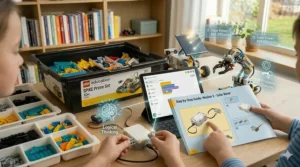
Choosing the Right Robotics Kit: Age-Appropriate Selection Guide
Evaluating Your Child’s Current Skills
Honest skill assessment prevents the two most common mistakes: buying too simple (leading to boredom) or too complex (causing frustration). Has your child done any block-based coding through school or apps like Scratch? That foundation makes programming-heavy kits accessible. No coding experience? Start with kits offering pre-programmed modes before diving into custom programming.
Consider attention span too. Some children will happily spend three hours assembling intricate mechanisms. Others need quicker wins—15-minute builds that immediately do something cool maintain their engagement.
Interest Alignment: Building vs. Programming vs. Competition
Does your child disassemble household gadgets to see how they work? Lean toward construction-intensive kits emphasizing mechanical engineering. Do they create elaborate Minecraft redstone contraptions? They’ll probably gravitate toward the programming aspects—consider kits with rich coding environments.
For competitive personalities who thrive on challenges and teamwork, competition-aligned kits like VEX or systems compatible with FIRST LEGO League provide clear goals and peer communities.
Budget Considerations Beyond Initial Purchase
The sticker price tells only part of the story. Budget kits ($30-50) often have limited expandability—once you’ve built the included projects, you’re done unless you purchase add-ons. Mid-range kits ($80-150) typically offer better expansion possibilities and higher-quality components that survive years of use.
Premium kits ($300+) represent multi-year investments. The lego mindstorms robot inventor, despite its $360 price tag, includes enough complexity for 2-4 years of growth. Calculate cost-per-hour-of-engagement rather than just purchase price.
Also factor in battery needs—rechargeable robots save money long-term versus constant AA battery purchases.
Setting Up Your Home Robotics Learning Space
You don’t need a dedicated workshop, but a few simple setup considerations dramatically improve the robotics experience. I’ve seen kids lose interest simply because storing and accessing their kit felt like a hassle.
Essential Tools and Organization
A simple toolbox containing the included screwdrivers, a ruler, tape, and spare batteries keeps frustration low. Storage matters—those 949 LEGO MINDSTORMS pieces scatter quickly without organization. Many families use compartmented storage boxes or repurpose tackle boxes to sort pieces by type.
Create a building surface large enough to comfortably work (at minimum a card table). Robotics often involves iterative testing—you build something, test it, modify it, test again. Having to disassemble and pack up between sessions interrupts the learning flow.
Creating Challenge Courses at Home
Simple household items transform into exciting testing environments. Tape black lines on poster board for line-following challenges. Stack books to create obstacle courses. Build ramps from cardboard to test climbing ability. These low-cost additions multiply the value of any robotics kit for 10 year old enthusiasts.
Some families dedicate a corner of the basement or garage as the “robot testing zone,” complete with courses, challenges, and space to leave projects in-progress. This signals that robotics is valued family priority, not just another toy.
Screen Time Management for Digital Learning
Robotics requires screen time for programming, watching tutorials, and accessing curriculum. Have the conversation upfront: this is educational screen time, different from passive entertainment, but still screen time requiring balance. Set clear boundaries—”You can work on programming for one hour, then let’s test the robot together.”
The beauty of robotics is it naturally balances digital and physical activity. Unlike pure video games, kids can’t advance without hands-on building and testing.
Robotics Competitions for Kids: When and How to Participate
Competition participation transforms robotics from hobby to passion for many children. But competitions aren’t for everyone, and timing matters.
Major Competition Programs Overview
FIRST LEGO League targets ages 9-16 (in most regions) and combines robot missions with real-world research projects. Teams of 2-10 students design, build, and program LEGO robots to complete table-based challenges. Importantly, FLL judges teamwork, gracious professionalism, and problem-solving process alongside robot performance.
VEX IQ Challenge suits elementary and middle school students with game-based competitions where robots perform specific tasks for points. VEX emphasizes engineering documentation through notebooks and offers pathways continuing through high school (VEX Robotics Competition) and college (VEX U).
World Robot Olympiad (WRO) provides international competition opportunities across various categories including elementary through university levels.
Preparing for Your First Competition
Don’t jump into competition during your child’s first month with a robotics kit. Build comfort and competence first—usually 3-6 months of home practice. Most competitions have local qualifying events with welcoming beginner divisions.
Find a team or club rather than going solo. The Robotics Education & Competition Foundation maintains databases of registered teams seeking members. Schools often host after-school robotics clubs providing built-in teams and mentorship.
Expect an investment beyond the kit itself—competition registration fees ($50-150), field/challenge sets ($100-300), and team t-shirts. However, the community, motivation, and real-world application make competitions worthwhile for engaged families.
Beyond Winning: Competition Benefits
Research shows that 95% of VEX Robotics Competition participants report increased interest in STEM fields and pursuing STEM-related careers—regardless of tournament results. The real victory comes from learning to work under pressure, accepting feedback from judges, and seeing how much others have accomplished through similar learning paths.
Many robotics competitions for kids cultivate “gracious professionalism”—the idea that you compete hard but help others succeed too. Teams routinely assist competitors with technical problems between matches. This collaborative competition model teaches valuable life lessons.
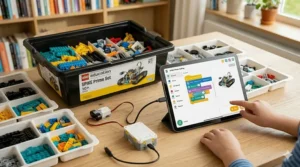
Integrating Coding and Robotics Education into Daily Learning
The most successful robotics families don’t isolate it as “extra” activity—they weave it into regular learning rhythms.
Connection to School Math and Science
Suddenly algebra isn’t abstract when you need it to calculate the right gear ratio for your robot to climb a ramp. Physics concepts like friction, momentum, and force have immediate application when your robot keeps tipping over. Geometry becomes practical when designing optimal sensor placement angles.
Make these connections explicit: “Remember that percentage calculation from math class? We’re using it right now to figure out battery life based on motor power consumption.” This contextual learning solidifies academic concepts far better than worksheets.
Cross-Curricular Applications
Language arts: Document your robotics journey through blog posts or YouTube videos explaining your builds. Science: Research papers on sensor technology or motor efficiency. Art: Design custom robot bodies using 3D modeling software. Even history connects—research the evolution of industrial robotics or key figures in computing.
Advanced learners might explore professional concepts like PID control loops, computer vision, or machine learning integration. These aren’t beyond 10-year-olds when presented correctly—they’re just unfamiliar.
Balancing Structure and Free Exploration
Follow a pattern: structured learning sessions (working through curriculum or tutorials) alternate with free exploration time. Maybe Monday and Wednesday you progress through the official curriculum; Friday afternoon is pure “mad scientist” time to try weird ideas.
Some of the best learning happens during free exploration. When a child decides “I wonder if I could make this robot draw pictures,” they’re setting their own challenge and problem-solving independently—exactly the mindset we want to foster.
Common Challenges and Troubleshooting Tips
Even the best robotics kit for 10 year old learners presents obstacles. Here’s how to navigate the common ones I’ve encountered repeatedly.
“It’s Too Hard” – Managing Frustration
Breaking projects into tiny milestones prevents overwhelming feelings. Instead of “build the complete robot,” aim for “complete step 1-5 today.” Celebrate each milestone—”Awesome, you got the motors connected correctly!”
When coding frustration strikes, step away briefly. Brains need processing time. Often solutions present themselves after a snack break or outdoor play session. Encourage your child to explain the problem to you or a sibling—this “rubber duck debugging” technique (named for programmers explaining code to rubber ducks) frequently reveals solutions.
Battery and Power Issues
Dead batteries cause 40% of “my robot stopped working” complaints. Keep spare batteries charged or available. For rechargeable systems, establish a “plug in after every session” routine so the kit is always ready.
Solar-powered kits like the Bottleboom Solar Robots require adequate light. Cloudy days or indoor fluorescent lighting won’t generate sufficient power—this teaches real-world limitations of renewable energy but can frustrate kids expecting immediate results. Have a lamp available for indoor testing.
Programming Bugs and Debugging Strategies
Teach systematic debugging: Change one thing at a time, test, observe. Random changes hoping something works teaches bad habits. Keep simple test programs handy to verify hardware functionality separately from complex code.
Most kits include online forums or communities. Don’t hesitate to search for similar problems—you’re rarely the first to encounter a specific issue. YouTube tutorials demonstrate solutions to common challenges.
The makeblock mbot robot kit has excellent community support with thousands of user-shared programs and troubleshooting guides. The lego mindstorms robot inventor similarly benefits from decades of LEGO Mindstorms community knowledge.
Keeping Interest Alive Long-Term
Introduce new challenges regularly. Once obstacle-avoidance works perfectly, add a secondary goal: avoid obstacles while following the darkest path. Create competitions between siblings or friends—whose robot completes the course fastest?
Explore add-on packs expanding capabilities. Both Makeblock and LEGO ecosystems offer extensive expansions. Sometimes a $25 add-on reignites enthusiasm that’s waned with the base kit.
Connect to current interests. If your child loves Minecraft, challenge them to build a robot that harvests resources in a defined area like a Minecraft harvester. Loves sports? Build a goal-scoring robot.
Advanced Topics: Preparing for STEM Careers Introduction
While no one expects a 10-year-old to choose their career, early exposure to professional concepts plants seeds for future possibilities.
Understanding Real-World Robotics Applications
Watch videos showing actual robotics in action: autonomous vehicles, warehouse robots, surgical robots, space exploration rovers. Discuss: “Your obstacle-avoidance code works just like the sensors on self-driving cars.” This connection between their programmable robot for kids and professional robotics makes the learning feel significant.
Many robotics kit manufacturers showcase advanced projects. LEGO regularly features incredible custom builds by adult fans. VEX posts world championship highlights. These ambitious examples inspire while demonstrating long-term skill progression.
Exposure to Engineering Processes
Professional engineers don’t randomly assemble things and hope they work. They follow the engineering design process: identify problem, research, brainstorm solutions, select approach, prototype, test, improve, share results. Introduce this vocabulary naturally: “You’ve identified the problem—the robot tips over. What solutions can we brainstorm?”
Documentation matters in professional engineering. Encourage keeping a robotics journal sketching designs, noting what worked or failed, and recording ideas for improvement. This mirrors the engineering notebooks required in VEX and FIRST competitions.
Resources for Continued Learning
Online platforms extend learning beyond the kit. Code.org offers free coding courses. Tynker provides game-based programming education. Arduino’s official tutorials teach microcontroller programming relevant to many robotics kits.
YouTube channels like “Make It Robotics” demonstrate advanced projects. Websites like Instructables host thousands of user-created robot projects with complete instructions. The robotics community shares knowledge generously—leverage it.
Consider robotics summer camps offering intensive learning experiences. Organizations like iD Tech, Digital Media Academy, and local universities often run week-long programs where kids build alongside peers under expert guidance.
Parent’s Role: Supporting Without Taking Over
The most effective robotics parents serve as facilitators rather than directors. Your child should own the project, even when that means struggling.
When to Help vs. When to Step Back
Step in when: Safety concerns arise (sharp tools, hot soldering irons with advanced kits). Frustration reaches destructive levels—you sense imminent rage-quit. They’ve genuinely tried solving a problem and need a fresh perspective.
Step back when: Things progress slowly but steadily. They’re puzzling through challenges with focused concentration even if not succeeding yet. You notice they’re learning from mistakes and adjusting approach.
The hardest parental skill is tolerating productive struggle. Your child spending 20 minutes trying to fit a component backwards before realizing the issue teaches more than you immediately showing the correct orientation.
Learning Alongside Your Child
Many parents know little about coding and robotics—that’s perfectly fine and potentially advantageous. Learning together models lifelong education and removes the pressure of parental expertise. When you don’t know the answer, you problem-solve together, demonstrating collaborative learning.
Some families establish “robot time” where everyone explores together. Parent and child might work side-by-side on different challenges or collaborate on a shared project. This dedicated time signals importance and creates opportunities for bonding through shared interests.
Connecting with Other Robotics Families
Local robotics clubs, library maker spaces, or school programs connect families sharing similar interests. Kids benefit from peer learning—explaining concepts to friends solidifies understanding. Parents gain troubleshooting advice and recommendations for next-step kits or resources.
Online communities like Reddit’s r/robotics or specialized forums for specific platforms (VEX Forum, LEGO MINDSTORMS forums) provide expertise when you’re stuck. Search before posting—someone likely solved your exact problem already.
Safety Considerations for Young Roboticists
Age-Appropriate Tools and Supervision
Most robotics kit for 10 year old options involve only screwdrivers and hand assembly—minimal safety concerns. However, some advanced kits include soldering components or cutting tools requiring adult supervision.
Establish a “no eating while building” rule—small parts pose choking hazards for younger siblings. Create a dedicated workspace preventing pieces from scattering into toddler-accessible areas.
Electrical Safety Basics
Low-voltage DC systems in robotics kits present minimal shock risk, but teaching proper electrical safety sets good habits. Never modify battery packs. Don’t force incorrect polarity connections. Understand that while 3-6V DC won’t harm you, respecting electrical components matters.
For kits involving motors and batteries, discuss heat—motors running full-power continuously may warm significantly. This isn’t dangerous but is worth noting.
Screen Ergonomics
Programming sessions involve extended screen time. Ensure proper ergonomics: screens at eye level, frequent breaks, adequate lighting. The 20-20-20 rule helps: every 20 minutes, look at something 20 feet away for 20 seconds.
Balance screen programming with hands-on building and testing. The physical aspect of robotics naturally enforces this balance better than pure software development.
Sustainability and Longevity: Getting Maximum Value
Extending Kit Lifespan
Quality kits like LEGO MINDSTORMS or VEX systems can serve multiple children across many years with proper care. Store components organized and clean. Replace worn pieces promptly—most manufacturers sell individual replacement parts.
Teach responsibility through kit ownership. “This is yours to care for. Taking care of it means we can explore even more advanced projects later.” Children appreciate equipment they’ve saved allowance to partially fund.
Upgrade Paths and Expansions
Start with a solid base kit, then expand strategically. Makeblock offers numerous add-on packs transforming the mBot into dozens of different configurations. LEGO’s ecosystem allows combining sets for massive custom creations.
Before purchasing a second complete kit, explore expansions. Often a $40 add-on pack rejuvenates interest in an existing $100 kit more effectively than another $100 base kit would.
Resale and Donation
Quality robotics equipment retains value. Complete, well-maintained LEGO MINDSTORMS kits sell on the secondary market for 60-80% of original price. This reduces net cost significantly if your child outgrows the system.
Alternatively, donate outgrown kits to schools, libraries, or community programs. Many underfunded schools lack robotics resources—your used kit might inspire a child who otherwise wouldn’t access this education. Plus, the tax deduction partially offsets cost.
Frequently Asked Questions
❓ What is the best robotics kit for complete beginners age 10?
❓ Can 10 year olds really learn Arduino programming?
❓ How do robotics kits compare to video games for STEM learning?
❓ What if my child loses interest after a few weeks?
❓ Should I choose a kit aligned with school robotics team platforms?
Conclusion: Investing in Your Child’s Future Through Robotics
Choosing the right robotics kit for 10 year old learners represents more than buying another educational toy. You’re providing tools for understanding the technological systems shaping our world, developing problem-solving mindsets applicable across all disciplines, and potentially igniting passion for STEM careers that will define the next century.
The seven kits I’ve detailed serve different purposes and budgets. The lego mindstorms robot inventor delivers unmatched educational depth for families committed to multi-year robotics journeys. The makeblock mbot robot kit perfectly balances accessibility, affordability, and advancement potential. Budget options like BeAndge and Bottleboom kits prove that meaningful learning needn’t cost hundreds of dollars.
Remember: the “best” kit varies by child. Consider current skills, interests, learning style, and family budget. Don’t overcomplicate the decision—any quality robotics kit introduces concepts and skills your child won’t gain elsewhere. Start somewhere, learn together, and adjust as understanding deepens.
The coding and robotics skills acquired through these kits matter, certainly. But the persistence to debug failing code, the creativity to envision new robot capabilities, the confidence from completing complex builds—these transcendent skills prove even more valuable in whatever future your child chooses.
Whether your 10-year-old becomes a robotics engineer, a teacher, an artist, or pursues any other passion, the problem-solving mindset, technical literacy, and comfort with technology fostered by these kits will serve them well. The future belongs to those who can imagine possibilities and build them into reality. A programmable robot for kids teaches exactly that.
Recommended for You
- 7 Best Pokemon Cards Starter Deck Options for Beginners 2026
- 7 Best STEM Toys for 7 Year Old: Expert Picks (2026)
- 7 Best RC Cars for 8 Year Old Kids: Top Picks 2026
Disclaimer: This article contains affiliate links. If you purchase products through these links, we may earn a small commission at no additional cost to you.
✨ Found this helpful? Share it with your friends! 💬🤗
