
In This Article
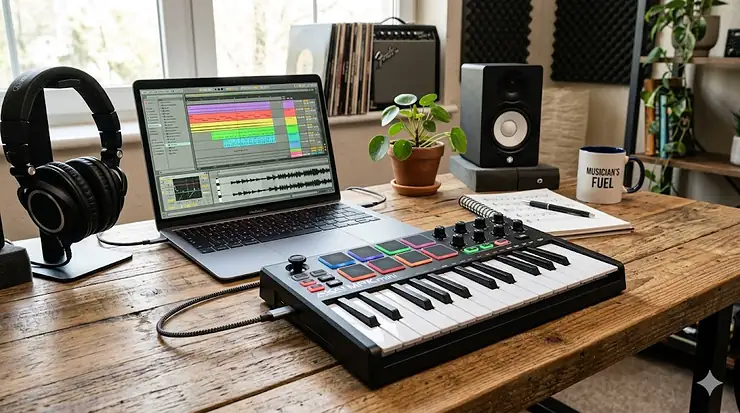
So you’ve decided to dive into music production, but staring at a blank DAW screen feels like trying to paint a masterpiece with invisible brushes. That’s where a midi keyboard for beginners becomes your creative lifeline. Think of it as the bridge between your musical imagination and the digital world, transforming taps and touches into beats, melodies, and full-blown compositions.
I’ve watched countless bedroom producers struggle with the same question: which controller will actually help me make music, not just collect dust? The answer isn’t about grabbing the fanciest gadget with a million buttons. It’s about finding that sweet spot between functionality, affordability, and plug-and-play simplicity. Whether you’re producing hip-hop beats in your dorm room or crafting ambient soundscapes at 2 AM, the right MIDI controller can turn frustration into flow.
The beauty of today’s MIDI technology lies in its accessibility. Unlike the expensive studio setups of decades past, you can now command an entire orchestra, synth collection, and drum arsenal from a compact device that fits in a backpack. The Musical Instrument Digital Interface (MIDI) protocol revolutionized music production by creating a universal language that lets your keyboard talk to any music software, regardless of brand or platform. For beginners especially, this means less time troubleshooting connections and more time actually creating.
In this comprehensive guide, I’ll walk you through seven battle-tested MIDI keyboards that won’t break the bank but will definitely break through your creative blocks. We’ll explore everything from budget-friendly 25-key controllers perfect for tight spaces to feature-packed options that grow with your skills. Plus, I’ll share insider tips on audio interface for teens, studio headphones for music, and building your complete home recording studio kit. Let’s turn those ideas in your head into tracks people can actually hear.
Quick Comparison Table: Top MIDI Keyboards at a Glance
| Product | Keys | Pads | Price Range | Best For | Rating |
|---|---|---|---|---|---|
| Akai MPK Mini IV | 25 mini | 8 RGB | $99 | Portable producers | ⭐⭐⭐⭐⭐ |
| Novation Launchkey Mini MK4 | 25 mini | 16 RGB | $95-105 | Ableton users | ⭐⭐⭐⭐½ |
| Arturia MiniLab 3 | 25 slim | 8 RGB | $85-109 | Software bundle lovers | ⭐⭐⭐⭐½ |
| M-Audio Oxygen Pro Mini | 32 mini | 8 | $119 | Compact versatility | ⭐⭐⭐⭐ |
| Alesis V25 MKII | 25 full-size | 8 | $60-80 | Full-size key preference | ⭐⭐⭐⭐ |
| Donner DMK25 Pro | 25 mini | 8 RGB | $45-60 | Ultra-budget beginners | ⭐⭐⭐½ |
| Akai MPK Mini Plus | 37 mini | 8 RGB | $199 | Advanced beginners | ⭐⭐⭐⭐½ |
💬 Just one click – help others make better buying decisions too! 😊
Top 7 MIDI Keyboards for Beginners: Expert Analysis
1. Akai Professional MPK Mini IV – The Industry Standard Redefined
The Akai Professional MPK Mini IV arrived in late 2025 as the most substantial redesign in the MPK Mini series history, and it shows. This isn’t just an incremental update; it’s a complete reimagining of what a compact controller should be. With its upgraded Gen-3 keybed, actual pitch and modulation wheels (replacing that awkward joystick), and those legendary RGB MPC pads, this controller packs professional features into a footprint smaller than most textbooks.
Key Specifications:
- 25 velocity-sensitive mini keys with improved action
- 8 pressure-sensitive RGB MPC pads
- 8 assignable 360° knobs with full-color screen
- USB-C and 5-pin MIDI out
- Studio Instrument Collection (1,000+ sounds included)
At $99, it’s positioned perfectly for beginners who want room to grow. The full-color display eliminates guesswork when switching between presets or adjusting parameters. Customer feedback consistently praises the improved key feel—one reviewer noted the keys are “far more responsive than previous generations, making finger drumming on the pads an absolute joy.” The included software bundle featuring Ableton Live Lite 12, Native Instruments Komplete 15 Select, and exclusive Studio Instrument Collection means you’re making music within 15 minutes of unboxing.
Pros:
✅ Professional-grade pads rival units twice the price
✅ Comprehensive software bundle worth $500+
✅ USB-C future-proofs your setup
Cons:
❌ Mini keys take adjustment if you’re used to full-size
❌ Some users report plastic knobs feel slightly cheaper than expected
2. Novation Launchkey Mini MK4 – The Ableton Live Dream Machine
If you’re committed to Ableton Live for learning music production, the Novation Launchkey Mini MK4 is practically mandatory. Novation’s decades-long partnership with Ableton shows in every aspect of this controller’s design. The MK4 generation brought polyphonic aftertouch to the pads, an OLED screen for visual feedback, and workflow enhancements that make clip launching feel telepathic.
Key Specifications:
- 25 mini keys with velocity sensitivity
- 16 velocity-sensitive RGB pads (polyphonic aftertouch)
- 8 rotary encoders
- Chord, Scale, and Arpeggiator modes
- Custom Mode for personalizing controls
Priced between $95-105 depending on retailer, it undercuts the Akai while offering more pads. The deep Ableton integration means session view clip launching, mixer control, and device parameter tweaking all happen without touching your mouse. One bedroom producer shared: “I went from spending 70% of my time clicking to 70% of my time actually playing music.” The Scale Mode locks you into any of 30 scales, perfect when you’re still wrapping your head around music theory.
For digital music creation beyond Ableton, it works with Logic Pro, FL Studio, and Cubase through templates, though the magic isn’t quite as strong. The generous software bundle includes Ableton Live Lite and instruments from Klevgrand, GForce, and Orchestral Tools.
Pros:
✅ Unmatched Ableton Live integration
✅ 16 pads vs competitors’ 8
✅ Scale Mode makes theory irrelevant
Cons:
❌ Other DAW integration requires setup
❌ Slightly larger footprint than competitors
3. Arturia MiniLab 3 – Boutique Feel, Budget Price
The Arturia MiniLab 3 brings French design elegance to the budget controller market. Available in White, Black, and limited-edition Champagne colorways, it’s the controller you’d actually want visible on your desk. Beyond aesthetics, those 8 endless rotary encoders feel premium—smooth, weighted, with just enough resistance for precise tweaking. The four faders add mixing capabilities missing from most mini controllers.
Key Specifications:
- 25 slim-key keyboard with velocity sensitivity
- 8 RGB backlit performance pads
- 8 endless rotary encoders + 4 faders
- Full-size MIDI out and control pedal input
- Analog Lab Intro (6,000+ sounds from legendary synths)
At $85-109, it’s competitively priced while including Analog Lab Intro—Arturia’s gateway drug to their acclaimed V Collection. You’re getting meticulously modeled versions of Minimoog, Prophet-5, Juno-106, and dozens more classic synthesizers. One reviewer called it “the best-feeling mini controller under $150, period.” The slim keys strike a balance between portability and playability, wider than typical mini keys but still compact.
The MiniLab 3’s chord mode and built-in arpeggiator accelerate idea generation when inspiration strikes. Customer feedback highlights build quality: “After a year of daily use, nothing rattles, nothing feels loose—it’s built to last.”
Pros:
✅ Premium encoder and fader feel
✅ Analog Lab Intro alone justifies the price
✅ Compact yet comfortable key spacing
Cons:
❌ Only 8 pads vs Novation’s 16
❌ DAW integration less seamless than Novation
4. M-Audio Oxygen Pro Mini – The Smart Controller
The M-Audio Oxygen Pro Mini earned its “Pro” designation through Smart Chord, Smart Scale, and auto-mapping features that anticipate what you need before you realize you need it. With 32 keys instead of 25, you get that extra octave for playing fuller chord voicings and bass lines without constantly shifting octaves.
Key Specifications:
- 32 semi-weighted mini keys
- 8 velocity-sensitive pads with RGB feedback
- 4 assignable knobs and 4 faders
- Smart Chord and Smart Scale modes
- Note Repeat and arpeggiator with tempo sync
Priced at $119, it sits in the middle ground between ultra-compact and feature-rich. The semi-weighted action provides tactile feedback that mimics piano playing better than synth-action competitors. Auto-mapping means it recognizes your DAW and instantly assigns controls to the most relevant parameters—no manual MIDI mapping required. Virtual instruments included (Mini Grand, Velvet, Hybrid 3) are genuinely usable, not throwaway demos.
One music production basics student praised: “The Smart Scale feature let me write my first complete track without knowing a single scale. Just pick the key, and every note you play sounds right.” The 3.5mm MIDI output connects to hardware synths, expanding your setup as skills develop.
Pros:
✅ 32 keys provide more playing range
✅ Smart features accelerate learning
✅ Semi-weighted action feels substantial
Cons:
❌ No aftertouch on keys
❌ Larger footprint less portable
5. Alesis V25 MKII – Full-Size Keys on a Budget
The Alesis V25 MKII solves a problem many beginners face: mini keys feel cramped and hinder proper technique development. This controller features 25 full-size, synth-action keys in a package that’s surprisingly compact. If you’re simultaneously learning piano and production, maintaining muscle memory across both is crucial.
Key Specifications:
- 25 full-size velocity-sensitive keys
- 8 backlit velocity-sensitive pads
- 4 assignable knobs
- 6-mode arpeggiator with tap tempo
- Pitch bend and modulation wheels
At $60-80, it’s the most affordable entry with full-size keys. The bundled MPC Beats software plus 7 expansion packs provides a complete production environment. The arpeggiator’s six modes (Up, Down, Up/Down, Random, and two pattern modes) generate melodic ideas when creativity stalls. One reviewer noted: “As someone with larger hands, this was the only budget controller where I wasn’t constantly hitting adjacent keys by accident.”
The V25 MKII’s build quality feels substantial—1.75kg means it stays put during aggressive pad-pounding sessions. Included 60-day Melodics subscription offers interactive lessons for both keyboard and finger-drumming skills. Customer feedback emphasizes value: “Everything I needed to start producing hip-hop beats without requiring a second mortgage.”
Pros:
✅ Full-size keys at mini controller pricing
✅ Comprehensive software bundle included
✅ Arpeggiator inspires creative ideas
Cons:
❌ Bulkier than mini-key alternatives
❌ Only 4 knobs limits complex parameter control
6. Donner DMK25 Pro – Budget Champion with Surprising Punch
Don’t let the Donner name fool you—the Donner DMK25 Pro punches well above its $45-60 price tag. While established brands dominated this list, Donner’s engineering delivers features you’d expect on $150 controllers: OLED display, personalized touch bar, 8 RGB pads, and velocity-sensitive keys that respond expressively to playing dynamics.
Key Specifications:
- 25 velocity-sensitive mini keys
- 8 RGB backlit drum pads
- OLED display for visual feedback
- Customizable touch bar for pitch/modulation
- USB-C connectivity
Customer reviews reveal surprising build quality. One budget-conscious producer wrote: “I bought this expecting throwaway quality but got a controller that’s survived a year of daily bedroom beatmaking.” The touch bar replaces traditional pitch and mod wheels with a modern capacitive strip—love it or hate it, but it saves space. Included music production software and 40 teaching courses help absolute beginners navigate digital music creation fundamentals.
The DMK25 Pro lacks the premium software bundles of Akai or Arturia, but for someone testing the waters before committing fully, it’s the ideal low-risk entry. The OLED screen provides visual confirmation of parameter changes—a feature missing from controllers triple the price.
Pros:
✅ Absurdly affordable entry point
✅ OLED display uncommon at this price
✅ Surprisingly durable construction
Cons:
❌ Limited software bundle compared to competitors
❌ Brand recognition means fewer online tutorials
7. Akai MPK Mini Plus – The Growth Controller
The Akai MPK Mini Plus bridges beginner and intermediate territory with 37 keys, onboard sequencer, and CV/Gate/MIDI outputs for hardware integration. At $199, it costs double the MPK Mini IV but delivers features that’ll remain relevant years into your production journey.
Key Specifications:
- 37 velocity-sensitive mini keys
- 8 RGB MPC pads with pressure sensitivity
- Built-in 128-note sequencer and arpeggiator
- CV/Gate outputs for modular/hardware synths
- Chord and Scale modes with multiple variations
The extra 12 keys make a tangible difference—you can play two-handed comfortably, program fuller chord progressions, and access wider melodic ranges without octave-shift gymnastics. The onboard sequencer transforms it from controller to standalone composition tool. You can sketch ideas directly on the device, then transfer MIDI to your DAW when ready.
Customer testimonials highlight longevity: “I bought this as a beginner two years ago and still haven’t outgrown it.” The CV/Gate outputs future-proof your setup—when you eventually explore hardware synths or modular systems, your controller’s ready. The included software package matches the MPK Mini IV’s generosity: Studio Instrument Collection, Ableton Live Lite, Native Instruments sounds, and more.
Pros:
✅ 37 keys provide professional playing range
✅ Built-in sequencer enables standalone creativity
✅ Hardware connectivity future-proofs investment
Cons:
❌ Twice the price of entry-level options
❌ Larger size reduces portability
Understanding MIDI Technology and Why It Matters
Before we dive deeper into buying considerations, let’s demystify what makes MIDI such a revolutionary tool for learning music production. Unlike traditional instruments that produce sound directly, a midi keyboard for beginners generates digital signals—think of it as a translator between your finger movements and your computer’s audio engine.
The MIDI protocol doesn’t transmit actual audio. Instead, it sends performance data: which note you played, how hard you hit it, when you released it, and dozens of other expressive parameters. This seemingly simple concept unlocks incredible creative possibilities. You can record a piano performance, then instantly transform it into strings, brass, or synthetic textures without replaying a single note. One keyboard becomes an entire orchestra.
This fundamental difference explains why MIDI files are tiny compared to audio recordings. A complex five-minute MIDI composition might occupy just 50KB, while the equivalent audio file could consume 50MB. For beginners building a home recording studio kit, this efficiency means smoother performance, more tracks in your projects, and less strain on budget computers.
Modern MIDI controllers have evolved far beyond simple note triggers. Today’s devices include pressure-sensitive pads for finger-drumming, endless encoders for sculpting synthesizer sounds, transport controls for navigating your DAW, and arpeggiators that generate complex patterns from simple chords. Understanding these capabilities helps you choose a controller that matches your creative vision, not just your immediate technical skills.
Essential Features Every Beginner Should Consider
Key Count and Size: Finding Your Sweet Spot
The eternal question: how many keys do you actually need? For most beginners exploring music production basics, 25 keys provide enough range to play melodies, simple chord progressions, and trigger samples. Octave shift buttons extend your range infinitely—you’re never truly limited. However, 25 keys mean frequent octave switching when playing complex material, which interrupts creative flow.
Full-size versus mini keys presents another consideration. Mini keys sacrifice size for portability but require adjustment if you’re simultaneously learning piano technique. Full-size keys feel natural and develop proper finger spacing, but consume precious desk real estate. My recommendation: choose mini keys if portability matters or your workspace is constrained. Opt for full-size if you’re also studying traditional piano and want consistent muscle memory across instruments.
Pads: Your Digital Drum Kit
Those colorful squares on modern controllers aren’t decorative—they’re percussion powerhouses. Velocity-sensitive pads respond to how hard you hit them, enabling expressive finger-drumming that mimics acoustic playing. RGB lighting provides visual feedback, showing you which samples are assigned where.
For hip-hop, electronic, and beat-oriented producers, pads are non-negotiable. Even if you’re focused on melodic music, pads accelerate workflow: trigger loops, launch clips, control mixer functions, or activate effects. Eight pads represent the minimum viable setup, though 16 pads (like Novation’s Launchkey Mini MK4) offer more flexibility for clip launching in Ableton Live.
Knobs, Faders, and Controllers: Hands-On Sound Shaping
Knobs and faders transform your controller from simple note input to comprehensive studio control center. Assignable knobs control virtual instrument parameters—adjust filter cutoff, resonance, envelope attack, or reverb depth without reaching for your mouse. Faders work beautifully for mixing, controlling track volumes directly from your controller.
Beginners often underestimate how much these tactile controls accelerate learning. Watching a filter cutoff knob’s physical position while hearing the sound change teaches synthesis principles faster than any tutorial video. Look for at least 4-8 assignable knobs on your first controller. Faders are bonus features that become invaluable as your projects grow more complex.
Software Bundles: Hidden Value Multipliers
Don’t overlook the included software when comparing midi keyboard for beginners options. Premium DAWs can cost $500+, so controllers bundling Ableton Live Lite or similar software deliver immediate value. Similarly, virtual instrument packages (Native Instruments, Arturia Analog Lab, AIR plugins) provide production-ready sounds that would cost hundreds purchased separately.
Calculate the total package value, not just the hardware price. A $100 controller including $300 worth of software beats a $80 controller with minimal bundled content. Research which DAW appeals to you, then prioritize controllers with strong integration and included lite versions of that software.
✨ Don’t Miss These Exclusive Deals!
🔍 Take your music production journey to the next level with these carefully selected products. Click on any highlighted item to check current pricing and availability. These tools will help you create authentic tracks your audience will love!
Building Your Complete Home Recording Studio Kit
A midi keyboard for beginners forms the centerpiece, but surrounding it with compatible gear transforms aspirations into finished productions. Let’s explore the essential components that complement your controller without overwhelming your budget or technical knowledge.
Audio Interface for Teens and Beginners
An audio interface for teens converts your computer’s digital audio into analog signals your studio headphones for music can process, and vice versa. While not immediately essential (your MIDI controller connects via USB and works immediately), an interface becomes crucial when recording vocals, guitars, or other acoustic instruments.
Budget-friendly options like Focusrite Scarlett Solo ($119) or PreSonus AudioBox USB96 ($99) provide professional-quality conversion with minimal complexity. Look for interfaces featuring: at least one XLR microphone input, instrument-level input for guitars/bass, phantom power for condenser microphones, and direct monitoring to eliminate latency during recording.
Studio Headphones for Music Production
Studio headphones for music differ fundamentally from consumer headphones. Rather than boosting bass and treble for pleasing sound, studio monitors present flat frequency response—what you hear is what exists in your mix. This honesty reveals problems consumer headphones mask, enabling better mixing decisions.
For beginners, closed-back headphones like Audio-Technica ATH-M50x ($149) or Sony MDR-7506 ($99) deliver professional monitoring in noise-prone environments. These industry standards have mixed countless hit records and will serve you from first beat to finished album. Open-back headphones (like Beyerdynamic DT 990 Pro) offer more natural sound but leak audio, making them better suited for dedicated studio spaces than shared living situations.
Software Essentials: Your Digital Audio Workstation
Your DAW (Digital Audio Workstation) is mission control for digital music creation. Fortunately, most midi keyboard for beginners bundles include lite versions of professional DAWs. Ableton Live Lite excels for electronic and beat-oriented production. FL Studio (formerly FruityLoops) remains the choice for hip-hop producers. Logic Pro X dominates on Mac for its comprehensive virtual instruments and intuitive workflow.
Don’t overthink the DAW decision—all professional options can create professional results. Choose based on interface appeal and which your MIDI controller integrates with most seamlessly. Many producers eventually learn multiple DAWs, but start with one and master its fundamentals before exploring alternatives.
Cable Management and Workspace Optimization
This unsexy topic separates functional home studios from frustrating cable nightmares. Invest in quality USB cables (USB-C to USB-C or USB-C to USB-A depending on your computer), consider a powered USB hub if connecting multiple devices, and use cable clips to route everything neatly.
Position your MIDI controller at comfortable height with your computer screen at eye level. Ergonomics matter during long creative sessions—poor posture leads to fatigue and shorter production sessions. A simple keyboard tray or adjustable desk can transform your setup from back-pain-inducing to all-night-mixing-comfortable.
Learning Music Production: From First Notes to First Tracks
Week One: Exploring Your Controller
Resist the urge to immediately dive into complex productions. Spend your first week simply exploring your midi keyboard for beginners. Play every key, trigger every pad, twist every knob. Learn the octave shift buttons, sustain pedal input, and transport controls. This foundation prevents future confusion and builds intuitive muscle memory.
Load the included virtual instruments and cycle through presets while playing. Notice how different sounds respond to velocity—some bright and percussive, others smooth and sustained. Experiment with the arpeggiator: play a single chord and watch it transform into rhythmic patterns. These experiments aren’t wasting time; they’re building the sonic vocabulary you’ll draw from when creating original music.
Month One: Music Production Basics
Focus on music production basics through simple, achievable projects. Week one: create a 4-bar drum loop using your pads. Week two: layer a bassline. Week three: add melodic elements. Week four: arrange these components into a basic song structure. Each small victory builds confidence and reveals what you need to learn next.
Follow structured tutorials specific to your DAW and controller combination. Manufacturers often provide quick-start guides walking through creating your first beat. YouTube channels like You Suck at Producing or In The Mix offer beginner-friendly breakdowns of music production concepts without gatekeeping jargon.
Months 2-6: Digital Music Creation Skills
As basic competence develops, expand into specific genres or techniques interesting you. Study song structure in your favorite tracks—where do verses transition to choruses? How do professional productions build tension then release it? Deconstruct reference tracks within your DAW, studying arrangement, sound selection, and mixing choices.
Learn fundamental music theory tailored to producers: major and minor scales, basic chord progressions (I-V-vi-IV is everywhere for a reason), rhythm patterns, and melody construction. Your controller’s scale mode removes theory barriers initially, but understanding why certain notes sound harmonious together elevates your compositions from random noodling to intentional artistry.
Join online communities (r/WeAreTheMusicMakers, various Discord servers, producer forums) where beginners share work and exchange feedback. The learning music production journey feels less daunting when you’re surrounded by others at similar skill levels. Plus, collaboration opportunities emerge that push your skills faster than solo grinding ever could.
Advanced Techniques: Beyond the Basics
MIDI Mapping and Customization
Once comfortable with default settings, explore MIDI mapping—assigning controller knobs and buttons to specific DAW or plugin parameters. This customization transforms your controller into a personalized command center optimized for your workflow. Modern DAWs feature MIDI Learn mode: click the parameter you want to control, wiggle the knob you want to control it with, done.
Create custom templates for frequently-used virtual instruments. If you always adjust filter cutoff, resonance, attack, and release when programming synth sounds, map those parameters to your first four knobs. This muscle memory accelerates sound design, keeping you in creative flow rather than hunting through menus.
Finger Drumming and Performance Techniques
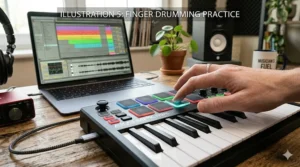
Those velocity-sensitive pads transform your midi keyboard for beginners into performance instrument. Finger drumming—playing drum patterns live on pads rather than programming them step-by-step—adds human feel impossible to achieve through quantized programming. Start slow with simple kick-snare-hihat patterns, gradually increasing complexity as coordination develops.
Study drummers playing acoustic kits, noticing how they voice patterns across the kit. Apply these concepts to your pad layouts. Many producers assign kick to bottom-left pad, snare to bottom-right, hihats across the top row. This ergonomic layout mirrors acoustic drums’ physical arrangement, making patterns feel intuitive rather than arbitrary.
Working with Hardware Synthesizers
Controllers with MIDI out (5-pin DIN) or CV/Gate outputs bridge the digital-analog divide, controlling hardware synthesizers, drum machines, and modular systems. While most beginners stay entirely in-the-box (computer-based), understanding hardware integration future-proofs your skills. Hardware’s tactile immediacy and analog warmth inspire different creative approaches than software alone.
Start simple: control a budget hardware synth like Korg Volca series or Behringer Model D from your MIDI controller. Program sequences in your DAW, then send MIDI notes to the hardware while recording its audio output back into your computer. This hybrid workflow combines software’s editing precision with hardware’s sonic character.
Troubleshooting Common Beginner Issues
“My Controller Isn’t Making Sound”
The most common beginner panic: keys light up, pads trigger, but no sound emerges. Remember: MIDI keyboards don’t generate sound internally—they control software that generates sound. Ensure your DAW is open, a track is armed for recording with a virtual instrument loaded, and you’ve selected your MIDI controller as the input device in preferences.
Check that your audio interface or computer speakers are selected as audio output. Confirm the virtual instrument’s volume isn’t muted or turned down. Try different presets within the virtual instrument—some patches respond only to specific velocity ranges or MIDI channels. These troubleshooting steps solve 90% of no-sound scenarios.
Latency Issues and Buffer Settings
Latency—the delay between pressing a key and hearing sound—kills creative momentum. If experiencing noticeable lag, adjust your audio interface’s buffer size in DAW preferences. Smaller buffers (64-128 samples) reduce latency but demand more CPU power. Larger buffers (512-1024 samples) ease CPU strain but increase delay.
For recording and playing, use small buffers to keep latency imperceptible. When mixing with dozens of plugins active, increase buffer size to prevent crackling and dropouts. Many DAWs let you switch buffer sizes mid-session, optimizing for the current task. On Mac, use Core Audio drivers; on Windows, install ASIO drivers for best performance.
MIDI Mapping Confusion
MIDI mapping initially feels arcane—CC numbers, channels, banks, and program changes create apparent complexity. Start simple: use your controller in its default mode with included DAW templates. Once comfortable, tackle custom mapping one parameter at a time. Most mistakes result from accidentally changing MIDI channels or banks; if your controller suddenly stops working correctly, reset to factory settings and restart.
Consult your controller’s manual for MIDI implementation charts showing which knobs send which CC numbers. These reference guides become indispensable when configuring complex routings or troubleshooting why a particular parameter refuses to respond.
Comparing MIDI Keyboards with Traditional Alternatives
MIDI Controllers vs. Digital Pianos
Digital pianos prioritize realistic piano sound and feel—weighted keys, sustain pedals, onboard speakers—making them ideal for learning classical piano technique. MIDI controllers sacrifice piano realism for versatility, controlling infinite sounds rather than excelling at one. For music production, controllers win decisively. For developing proper piano technique, digital pianos serve better.
Some producers own both: a weighted digital piano for practicing technique and composition, plus a compact MIDI controller for production work. Budget constraints usually force choosing one. If your primary goal is producing electronic music or learning music production, prioritize a MIDI controller. If serious piano study interests you, consider a mid-tier digital piano with MIDI out, effectively serving both purposes.
Hardware Synths vs. Software + Controller
Vintage hardware synthesizers command premium prices ($1,000-$5,000+) and offer unmatched tactile satisfaction. However, a $100 MIDI controller plus software emulations provides access to dozens of meticulously modeled classic synths for a fraction of the cost. Software’s unlimited polyphony, total recall, and non-destructive editing make it ideal for beginners still exploring their sonic identity.
As skills and budget grow, adding select hardware pieces to a software-centric setup combines both worlds’ strengths. Start software-based, learn synthesis fundamentals, identify which specific sounds you’re drawn to, then invest in hardware that fills those sonic niches. This patient approach prevents expensive impulse purchases of gear you’ll barely use.
Price vs. Value: The Long-Term Perspective
Beginners often agonize over saving $20 between similar controllers, but the true cost extends beyond the sticker price. A $80 controller requiring constant troubleshooting and offering frustrating workflow costs more in lost creative time than a $120 option that simply works. Factor in included software, build quality, manufacturer support, and community resources when calculating value.
The “buy nice or buy twice” adage partially applies—cheap controllers often get replaced within a year as skills outgrow their capabilities. However, diminishing returns appear quickly: a $400 controller doesn’t create $300 better music than a $100 option. The sweet spot for beginners sits between $80-150, providing professional capability without overpaying for features you won’t use for years.
Benefits Comparison: MIDI Keyboards vs. Mouse/Keyboard Production
| Aspect | MIDI Keyboard | Mouse + Computer Keyboard |
|---|---|---|
| Speed of Input | Real-time note entry, play chords instantly | Click individual notes, slow for complex parts |
| Musical Expression | Velocity sensitivity, aftertouch, real-time modulation | Manually draw velocity curves, time-consuming |
| Learning Curve | Intuitive if you play any instrument | Steep for non-musicians |
| Creativity | Encourages experimentation and happy accidents | Precision-focused, less spontaneous |
| Workflow Efficiency | Hands-on control of multiple parameters simultaneously | Mouse-heavy, repetitive clicking |
| Initial Investment | $50-200 hardware purchase | Free (already own computer) |
Price Range Analysis: What Your Budget Actually Buys
Under $75: Entry-Level Territory
Budget controllers like Donner DMK25 Pro ($45-60) or used Akai MPK Mini MK3 sacrifice premium features but deliver functional music production tools. Expect: mini keys, 8-16 pads, basic software bundles, plastic construction, and limited knobs/faders. These prove digital music creation interests you before committing larger sums. Many successful producers started here, proving expensive gear doesn’t create expensive-sounding music.
$75-150: The Sweet Spot
This range encompasses our top recommendations: Akai MPK Mini IV, Novation Launchkey Mini MK4, Arturia MiniLab 3, and Alesis V25 MKII. You gain: improved build quality, comprehensive software bundles worth hundreds, better key action, RGB pads, displays for visual feedback, and seamless DAW integration. These controllers serve beginners through intermediate levels, often remaining in professional studios as secondary controllers.
$150-250: Advanced Beginner Territory
Controllers like Akai MPK Mini Plus ($199) and Novation Launchkey 49 MK4 feature: extended key counts (37-49 keys), onboard sequencers, additional I/O (MIDI out, CV/Gate, sustain pedal inputs), premium construction, and semi-weighted keys approaching piano feel. Purchase at this level if music production has graduated from casual interest to serious commitment, or you need specific features (49+ keys, hardware connectivity) unavailable in cheaper options.
Frequently Asked Questions
❓ Can I use a midi keyboard for beginners without any music theory knowledge?
❓ What's the difference between 25-key and 49-key controllers for music production?
❓ Do I need an audio interface for teens to start making music with a MIDI keyboard?
❓ Which DAW software works best with midi keyboard for beginners in 2026?
❓ How long until I can make professional-sounding tracks as a beginner learning music production?
Conclusion: Your Journey from Beginner to Producer Starts Here
Choosing your first midi keyboard for beginners represents more than a equipment purchase—it’s committing to the creative journey of transforming ideas into tangible musical expressions. We’ve explored seven exceptional controllers spanning $45-199, each offering distinct advantages depending on your specific needs, space constraints, and creative ambitions. Whether you prioritize the portable perfection of the Akai MPK Mini IV, the Ableton-optimized power of Novation Launchkey Mini MK4, or the full-size feel of Alesis V25 MKII, any of these options will serve you faithfully from first confused button presses to confident beat-making sessions.
Remember that the “best” controller exists only in context of your unique situation. A bedroom producer with limited desk space has different needs than someone building a dedicated studio. Someone focused on finger drumming prioritizes pad quality differently than a melody-focused composer. The common thread connecting all successful producers: they stopped researching and started creating. Analysis paralysis prevents more music than technical limitations ever will.
Your audio interface for teens, studio headphones for music, and complete home recording studio kit will evolve as skills develop and needs clarify. Start minimal—controller, computer, included software—then expand strategically as you discover which production aspects excite you most. The synthesizer addict, the sample-chopping beatmaker, the vocalist-producer, and the electronic composer all started exactly where you are now: staring at a blank project wondering where to begin.
That beginning starts with a single note, a simple drum pattern, an experimental chord progression. Your MIDI controller transforms these tentative first steps into the foundation of your unique sound. The journey from beginner confusion to confident creation isn’t linear—expect frustration, breakthrough moments, creative blocks, and unexpected inspiration. But every producer navigated this same path, and the tools available today make music production more accessible than ever in history.
The question isn’t whether you can learn digital music creation—it’s whether you’ll commit to the process. Your first beats will sound amateur because they are. Your hundredth beat will reveal transformation. Somewhere between those extremes, you’ll create something that makes you stop, rewind, and think “I made that.” That moment makes every frustrating tutorial, confusing MIDI mapping, and late-night mixing session worthwhile. Welcome to music production. Your creative voice is waiting to be discovered.
Recommended for You
- 7 Best Beginner DSLR Camera for Teens 2026
- 7 Best Arduino Mega Starter Kits 2026
- Best Smartwatch for Kids Age 10 in 2026
Disclaimer: This article contains affiliate links. If you purchase products through these links, we may earn a small commission at no additional cost to you.
✨ Found this helpful? Share it with your friends! 💬🤗
